Official game
Play Chop Chop Inc.
This game is hosted by Steam. Continue to the official page to play or download it.
Play on SteamWhat Is Chop Chop Inc.?
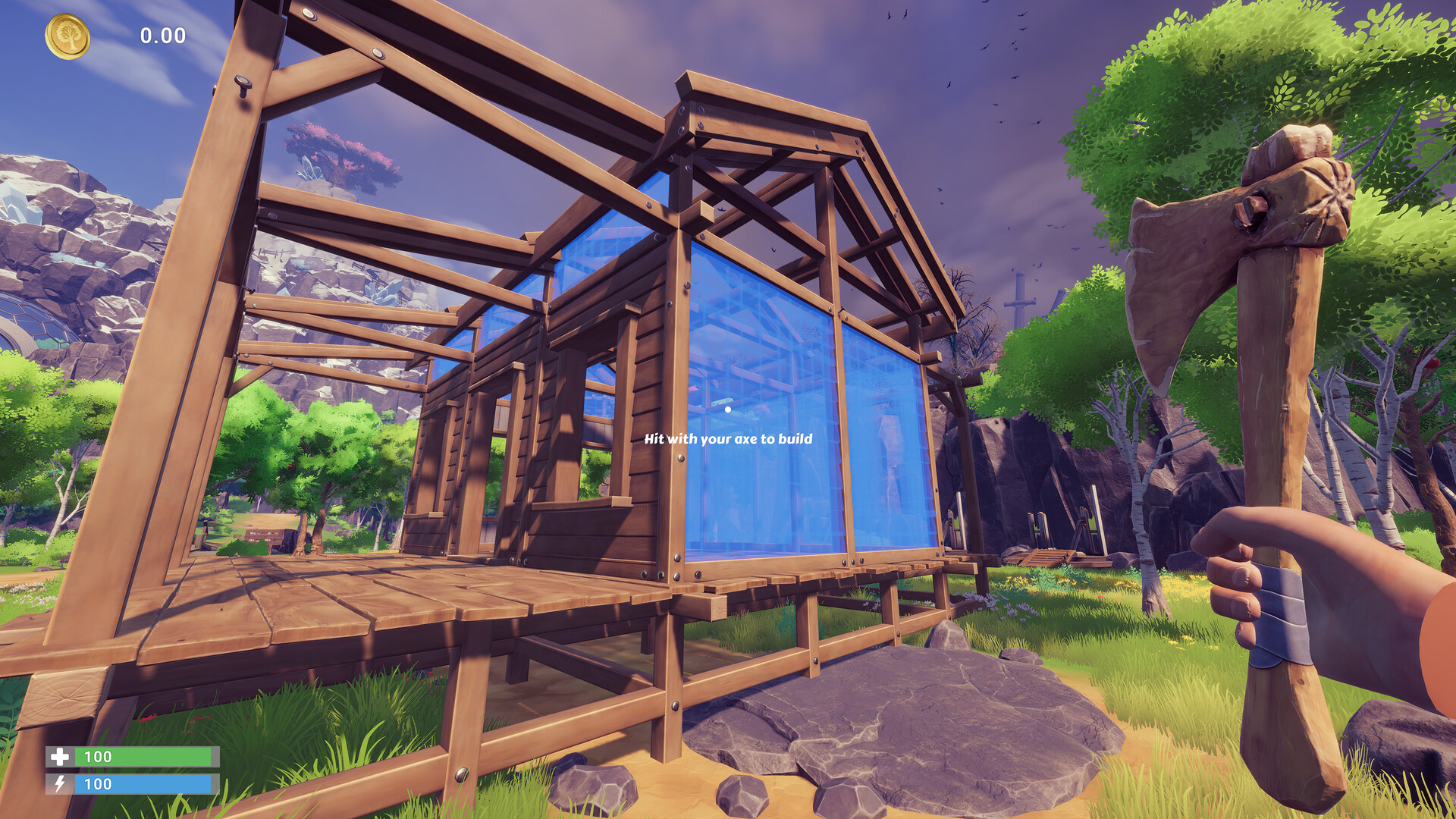
Chop Chop Inc. is a furniture-tycoon game about building a revenge business empire after getting fired from Furnox Corp. You start with nothing but an axe, a plot of trees, and a burning grudge. Chop trees, turn logs into planks, craft furniture, sell it for profit, reinvest in bigger machines, and grow from a one-person lumber operation into an automated production powerhouse.
Developed by NullRef Entertainment and published by rokaplay select, Chop Chop Inc. launches August 7, 2026 on Steam as a free-to-play Early Access title. It combines resource gathering (tree chopping), production chain management (logs → planks → furniture), shop optimization (furniture sets for bonus payouts), and character progression (strength, stamina, tools).
What makes it different from other tycoon/crafting games:
- Physics-based tree chopping. Trees don't just disappear when you click them. They have weight, collision, and questionable physics. Chop at the right angle and a tree falls exactly where you aimed. Chop badly and it lands on your workshop.
- Furniture set bonuses. Individual pieces sell for base price. Complete sets (matching wood types + style consistency) sell for 30–50% more. The game rewards planning, not just mass production.
- Revenge narrative. The main quest chain is literally titled "Furnox Must Pay." Every milestone — first production line, first automated sawmill, first million dollars — advances your revenge plot against your former employer, complete with passive-aggressive email exchanges.
- Unnecessary but beautiful designs. You can craft items that serve no practical purpose but look amazing: a wooden PC (good thermal properties apparently), a chair shaped like your boss's face, a completely solid wood hat. Each useless item grants style points that unlock cosmetic workshop upgrades.
- No debt mechanic. Unlike many tycoon games, Chop Chop Inc. doesn't make you take loans. You grow at your own pace. The only pressure is your own grudge against Furnox Corp.
Controls & Key Bindings
| Action | Input |
|---|---|
| Move | WASD |
| Interact (chop, pick up, operate) | Left Click |
| Open Inventory | E |
| View Recipes | Tab |
| Tool Hotbar | 1, 2, 3, 4, 5 |
| Sprint | Left Shift |
| Jump | Space |
| Crouch | C |
| Rotate Item (while placing) | R |
| Confirm Placement | Left Click |
| Cancel Placement | Right Click |
The controls are simple by design. Most of the complexity is in production line logic, not keybind gymnastics.
Core Mechanics Explained
Tree Chopping
The foundation of everything. Trees come in six types, each with different wood properties:
| Tree Type | Wood Color | Chopping Speed | Plank Yield per Log | Best Used For |
|---|---|---|---|---|
| Oak | Light brown | Normal | 4 | Beginner furniture, sturdy frames |
| Pine | Pale yellow | Fast | 3 | Bulk production, cheap items |
| Cherry | Red-brown | Slow | 5 | Premium furniture, high sell price |
| Walnut | Dark brown | Very slow | 6 | Luxury sets, late-game optimization |
| Maple | White-cream | Normal | 4 | Balanced all-rounder |
| Ebony | Black | Extremely slow | 8 | End-game furniture, highest sell price |
Chopping mechanics: Click and hold on a tree trunk. A circular indicator fills as you chop. Release at the right moment for a "clean cut" — the tree falls in the direction you're facing. Miss the timing and the tree falls randomly (often onto something you built).
Trees respawn after about 3 in-game days. Pine is fastest to respawn (2 days), Ebony is slowest (7 days). Mark your ebony trees — they're rare and worth protecting from bad cuts.
Resource Processing Chain
Raw resource flow:
Tree → Logs → Planks (Sawmill) → Processed Wood (Planer) → Furniture (Workbench) → Sold for Profit
                                           ↓
                                     Sawdust → Particleboard (Compressor)
Manual phase (first 30 minutes):
- Chop tree → drag log to sawmill → wait 10 seconds → collect planks
- Drag planks to workbench → select recipe → wait 15 seconds → collect furniture
- Drag furniture to shipping crate → vendor appears automatically → receive cash
Automated phase (after you unlock conveyor belts):
- Build conveyor from tree drop-off point to sawmill input
- Sawmill auto-feeds to planer via short conveyor
- Planer feeds to workbench cluster
- Finished furniture auto-routes to shipping area
The transition from manual to automated is the most satisfying part of the game. Watching your first fully automated chair roll off the production line is the moment it clicks.
Furniture Crafting & Set Bonuses
Each piece of furniture requires planks (sometimes nails, varnish) and crafting time. The recipe book starts with 12 basic designs and expands as you level up your workshop.
Set bonuses are where the real money is:
| Set Name | Pieces | Bonus Payout |
|---|---|---|
| Rustic Dining | Table + 4 Chairs + Sideboard | +30% |
| Office Suite | Desk + Chair + Bookshelf + Filing Cabinet | +40% |
| Luxury Bedroom | Bed + Wardrobe + 2 Nightstands + Mirror | +50% |
| Furnox Revenge | Special quest-related set | +100% |
To get the bonus, all pieces must use the same wood type and be crafted within the same in-game week. Mixing oak tables with cherry chairs breaks the set.
Character Upgrades
You improve through two parallel tracks:
Strength (increases chopping speed, carry weight, melee damage if you hit things):
- Level 1: Carry 1 log at a time
- Level 5: Carry 3 logs, chop 25% faster
- Level 10: Carry 5 logs, chop 50% faster, can two-hand big logs
Stamina (increases sprint duration, reduces fatigue from manual labor):
- Level 1: Sprint 5 seconds
- Level 5: Sprint 15 seconds, no fatigue from crafting
- Level 10: Sprint 30 seconds, move faster while carrying items
Both level through use. Chopping trees grants strength XP. Running, jumping, and carrying items grants stamina XP. There's no skill point system — you improve by doing.
Getting Started
Your First Hour
1. Don't build next to your first tree. You'll chop that area down and need the space for the sawmill. Build your workshop 15–20 meters from the first oak cluster.
2. Craft the Starter Table manual recipe immediately. It sells for $50 and teaches you the interface. Don't optimize — just do it.
3. Save your first $500 for the Sawmill upgrade. The hand-saw bench processes logs at 1 per 30 seconds. The Sawmill does 1 per 5 seconds. This is your first major efficiency jump.
4. Plant a small tree farm before expanding. Once you unlock the shovel (level 2 strength), plant 10 pine trees near your workshop. They grow in 2 days and provide a stable wood supply while you explore farther zones.
5. Ignore Ebony trees until you have a metal axe. Your starter axe takes 45 seconds to cut one ebony tree. Not worth the time.
Beginner Mistakes
| Mistake | Why It Hurts | Fix |
|---|---|---|
| Building workbenches too far from sawmill | Wastes time walking between stations | Place all production buildings within 10 meters of each other |
| Crafting single items instead of sets | Loses 30–50% potential profit | Always check which pieces form a set before crafting |
| Chopping trees randomly instead of in rows | Creates chaotic forest that's hard to navigate | Chop in straight lines, leave paths between rows |
| Ignoring conveyor belts | Manual dragging caps your output at ~$200/hour | Unlock belts as soon as you reach $2,000 total earnings |
| Upgrading tools before upgrading the workshop | Better tools help but better layout helps more | Prioritize workshop space upgrades |
| Selling raw logs | Logs sell for $10. Planks sell for $35. A chair sells for $120 | Never sell raw materials — always process them |
Early Game Progression Roadmap
| Goal | Target | How |
|---|---|---|
| 1 | Craft your first item | Follow tutorial prompt, craft Starter Table |
| 2 | Save $500 | Sell 10 tables (manual craft takes ~15 min) |
| 3 | Build Sawmill | Automates log → plank processing |
| 4 | Save $2,000 | Sell processed furniture (now at 3x rate) |
| 5 | Unlock conveyor belts | Auto-feed sawmill output to workbenches |
| 6 | Hire first worker | Worker auto-chops trees (faster than you) |
| 7 | Complete first furniture set | +30–50% bonus on a set of 5+ pieces |
| 8 | Reach $50,000 in total earnings | Unlocks the "Grudge Match" story quest |
| 9 | Automate entire production line | From tree → shipping, zero manual steps |
| 10 | Confront Furnox Corp | End-game story content |
Progression & Economy
Income Scaling
| Phase | Income Rate | Main Activity |
|---|---|---|
| Early (Hour 1) | $50–100/hour | Manual chopping + crafting |
| Mid (Hours 2–5) | $500–2,000/hour | Partial automation, furniture sets |
| Late (Hours 5+) | $5,000–20,000/hour | Full automation, premium sets, quest bonuses |
Money Sinks
- Workshop upgrades: $500–$50,000 each (space, machine quality, conveyor speed)
- Tool upgrades: $100–$10,000 (better axe → chainsaw → laser cutter)
- Hiring workers: $200/week per worker (up to 5 workers)
- Land expansion: $1,000–$100,000 per zone (6 zones total)
- Cosmetics: $500–$5,000 (workshop skins, character outfits, trophy furniture)
When to Expand vs Optimize
General rule: if your current setup runs at less than 80% uptime (machines idle because they're waiting for input), expand your wood supply first. If machines are backlogged (output pile overflowing), add more processing capacity.
Automation Guide
Conveyor Belt Basics
Unlocked at $2,000 total earnings. Conveyor belts move items from point A to point B. They cost $50 per segment.
Belt types:
- Straight: $50, moves items in one direction
- Curve: $75, 45 or 90 degree turn
- Elevator: $100, moves items up/down one floor level
- Splitter: $150, divides one input into two outputs (50/50 or configurable ratio)
- Merger: $150, combines two inputs into one output
Optimal Production Layout
[Tree Farm] → [Auto-Chopper] → [Sawmill] → [Planer] → [Workbench Cluster] → [Packaging] → [Shipping]
                  ↑                                    ↓
            [Worker Huts]                      [Varnish Station]
Place the sawmill, planer, and workbenches in a straight line with conveyor segments between each. This creates a "production highway" — items flow from left to right without any manual intervention.
You can stack production lines vertically (elevator belts) to save ground space. A two-story factory is roughly 2x more space-efficient than a ground-level spread.
Workbench Clustering
Each workbench can craft one recipe at a time. For optimal throughput:
- 3 sawmills feed into 2 planers feed into 5 workbenches (3:2:5 ratio, assuming all are same tier)
- Assign each workbench a different piece from the same furniture set
- This way all pieces finish at roughly the same time, ready for a set bonus shipment
System Requirements
| Component | Minimum |
|---|---|
| OS | Windows 10, Windows 11 (64-bit) |
| Processor | Core i5 or equivalent |
| Memory | 4 GB RAM |
| Storage | 2 GB available space |
| Graphics | DirectX 11 compatible |
Developer Background
NullRef Entertainment is a small indie development team based in Germany. Chop Chop Inc. is their second commercial title after a smaller mobile-focused crafting game. The team consists of three developers who previously worked on simulation and tycoon games for browser platforms.
The game is published by rokaplay select, a publishing label focused on indie simulation and tycoon games. rokaplay select typically publishes polished Early Access titles with a clear roadmap to 1.0.
The Chop Chop Inc. Early Access roadmap (per Steam page) includes:
- Full release target: Q1 2027
- Planned additions: Multiplayer co-op, new tree types (bamboo, ironwood), weather system affecting tree growth, additional furniture sets, and the final "Furnox Reckoning" story chapter.
Known Issues & Troubleshooting
- Conveyor belts not connecting: Make sure the belt input/output arrows face each other. Right-click a placed belt to see its direction.
- Tree not falling: Check if there's a building blocking its fall path. The game won't let a tree destroy your workshop (usually).
- Worker stopped moving: Workers can get stuck on terrain. Save and reload to reset their pathfinding.
- Furniture set bonus not applying: Verify all pieces use the exact same wood type and were crafted in the same in-game week (check the Workshop Ledger for timestamps).
- Game doesn't save: Early Access bug. Manual save is in the pause menu. Save every 15 minutes.
- Performance drops with many conveyors: The game simulates each belt segment. Group belts into longer segments instead of many short ones.
Steam Achievements
Partial list (more will be added during Early Access):
| Achievement | Requirement |
|---|---|
| First Cut | Chop your first tree |
| Table For One | Craft your first piece of furniture |
| Sawdust | Build a Sawmill |
| Automator | Build your first conveyor belt |
| Set For Life | Complete your first furniture set bonus |
| Employee Of Never | Hire your first worker |
| Grudge Match | Reach $50,000 total earnings |
| Furnox Must Pay | Complete the main story quest |
| Ebony And... Ebony | Craft a full set from Ebony wood |
| Full Factory | Have all 5 workers hired and all machines running simultaneously |
Quick Reference Card
| Resource | Source | Processed Into | Sell Price |
|---|---|---|---|
| Oak Log | Oak Tree | Oak Plank ($35) | $10 (raw) |
| Pine Log | Pine Tree | Pine Plank ($30) | $8 (raw) |
| Cherry Log | Cherry Tree | Cherry Plank ($45) | $15 (raw) |
| Walnut Log | Walnut Tree | Walnut Plank ($50) | $18 (raw) |
| Maple Log | Maple Tree | Maple Plank ($35) | $10 (raw) |
| Ebony Log | Ebony Tree | Ebony Plank ($65) | $25 (raw) |
| Nails | Purchase ($20/box) | - | - |
| Varnish | Purchase ($50/can) | - | - |
Repair cost formula: 10% of the item's sell price. Repairs needed after 20 items processed (for machines) or 50 chops (for axes).
Final Tips
- Automate in this order: Sawmill → conveyor to workbench → planer → full line. Every automation step roughly triples your hourly income, so the first $500 and $2,000 milestones are the most impactful.
- Chase sets, not single sales. A complete Rustic Dining set pays +30% over individual pieces. Before crafting anything, check which pieces form a set and which wood type you have in bulk.
- Never sell raw logs. Logs sell for $10, planks for $35, a chair for $120. Processing is always worth the extra minutes.
- Expand before you're forced to. Buy the second zone as soon as you have 5 workers busy — idle workers are wasted payroll.
FAQ
Is Chop Chop Inc. free to play? Yes, it launches August 7, 2026 on Steam as a free-to-play Early Access title. There are no announced microtransactions or pay-to-win mechanics.
Can I play Chop Chop Inc. solo? The game is designed for single-player. Workers you hire are AI assistants, not multiplayer partners — there is no co-op or online mode.
What's the best first goal? Save $500 for the Sawmill. It processes logs 6x faster than the hand-saw bench (1 per 5 seconds vs 1 per 30 seconds) and is the single biggest early efficiency jump.
Do trees run out? No. Trees respawn — pine in about 2 in-game days, ebony in about 7. Plant a pine tree farm near your workshop once you unlock the shovel for a stable supply.
Does the game have a fail state? There's no debt mechanic and no way to go bankrupt. The only pressure is the revenge storyline against Furnox Corp — you can grow at your own pace.
Last reviewed by Game How To Editorial. We play each game, verify controls against official sources, and update guides when game mechanics change.
Screenshots