Daily Pick
One deeply researched guide worth reading today.
A practical route through the systems that matter most, written to help new players make confident decisions quickly.
Overview: What This Game Is
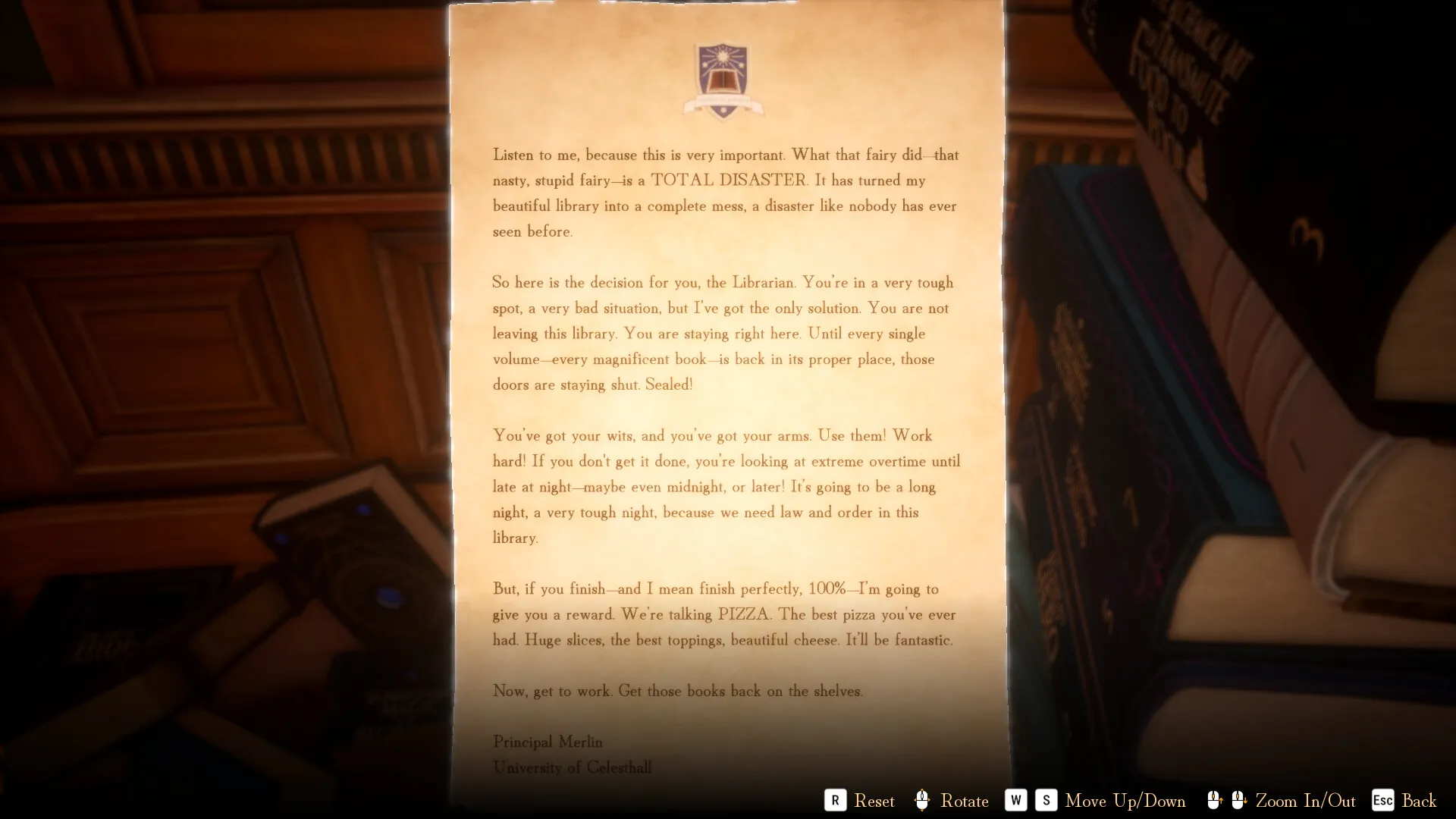
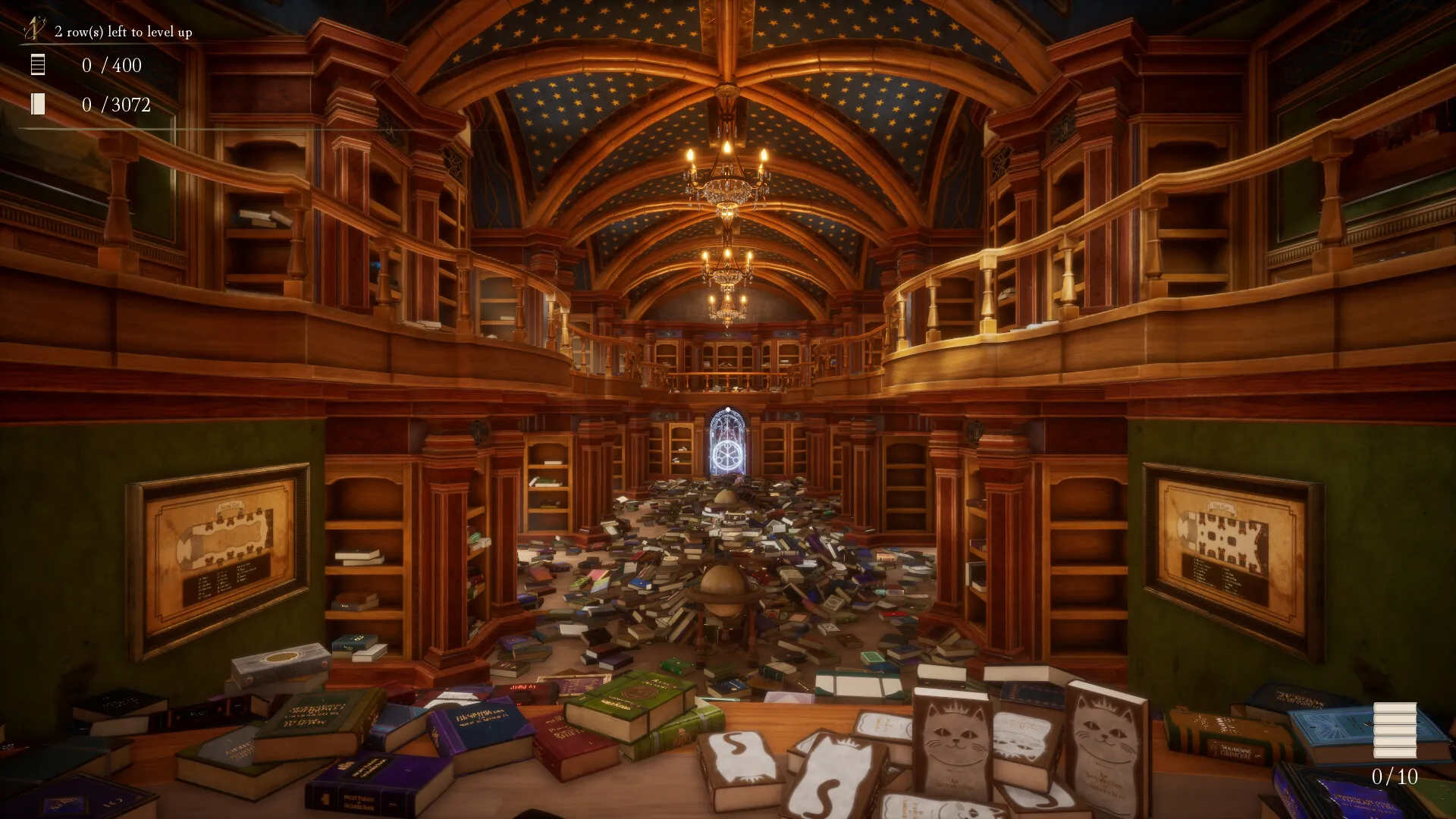
Librarian: Tidy Up the Arcane Library! is a first-person organization simulator from ArtRising, released April 30, 2026 on Steam. A mischievous fairy scatters all 3,072 books across the Arcane Library, and the principal forbids you from leaving until every one is shelved. Your job: read titles and cover clues, match each book to its category, group series together, and keep volumes in order.
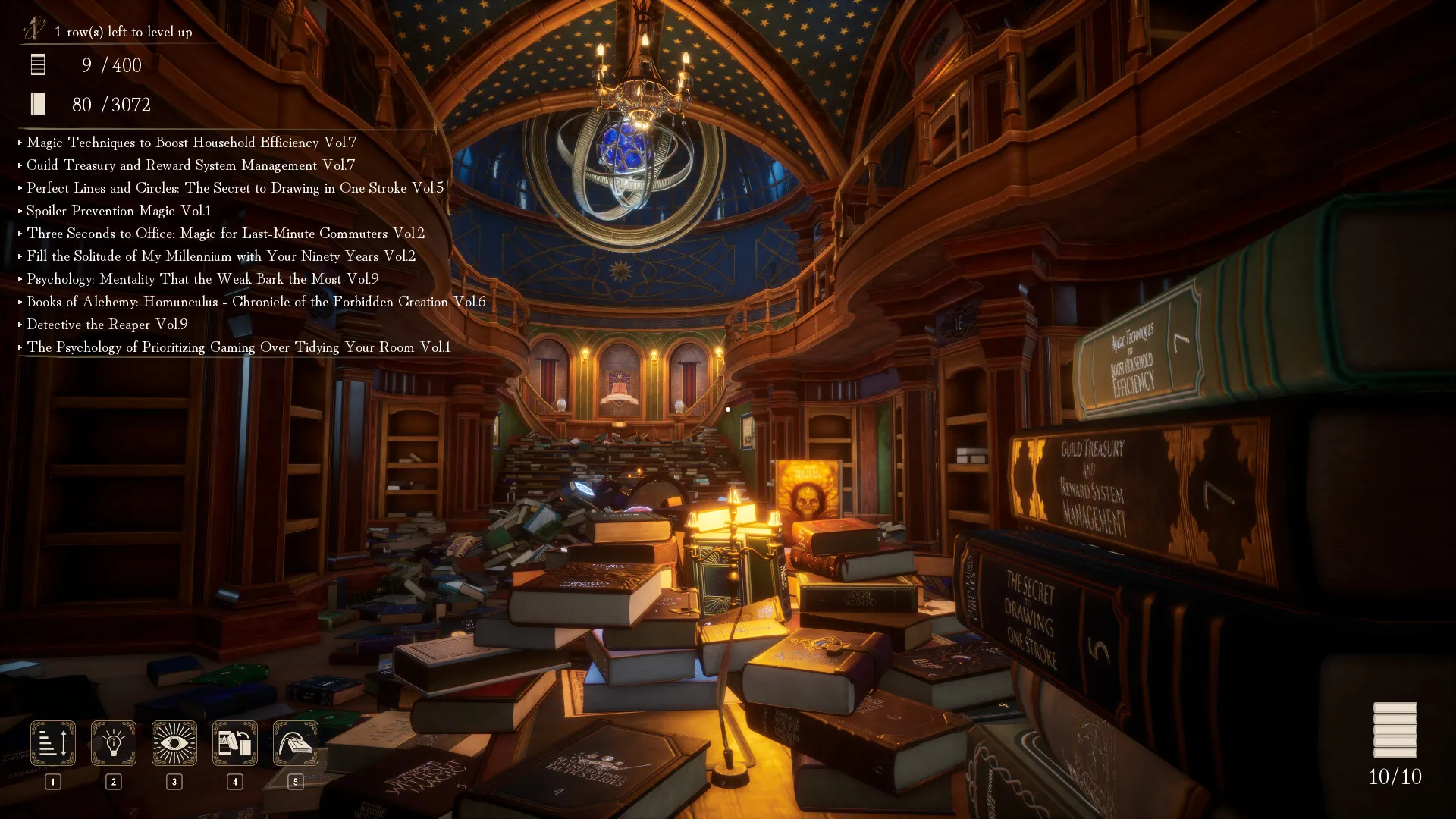
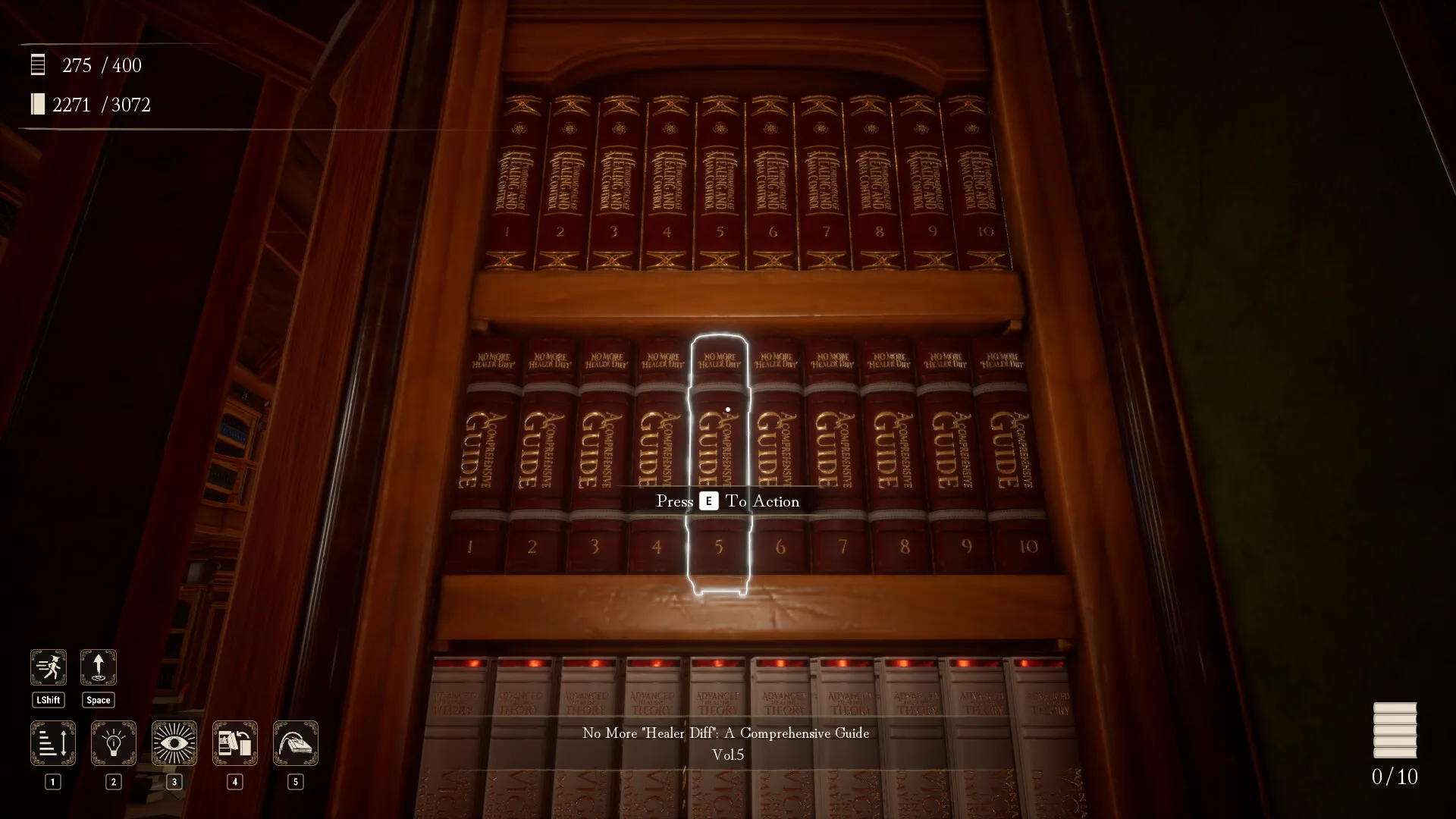
The hook is the loop, not the story. Pick up a book, identify its genre and series, walk to the right section, place it in volume order, and watch the row light up blue. The library is built around 400 shelf rows of roughly 7-8 books each, spread across 31 labeled sections on two floors. That scale turns a simple sorting game into a routing puzzle where good habits beat raw speed.
| Detail | Info |
|---|---|
| Developer & Publisher | ArtRising |
| Release | April 30, 2026 |
| Platform | Windows (Steam) |
| Price | $3.19 USD / S$7.29 |
| Players | Single-player |
| Playtime | 5-10 hours normal, 2-3 hours speedrun, 40+ hours if it becomes your hyperfixation |
| Steam Rating | Very Positive (94% positive across 16,900+ English reviews) |
| Recommendations | 25,000+ (October 2026), ~1,900 concurrent players |
| Languages | English, Simplified Chinese, Traditional Chinese, Japanese |
| Achievements | 12 |
| Books / Rows | 3,072 books / 400 rows / 31 shelf sections |
| Accessibility flags | Play at your own pace, no timed input required, save anytime, custom volume controls |
| Controller | Full support (Xbox, DualShock, DualSense pads) |
The game rewards the collect-a-thon brain. Completed rows chime and glow, the ambient music swells as the shelves fill, and the Principal's Evaluation grades your precision in real time, visible as you work. Difficulty is low mechanically and moderate strategically: nobody struggles to place a book, but everyone can waste hours wandering. Recent reviews keep landing on the same three words: relaxing, satisfying, cozy. One player wrote that their partner had to come check on them after hours of silent shelving. Another asked for the books to be readable because the titles sound interesting. The comparison to PowerWash Simulator holds: the appeal is watching chaos resolve into order one small task at a time.
Two caveats before buying, both visible in the negative reviews:
- No key rebinding. AZERTY keyboard users report the only fix is switching their OS layout to QWERTY while playing. Controller play sidesteps this entirely.
- The AI disclosure appeared after the initial sales window, and a cluster of negative reviews exists purely because of that timing. The disclosure itself is narrow: four assets refined with AI assistance, plus AI-assisted grammar corrections that were hand-reviewed. Whether that bothers you is your call; know it before you buy.
Getting Started: The First 30 Minutes
Finish the White-Cat Row First
The single most useful opening move is collecting the ten white-cat books near your spawn and shelving them on the nearest left-hand first-floor row, section 1A. This starter row does three things: it teaches you the row-order system, shows you what a completed shelf marker looks like, and pops your first achievement without sending you across the building. Do not roam the library hunting keys before you understand shelf feedback.
Placement Feedback Signals
The game gives you three immediate signals. Learn them before anything else:
| Signal | Meaning | Action |
|---|---|---|
| Gold feedback after placing a book | Placement accepted, series is correct | Keep going on this shelf |
| Faint red feedback | Wrong book or wrong slot | Remove it now; leaving a known bad placement creates two future searches |
| Section plaque turns blue | Whole section validated | Stop touching it, move to the next dark marker |
The blue light is a validation signal, not a style score. A shelf is valid when the correct series are grouped together and each series sits in volume order. Your shelf does not need to match someone else's screenshot block-for-block.
Comfort Settings Before You Sort
Spend ten minutes on settings. Camera sway bothers many players, so turn head bobbing off. Set FOV to 90-100 so you can see more shelf labels at once. On version 1.0.12 or later, pick a manual save slot, enable Auto Save, and keep Display Tutorial on until the first hour is over. Version 1.0.13 adds a Vignette toggle, which you should turn off since edge darkening hides books in your peripheral vision. The game carries "play at your own pace" and "no timed input" Steam certifications, so nothing in the systems punishes a slower setting.
The 4 Keys Come Before Serious Sorting
Three upgrades dominate every route, and all three come from key chests, not skill points. Get them early:
| # | Key | Unlock | Landmark |
|---|---|---|---|
| 1 | Crimson Octagon | High jump | Beneath the entrance crest near the start |
| 2 | Emerald Club | Sprint / run | The bench near the scale table (clear the pile first) |
| 3 | Golden Diamond | Carry capacity +3 | The vase on the stair railing (jump and look down into it) |
| 4 | Azure Star | Carry capacity +2 | Above the second-floor 2O / 2P shelves |
Always clear the clutter around a landmark before hunting the key. Most missed keys are buried in a pile or viewed from the wrong angle. The safest order is Crimson first, because high jump makes the vase and the upstairs checks reliable. Emerald can come second once the bench pile is cleared, since sprint pays for itself on every later trip. These four pickups are "minor abilities" and stay legal for the Anti-Magic Master achievement, so grab them on every save.
Beginner Mistakes to Avoid
| Mistake | Why It Hurts |
|---|---|
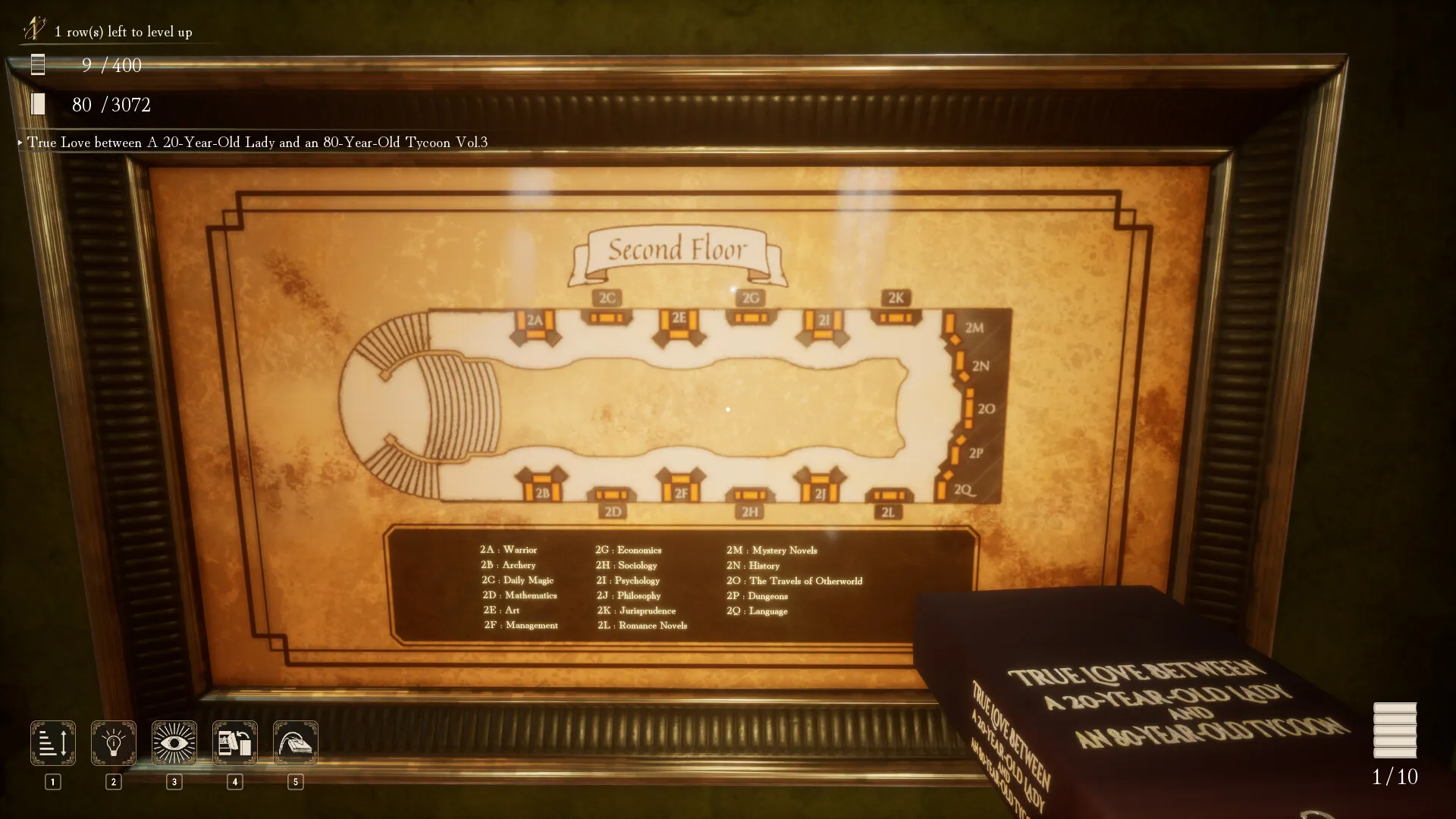
| Ignoring the stair maps | The maps near the main staircase show every shelf code. Guessing locations wastes hours. |
| Carrying unrelated books across floors | You cross the building, then have to cross back. Carry series, not random piles. |
| Trusting cover color alone | White books split across Healing, Holy, and Philosophy. Purple overlaps Illusion and Summoning. |
| Searching for keys before clearing nearby clutter | Keys hide under piles and behind props. Clear the landmark first. |
| Spending skill points on comfort spells | Early points belong in Assemble and Insight, not Sort. |
| Rebuilding blue shelves | If the label is blue, the row is valid. Leave it alone, even if the room still looks messy. |
Controls: Keyboard & Mouse, and Controller
| Action | Keyboard & Mouse | Controller |
|---|---|---|
| Move | W A S D | Left stick |
| Look | Mouse | Right stick |
| Sprint | Left Shift | Sprint button (left side) |
| Jump | Space | Jump button (right side) |
| Interact / pick up book | Left click | Main action button |
| Drop book (hold to stack neatly) | Drop Book key | Drop button |
| Cast major spell | Spell hotkey | Spell button |
Two control notes worth knowing early. The note inside the Emerald Club chest formally permits running, which the library's rules forbid at the start, so sprint unlocks through that chest rather than a menu option. Since version 1.0.12, binding any action to the O key no longer crashes the game, and Invert Mouse works; if you played on an older build and wrote off both, they are safe to revisit. And again for AZERTY users: no rebinding exists as of 1.0.13. The controller path is the path of least resistance.
Core Mechanics Explained
The Three-Layer Sorting System
Every book must satisfy three rules before its row can complete:
- Category section: the book has to sit in the correct numbered section (1A through 2Q).
- Series grouping: books sharing a title family stay together on one row.
- Volume order: volumes go left to right in numerical order (Vol. 1, 2, 3...).
A row only turns blue when all three hold. A full shelf can stay dark for one wrong family, one swapped volume, or one book that belongs to a neighboring section.
The Library Layout: All 31 Sections
The maps near the stairs are your primary reference. Sections ending in A, C, E, G, I, and K sit on one side of the room; B, D, F, H, J, and L on the other. The back wall holds extra sections, which is why 2O, 2P, and 2Q are the most-missed codes in the game. First floor = 172 series and 1,376 volumes; second floor = 228 series and 1,696 volumes.
First floor (1A-1N): magic and monster shelves.
| Code | Section | Fast clue | Watch out |
|---|---|---|---|
| 1A | Monsterology | Beasts, dragons, bestiary | Dragon summoning belongs in 1J |
| 1B | Astrology & Divination | Prophecy, tarot, zodiac, omens | Mystical wording is not automatically Holy |
| 1C | Curses & Dispels | Curse, hex, dispel, sealing | Curse-breaking still belongs with curses |
| 1D | Bard & Music | Chant, hymn, song theory | Spell chanting points to music |
| 1E | Necromancy | Dead, soul, skeleton, ghost | Undead defense wording can still be necromancy |
| 1F | Transfiguration | Transformation, mimicry | Mana wording does not make it Mathematics |
| 1G | Artifacts & Enchanting | Items, relics, enchanting | Forging and armor can be artifact books |
| 1H | Stealth | Shadow, hiding, invisibility, ninja | Joke theft titles may still be stealth |
| 1I | Illusion Magic | Hypnosis, perception, imaginary spaces | Purple covers appear in several sections |
| 1J | Summoning Magic | Contracts, magic circles | Dragon titles can be summoning, not Monsterology |
| 1K | Healing Magic | Poison cures, vigor, mana control | Healer books are easy to force into Holy |
| 1L | Holy Magic | Purification, sacred barriers | White covers also appear in Healing and Philosophy |
| 1M | Destruction Magic | Book of Spells, elements, time, space | Title pattern matters more than cover color |
| 1N | Alchemy & Potion-Making | Potion, synthesis, herbology | Transmutation can mean Alchemy |
Second floor (2A-2Q): jobs, society, fiction and study.
| Code | Section | Fast clue | Watch out |
|---|---|---|---|
| 2A | Warrior | Sword, axe, armor, parry | Magic combat books can still be Warrior |
| 2B | Archery | Bow, arrow, hunter | Hunter wording is not always Monsterology |
| 2C | Daily Magic | Kitchen, commute, storage, sleep | Practical spells are not Destruction |
| 2D | Mathematics | Equations, probability, vectors | Technical magic systems can be math |
| 2E | Art | Drawing, painting, puppets | Magic-circle art is still art |
| 2F | Management | Guilds, tactics, supply, licensing | Party books may be organization |
| 2G | Economics | Markets, wages, taxes, patents | Money systems beat legal wording |
| 2H | Sociology | Labor, society, culture | Social titles can look like fiction |
| 2I | Psychology | Mind, emotion, behavior | Philosophy and Psychology overlap |
| 2J | Philosophy | Ethics, metaphysics, ontology | White covers get mistaken for Healing |
| 2K | Jurisprudence | Law, court, contract, regulation | Contracts can look like Romance |
| 2L | Romance Novels | Love, pact, moon, prince | Legal wording distracts from romance |
| 2M | Mystery Novels | Detective, code, reaper | Occult mystery looks like Divination |
| 2N | History | Origins, records, war history | Historical magic can look like core magic |
| 2O | Travels of Otherworld | C++, Wi-Fi, data, modern world | Never put C++ or Wi-Fi into Language |
| 2P | Dungeons | Routes, architecture, resources | Dungeon creatures are not Monsterology |
| 2Q | Language | Fairy, demonic, elvish, draconic | Otherworld technology is not Language |
This table is the whole game in miniature. Most sorting mistakes trace back to one of the overlaps: Healing/Holy/Philosophy, Otherworld/Language, Dungeons/Monsterology, and Romance/Law.
The Three-Signal Check
Before you commit a confusing book, run three checks:
- Index record: read the exact title, note the shelf code and series volume count.
- Shelf logic: compare the book's subject with the section theme. If the title is about law, contracts, or regulations, test 2K Jurisprudence before Romance or Management.
- In-game validation: keep the series together, put volumes in order, and watch the shelf label. The blue or dark marker is the final authority.
If the signals disagree, park the book in an "uncertain" staging pile instead of forcing a color match. That pile prevents the same doubtful title from being re-checked five times.
The Principal's Evaluation
The game quietly monitors your shelving precision. The store page confirms it shifts in real time based on how many rows are correctly shelved, and accuracy feeds the same grade. Misplaced books drag it down even if you finish fast, so precision pays double: completed rows give skill points, and accuracy feeds the grade that plays out at the exit.
Abilities & Skill Priority
Rows you complete grant skill points that unlock major magic. There are three separate ability systems, and mixing them ruins challenge runs:
| Type | Examples | Anti-Magic Master? |
|---|---|---|
| Key-chest minor abilities | Sprint, high jump, carry capacity | Safe |
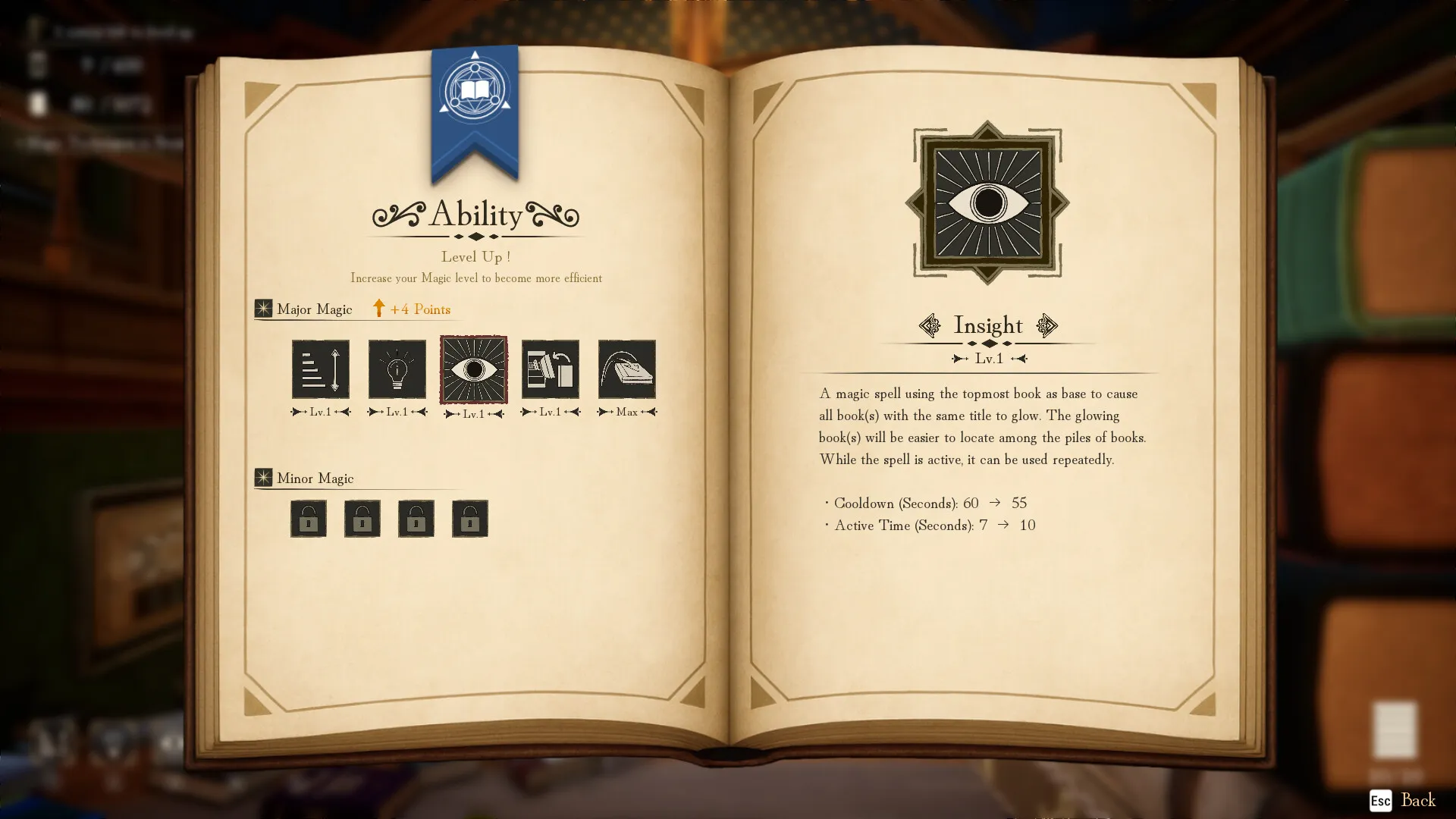
| Major magic | Sort, Shelf Guide, Insight, Assemble, Auto-Shelving | Forbidden |
| Special Stage ultimate | Post-clear clear action | N/A (after completion) |
Major Magic, Ranked by Value
| Priority | Ability | Function | When It Shines |
|---|---|---|---|
| 1 | Assemble | Pulls all volumes of a held series to you | 10-volume families and large scattered sets. Weak if the books are already shelved. |
| 2 | Insight | Highlights all volumes of a series | Early game when the floor is messy. Swap books while it is active, it is not one-use. |
| 3 | Auto-Shelving | Places carried books onto known shelves | After the target shelf is identified. A placement saver, not a category solver. |
| 4 | Shelf Guide | Points to the shelf for your top book | Skip it if you use the stair maps or a reference. |
| 5 | Sort | Organizes a messy area | Points trap once you know where books belong. Buy only when clutter is the bottleneck. |
Optimal spend for a normal run:
First points:    Insight to level 1-2 (the floor is messy, destinations are unknown)
Then:            Assemble levels (start at 2-3, keep climbing)
Mid game:        Auto-Shelving once you recognize shelf codes reliably
Late game:       whatever remains, Shelf Guide last, Sort second-last
Assemble trick: keep the volumes you want to gather on the floor. Assemble pulls floor clutter, not books already parked on shelves. If you stash series books on shelves before casting, the spell appears weak. In practice this means: stage a confirmed title of the series in your hand, leave its siblings lying around, then cast.
Step-by-Step Strategy
Sequence 1: The First Hour Route
0-10 min    Solve the white-cat 1A row. Learn what correct feedback looks like.
10-20 min   Adjust head bobbing, FOV, V-Sync, resolution. Make the session comfortable.
20-35 min   Clear landmarks: bench, entrance crest, stair railing, shelf labels.
35-50 min   Route the keys: Crimson jump, Emerald sprint, then Golden and Azure carry.
50-60 min   Build proof piles: obvious families, likely families, uncertain titles.
The first hour is a training route. Confirm one shelf, unlock movement, expand only to categories you can prove. The biggest beginner mistake is treating the library like a hidden-object room and carrying random books across floors.
Sequence 2: The Pull-and-Rack Loop
1. Pick up a confirmed title from a series (e.g. "The Travels of Otherworld Vol. 3").
2. Leave the other volumes on the floor. Activate Assemble.
3. All matching volumes fly to your hands.
4. Walk to the correct section, place them Vol. 1, 2, 3... left to right.
5. Row glows blue. Collect the skill point, spend it on Assemble immediately.
6. While placing, scan for the next target series. Loop.
This loop takes about 15 seconds per series once you are in flow. It removes nearly all walking from the collection half of the job.
Sequence 3: Mixed-Stack Delivery (No Magic)
1. Scan a room, pick 3-4 books heading to the same general area.
2. Carry them together (capacity upgrades let you hold 7-8).
3. Plan the shortest route that visits all their sections.
4. Drop each book at its section, keep moving.
5. Never make a single-book trip unless it is the last book of a section.
6. Keep Sprint active at all times. With sprint, a multi-drop run moves 5x more books per minute.
Sequence 4: Sort by Shelf Code, Then by Series
Work one section at a time. Pick the shelf with the fewest loose books, identify every loose volume of that family, deliver them all, watch the label turn blue, then move on. The "one section at a time" rule eliminates the three-books-from-three-sections problem and keeps you in one area long enough to build momentum.
Sequence 5: The 399/400 Audit
When the run stalls at 399/400, work in this order:
1. Marker pass: walk 1A to 2Q, note only the shelves whose labels stay dark.
2. Category pass: for each dark row, compare title intent against section theme.
3. Volume pass: pull the suspicious family, rebuild from volume 1 upward.
4. Recovery pass: only after 1-3 fail, use the Recall Stone on the staircase podium
   (re-piles unshelved books) or reload from the menu (stuck/invisible books).
Never rebuild a blue shelf. The final error is almost always local: one wrong family, one swapped volume, or one hidden book. If 3,072 books are placed but a row is still dark, the problem is shelf validation, not a vanished book. The Recall Stone does not remove books that sit on the wrong shelf.
Sequence 6: Speedrun Route (Efficiency Librarian, Sub-3 Hours)
0-15 min    Setup, solve 1A, grab the easiest nearby rows.
15-40 min    Keys: Crimson, Emerald, Golden, Azure.
40-90 min    Point engine: clear 3-5 volume rows fast. Do not debate suspicious titles.
90-140 min   Major magic: Assemble large families, Auto-Shelve identified shelves.
140-170 min  Second-floor sweep: finish 2O, 2P, 2Q and the back wall.
170-180 min  Completion gate: 400/400 rows, 3,072/3,072 books, audit dark labels, exit.
Do a practice run before the real attempt. Knowing where the 31 sections live saves more time than any trick. Use a visible timer, but do not reset for tiny early mistakes. The achievement window is wider than a leaderboard route. Prioritize 3-5 volume families as a point engine, and save Assemble for the large scattered sets that cost minutes.
Advanced Tips
Fast Early Shelves (Point Engines)
These sections fill fast because their families are short and their title patterns are clear:
| Section | Why it is fast | Search clue |
|---|---|---|
| 2C Daily Magic | Many 3-volume practical series | Kitchen, home, commute, storage, sleep, office |
| 2D Mathematics | Many 3-volume theory series | Probability, equation, imaginary numbers, patterns |
| 2G / 2H / 2K / 2L | Dense 3-volume clusters | Taxes, wages, contracts, law, love, romance |
| 1M / 1N / 2O | Clear 5-volume families | Book of Spells, Tomes of Alchemy, Wi-Fi, C++, data |
Short series convert scattered information into points quickly. The 2O section holds a known five-volume list worth memorizing if you want both speed and the 3-hour achievement.
The Throw-Over-Rail Technique
Standing on the second floor with a book whose destination is downstairs? Throw it over the railing and let it land on the first floor. Pick it up on the way past. This cuts repeated stair loops and is safe once you know the shelf layouts. Blind clears and early speed attempts benefit most.
Reverse Placement for Fussy Shelves
Some shelves have an awkward final slot. If the last book refuses to place cleanly, try filling the row from volume 10 down to volume 1. Reverse placement reduces fiddling on cramped shelves, especially during late-game manual cleanup.
The Color Shortcut, With Its Limits
Color is a first clue, never proof. The reliable pairings:
| Cover | Likely sections | Confirm before placing |
|---|---|---|
| White / pale | 2J Philosophy, 1K Healing, 1L Holy | Read the title. Recovery and poison cures go Healing; sacred light goes Holy; abstract thought goes Philosophy. |
| Black + red text | 1E Necromancy, 1C Curses | Undead wording can look like Holy. |
| Purple / blue | 1I Illusion, 1J Summoning | Not every purple book is the same category. |
| Earth tones | 2N History, Travel, Geography, Nature | More varied than they look. |
| Gold / ornate | Royalty, Legends, Epics | Often multi-volume series. |
The Recall Stone
The Recall Stone is a fast-travel item that re-piles unshelved books when used on the staircase podium. It is a recovery tool, not a first diagnosis. Use it only after marker, category, and volume checks fail. Version 1.0.13 added a tutorial for it, and holding the Drop Book key now stacks carried books neatly on the ground, which keeps staging piles readable.
White-Book Triangulation
The single most common late-game mistake is the white-book split. Healing (1K), Holy (1L), and Philosophy (2J) all wear pale covers. Use title intent:
Recovery, poison cures, vigor, mana control  -> 1K Healing
Purification, sacred light, undead protection -> 1L Holy
Knowledge, being, ethics, thought, meaning    -> 2J Philosophy
Troubleshooting: Shelf Not Turning Blue
| Problem | Likely cause | Fix |
|---|---|---|
| Full shelf stays dark | Wrong family, wrong order, or split series | Pull the suspicious series, rebuild from volume 1 |
| Assemble misses a book | Book already shelved, or carry capacity full | Keep target books on the floor; free inventory space |
| 3,072 placed, 399 rows | One row failed validation | Audit only the dark marker; do not hunt the floor |
| Book count short by ≤10 | Unshelved books hidden or out of bounds | Recall Stone on the staircase podium |
| Invisible or stuck book | Shelf physics glitch | Remove nearby books, return to main menu, Continue |
| Exit open but not done | Door opens before all rows validate | The door is not proof of completion. Check counters first |
Achievement Guide: All 12, With Live Unlock Rates
The 12 achievements split into four groups that actively conflict with each other. Do not force them into one save. The percentages below come from the global Steam stats page (October 2026), and they tell a story: 55.8% of owners finish the library, but the three challenge achievements sit below 15%, and that is where a 100% file lives or dies.
| Achievement | Unlock Rate | Requirement | Best approach |
|---|---|---|---|
| The First Step of Organizing | 91.1% | Complete the first row | Solve the white-cat 1A row |
| Novice Mage | 79.7% | Unlock your first major spell | Any skill point spend |
| Intermediate Librarian | 74.5% | Complete 50 rows | Normal progress |
| Sage of the Library | 72.6% | Unlock all major magic | Buy all five spells |
| Veteran Librarian | 67.1% | Complete 200 rows | Normal progress |
| Life Hack Wizard | 59.2% | Unlock all minor magic | Open all four key chests |
| The Archmage | 55.8% | Max out ALL major spell levels | Budget points for Sort and Shelf Guide too |
| The Grand Librarian | 36.6% | Complete all 400 rows | Normal completion |
| Overtime Avoider | 14.3% | Use the ultimate in Special Stage | After a clear, one button press |
| You are Fired! | 13.6% | All 3,072 books shelved randomly, zero rows valid | Throwaway save |
| Efficiency Librarian | 12.0% | Full clear under 3 hours | Dedicated practiced save |
| Anti-Magic Master | 12.0% | Full clear with zero major magic | Dedicated ~12 hour save |
Reading the Numbers
Two details in the live data are worth pausing on. First, the gap between The First Step (91.1%) and The Grand Librarian (36.6%): more than half of everyone who shelves a single row never finishes the library. Second, Overtime Avoider (14.3%) requires literally one button press after completing the game, and barely more than a tenth of players pressed it. Most people stop at the finish line. Both achievements are near-free pickups on a completed save; take them before moving to harder saves.
The 12-13% cluster is the real grind, and the three achievements in it reward opposite behaviors, which is exactly why they need separate saves.
The Archmage is the quiet trap. It demands maxed levels on every major spell, including Sort and Shelf Guide, the two spells every efficiency route tells you to skip. On a normal save where you pour everything into Assemble, you will hit the 400-row finish with two spells underleveled and nothing left to spend. Either budget late points into the unpopular spells as you go, or plan a cleanup pass before your final exit.
Recommended Run Order
Run 1:  Normal first clear. Learn codes, unlock abilities, finish 400 rows.
        Spend points Assemble-first; grab Overtime Avoider in Special Stage after.
Run 2:  The Archmage cleanup if Run 1 underleveled Sort/Shelf Guide.
Run 3:  You are Fired. Throwaway save. Spread unrelated books widely, swap volume
        orders so nothing validates, restart if any row turns blue by accident.
Run 4:  Anti-Magic Master. Dedicated save, key upgrades only, ~12 hours of
        manual sorting. One accidental spell cast spoils the entire attempt.
Run 5:  Efficiency Librarian. Practice once, then the 3-hour route above.
Anti-Magic Master specifics. Sprint, high jump, and carry capacity are safe. Sort, Shelf Guide, Insight, Assemble, and Auto-Shelving are all forbidden, even a single test cast. Sort manually with visible buckets: pull 3-5 volume sets, Book of Spells rows, language rows, Otherworld tech, dungeon titles, romance, mystery, and law books first, no spells needed. Finish with the strict checklist: no major spell used, every marker blue, counters at 400/400 and 3,072/3,072, then leave through the door and wait for the achievement to resolve. At 12% ownership it is tied for the rarest achievement in the game, and it takes most of a day.
You are Fired specifics. The joke achievement asks for all 3,072 books on shelves with zero valid rows. Use a throwaway save, place unrelated books together, and swap volume orders (put every Vol. 10 where Vol. 1 sits) so nothing can validate. Restart immediately if a shelf ever turns blue.
You are Fired pitfalls. Auto Save can record a bad state. If a row turns blue by accident, do not just carry on: the achievement checks whether zero rows were valid when you left, so break the validated row before exiting (swap two volumes) or reload the manual save you made at the start of the run. Never leave shelves empty either, the requirement is all 3,072 books shelved, just shelved wrong.
Settings & Performance
| Setting | Recommended | Notes |
|---|---|---|
| FOV | 90-100 | See more shelf labels at once |
| Render Scale | 100% (70-80% on 8GB RAM builds) | The library loads 3,072 books at once |
| Vignette | Off | Hides peripheral books |
| Head bobbing | Off if sway bothers you | Reduces fatigue on long runs |
| Display Tutorial | On for first hour, then off | Cuts UI clutter |
| Auto Save | On | Safety net per completed row |
| Manual Save | Use multiple slots | Added in 1.0.12. Save before challenge runs |
System Requirements
| Tier | OS | CPU | RAM | GPU | Storage |
|---|---|---|---|---|---|
| Minimum | Windows 10 64-bit | Intel Core i7-4790K / AMD Ryzen 5 1500X | 8 GB | GeForce GTX 980 Ti 6GB / Radeon RX 6500 XT | 2 GB |
| Recommended | Windows 11 64-bit | Intel Core i7-8700 / AMD Ryzen 5 3600 | 16 GB | GeForce GTX 1080 / Radeon RX 5700 XT | 2 GB |
DirectX 12 is required on both tiers. The surprising part is the GPU floor: a 2015 flagship card for a game about placing books, a consequence of keeping 3,072 individual physics objects loaded at once. Integrated graphics will struggle even at reduced render scale. If the game crashes on launch, update to 1.0.13 or later; earlier builds had fatal error issues at startup.
Steam Deck, Controller, and Accessibility
Steam lists no native Linux, Mac, or Deck verification for this title, so treat Deck compatibility as unverified rather than assumed. What is confirmed on the store page: full controller support for Xbox, DualShock, and DualSense pads on Windows, plus accessibility-relevant certifications including "play at your own pace," "playable without timed input," "save anytime," and custom volume controls. The gameplay itself is walk-carry-place, three actions that map cleanly onto any gamepad, which makes the controller route the best answer to the missing key-rebinding problem. On a Deck or low-spec laptop, drop Render Scale to 70-80% first, keep Vignette off, and close background apps before loading a save, since the book-loading spike at level transitions is the heaviest moment. Back up your save folder before long challenge attempts; challenge runs can waste hours on one bad branch.
Update History (v1.0.11 - v1.0.13)
| Version | Date | Highlights |
|---|---|---|
| 1.0.13 | July 17, 2026 | Vignette toggle, hold Drop Book to stack carried books, Recall Stone + stack tutorials, improved spawn, fixed Render Scale preset bug |
| Cloud fix | July 15, 2026 | Fixed Steam Cloud sync for save data (restart Steam to apply) |
| 1.0.12 | July 13, 2026 | Manual save/load with multiple slots (Sav.sav migrated to GameData.sav), FOV and Render Scale options, tutorial/Auto Save toggles, fixed O-key binding crash, fixed Invert Mouse |
| 1.0.11 | June 23, 2026 | Re-released after rollback: changed level loading to fix Fatal Error on launch, optimized book loading during transitions, first-launch performance preset picker |
The patch cadence is the best signal about the studio: five updates landed between June 23 and July 17, 2026, including one emergency rollback of 1.0.11 that the team apologized for openly and re-released with a changed level-loading method. No updates have shipped since mid-July, so treat 1.0.13 as the stable long-term version, and do not expect rebinding or new content soon.
Developer Background: ArtRising
ArtRising is a small indie studio handling both development and publishing for Librarian, its breakout title. It communicates through the Steam news hub and maintains official YouTube, X, and Instagram channels. The store page carries an AI content disclosure, worth reading in full because it is narrower than most: four assets (one UI component, three landscape wall paintings) were refined with AI assistance, none were generated from scratch, and AI-assisted grammar corrections to in-game text were reviewed by hand afterward. The studio frames the technology as a supportive tool and the work as anchored in manual craftsmanship.
Part of the community disagrees with how that disclosure was timed. A visible block of negative reviews (including several from players with 7-35 hours played, meaning they played anyway and still wanted the position on record) centers on the disclosure arriving after the initial sales period. The positive side of the ledger is just as visible: 20 out of 20 recent English reviews sampled in October 2026 were positive, with playtimes from 4.7 to 51.8 hours and a vocabulary dominated by "cozy," "satisfying," "dopamine rush," and requests for more floors. One reviewer with 47.5 hours wrote simply: "need more games like this."
One design detail worth appreciating: the Principal's Evaluation shifts in real time as rows validate, so the grade you eyeball at the exit has been tracking your accuracy the entire run. Nothing in-game explains that. The systems in this game tend to work that way, quietly logging your behavior and settling up later.
How It Compares to Similar Games
| Game | Core loop | How Librarian differs |
|---|---|---|
| PowerWash Simulator | Clean surfaces section by section | Same satisfaction curve, but Librarian adds a classification brain: you decide where things go, not just scrub on sight |
| Unpacking | Drag items into rooms across a story | Unpacking is curated and short; Librarian is one giant open-ended space with routing depth |
| A Little to the Left | Sort household objects, puzzle-y | A Little to the Left is level-based and abstract; Librarian is one continuous 3,072-item commitment |
| House Flipper | Buy, clean, renovate, sell | House Flipper spreads focus across renovation; Librarian goes all-in on a single obsessive system |
The closest comparison is a delivery-and-filing hybrid. PowerWash players know the feeling of "one more panel" at midnight; Librarian produces the same effect with "one more row," and the row chime does the same work as the finished-panel sparkle. What sets it apart from every game above is scale inside a single map: no levels, no new rooms, just the same two floors getting progressively emptier and quieter as the floor reappears from under the books.
Who it will not suit: players who want narrative payoff (the fairy and principal are setup, not story), and players who need variety in verbs. You walk, carry, and place for the entire game. The magic system varies the how, never the what.
Quick Reference Card
FIRST HOUR
  1. White-cat row on 1A        -> learn the feedback, first achievement
  2. Settings: FOV 90-100, head bob off, vignette off, auto save on
  3. Keys: Crimson (jump) -> Emerald (sprint) -> Golden (+3 carry) -> Azure (+2)
  4. Build proof piles: obvious / likely / uncertain

THE LOOP
  White books first, then black-red (necromancy)
  Short series = fast points: 2C, 2D, 2G/2H/2K/2L, then 1M/1N/2O
  Keep series on the FLOOR, then Assemble (it pulls floor books only)
  One section at a time. Never a single-book trip.

SHELF NOT BLUE?
  Marker pass -> category pass -> volume pass -> Recall Stone (last resort)
  3,072 placed but 399/400 = one row failed validation, audit dark labels
  Full + dark = wrong family or wrong volume order

DEADLINES
  The Archmage: budget points into Sort/Shelf Guide BEFORE the 400th row
  Sub-3h run: practice first, keys by min 40, 2O/2P/2Q by min 170
  Anti-Magic: keys allowed, five major spells forbidden, one cast ruins it
FAQ
Q: How many books and rows are there? A: Exactly 3,072 books in 400 rows across 31 shelf sections. About 7-8 books per row.
Q: I placed a book in the right section but the row is not glowing. A: Check volume order and series grouping. A full shelf can still hold the wrong family or the right family in the wrong order. Pull the suspicious series and rebuild from volume 1.
Q: Where are the 4 keys? A: Crimson Octagon under the entrance crest (high jump), Emerald Club on the bench near the scale (sprint), Golden Diamond in the stair railing vase (carry +3), Azure Star above the 2O/2P shelves (carry +2). Clear clutter around each landmark first.
Q: What is the fastest way to sort? A: Get all four key upgrades, then max Assemble and Insight. Keep series books on the floor, use the pull-and-rack loop, and work one section at a time. Never make a single-book trip.
Q: What does "399/400" mean when all books are placed? A: One row failed validation. Walk 1A to 2Q, find the dark marker, audit that row's category and volume order. It is almost never a missing floor book.
Q: Does the Speedrun achievement require 100%? A: Efficiency Librarian asks for a full clear (all books correctly shelved) in under 3 hours, on one save.
Q: Can I rebind keys? A: No. As of version 1.0.13 there is no rebinding, which hits AZERTY keyboard users hardest. The practical fix is a controller, which has full support.
Q: What is the Recall Stone for? A: A recovery item. Used on the staircase podium it re-piles unshelved books. It does not fix books sitting on wrong shelves, and it is the last resort, not the first.
Q: Is there a penalty for wrong placements? A: No direct penalty, but wrong books keep rows dark, which means no skill points, and the Principal's Evaluation tracks your accuracy for the final grade.
Q: Can I get every achievement in one run? A: No. Anti-Magic Master, Efficiency Librarian, and You are Fired reward opposite behaviors. Plan at least five saves.
Q: How long does a full clear take? A: Naive play runs 10-14 hours. Section-by-section with Assemble takes 5-7 hours. An optimized speedrun route finishes in 2-3 hours.
Q: Why did The Archmage not pop when I finished the game? A: It needs every major spell at max level, not just unlocked. Sort and Shelf Guide are the usual culprits since efficient routes skip them. Keep spending points on those two before your final exit, or run a cleanup save.
Guide refreshed October 2, 2026. Achievement rates, review sentiment, patch data, and pricing re-verified against live Steam data; the game build checked is v1.0.13.