Official game
Play Driving Rogue
This game is hosted by Steam. Continue to the official page to play or download it.
Wishlist on SteamOverview
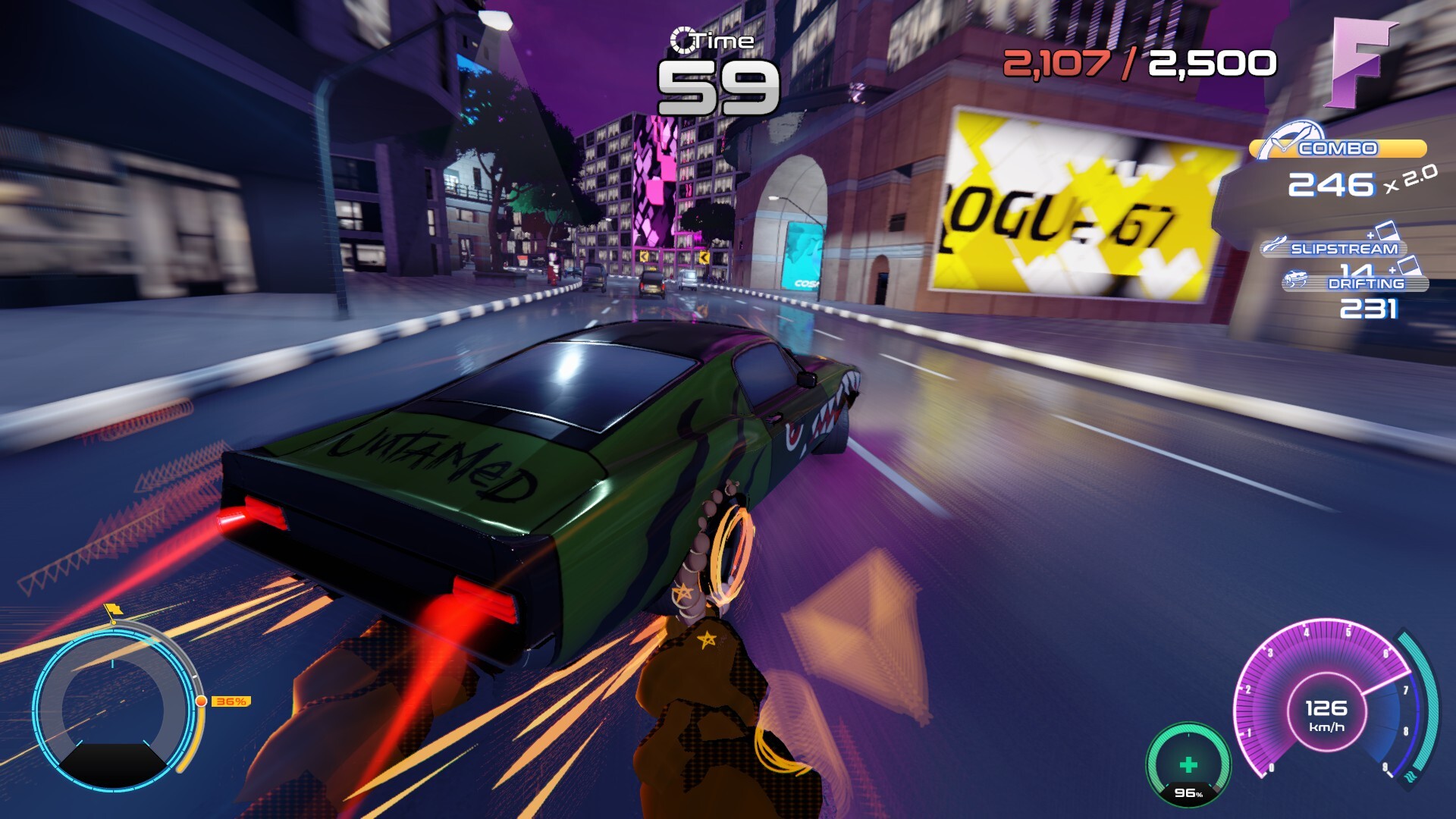
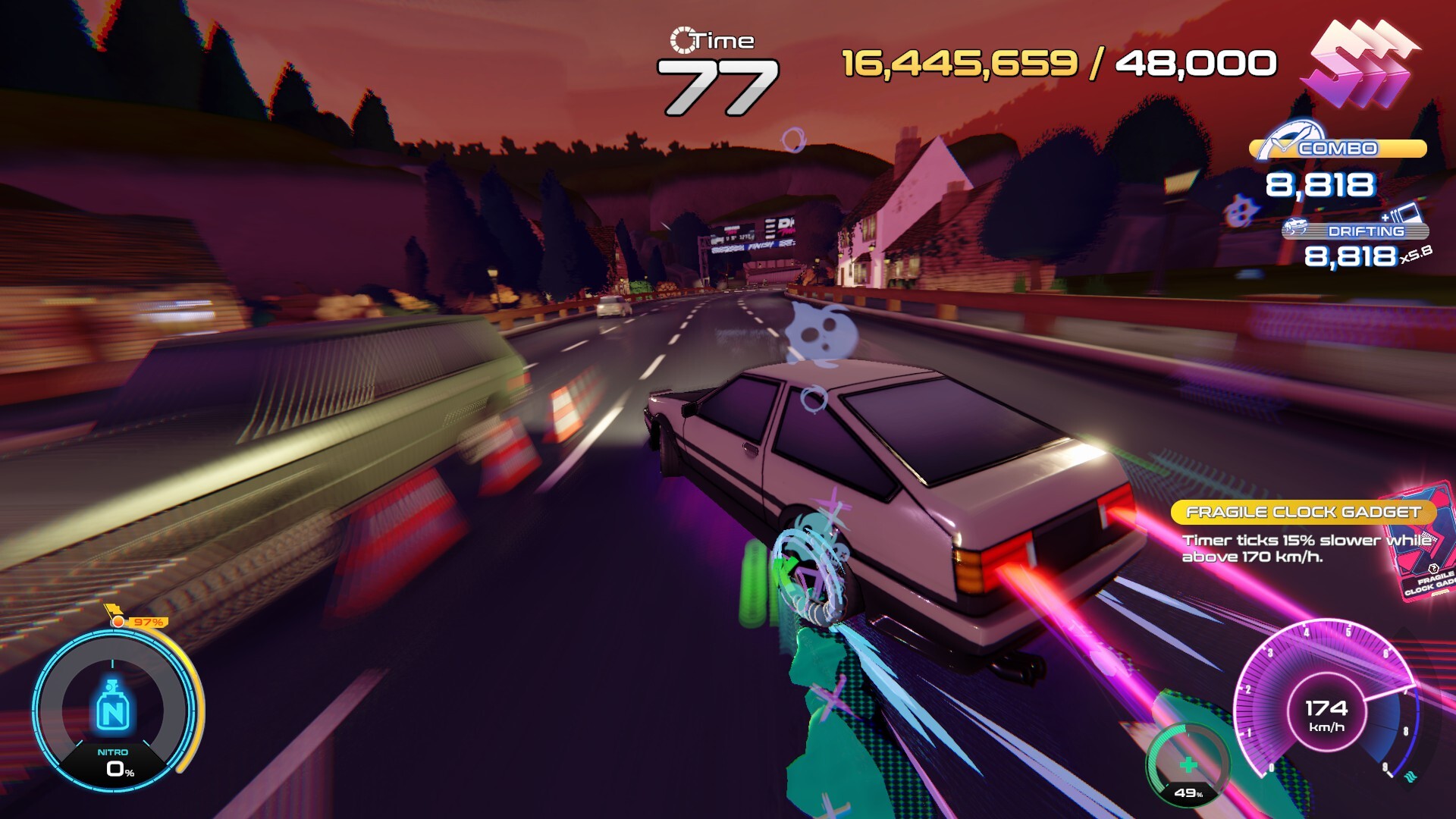
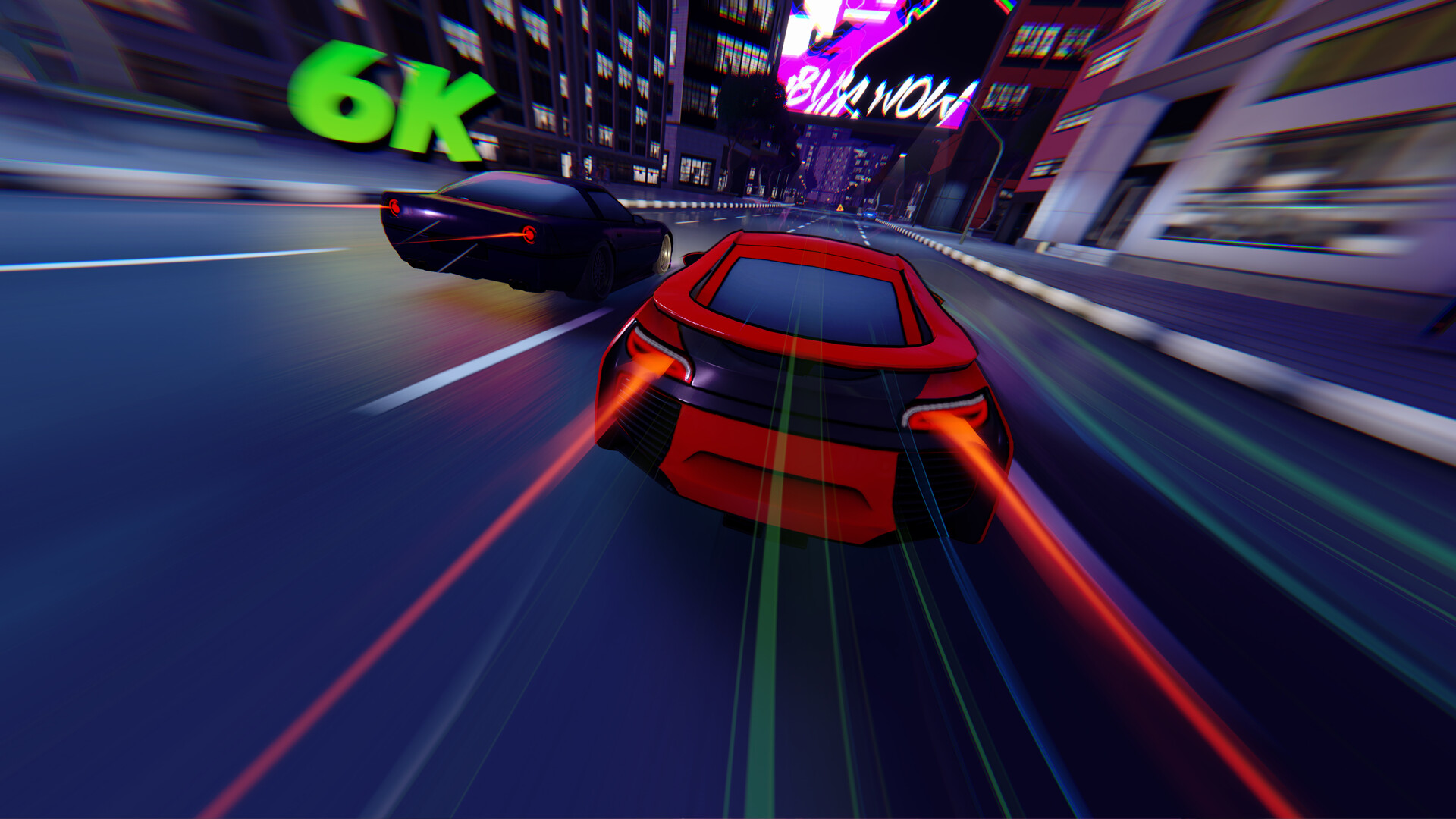
Driving Rogue is a roguelike arcade racer from Gravity Works, published with Cosmic Shift Studios, launching on Steam on September 17, 2026. The pitch is simple: drift, slipstream, and chain risky near-misses at insane speeds to build huge combos. Every run drops you onto procedurally generated streets where one crash ends the run. Survive long enough, spend your earnings on upgrades, and chase your best score up the leaderboards.
Think OutRun's arcade energy crossed with a deck-building roguelike's run structure. You are not racing other cars to a finish line. You are surviving an endless, increasingly hostile city, squeezing every point out of traffic, hazards, and weather while your car gets faster and your card stack gets stronger. The demo has been in active development since early 2026 with a steady stream of updates: Driver Files progression, Photo Mode, Live Radio, weather, pickups, a full card system, NPC racers, and boss challenges.
The core loop is punishing but fair: survive as long as you can, then spend your earnings to upgrade your ride and refine your build. Each run is a chance to go further, push your limits, and beat your previous best. The city never stays the same: roads shift, traffic patterns change, and every run throws new challenges your way. One mistake ends it all, and the leaderboard is the real boss.
| Detail | Info |
|---|---|
| Genre | Action / Casual / Indie / Racing / Sports |
| Developer | Gravity Works |
| Publisher | Gravity Works, Cosmic Shift Studios |
| Platform | Windows (Steam) |
| Price | TBA (demo available now) |
| Players | Single-player + online co-op, leaderboards |
| Release Date | September 17, 2026 |
| Languages | English (full audio) |
| Controller Support | Full (Xbox, DualShock, DualSense), gamepad recommended |
| Steam Features | Achievements, Workshop, Stats, Leaderboards, Family Sharing |
| Demo | Free on Steam (Driving Rogue Demo, app 4291930) |
Who it's for: fans of score-attack arcade racers, roguelike fans who like build variety, and anyone who enjoyed the tension of Burnout's near-miss system. If you like games where one mistake ends everything and the leaderboard is the real boss, this lands in your wheelhouse.
Who it's not for: players who want a single long campaign or a relaxing cruise. The game is built on risk: every pickup, every near-miss, every drift is a gamble with your run on the line. If you prefer low-stakes driving games, the tension here will wear you out.
How to Play
The Core Loop
A run works like this:
- Drive. You control a car on an endless procedurally generated street. Traffic, obstacles, and hazards appear faster the longer you survive.
- Chain near-misses. Passing close to traffic without crashing builds your combo multiplier. Near-misses are the main score engine.
- Collect pickups. Bonus Coins, Bonus Points, Bonus Time, Combo Breaker, Healing, Ability Refill, and the wildcard Joker pickup spawn on the road.
- Crash or survive. One mistake ends the run. What you earned converts into currency.
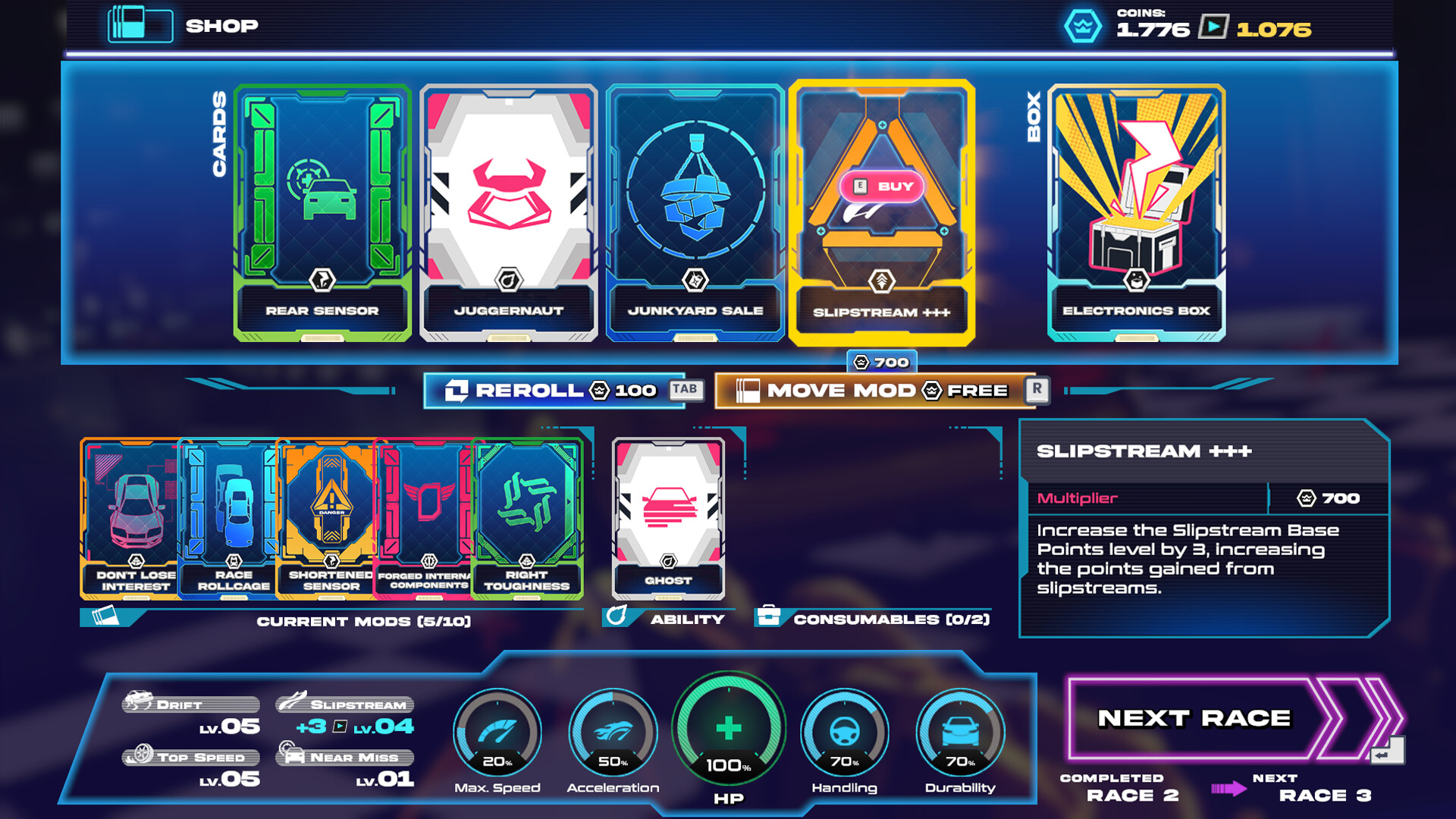
- Upgrade and rebuild. Spend earnings on car upgrades, unlock abilities, and stack cards that change how your next run plays.
- Beat your record. Climb the Redline rankings and leaderboards.
Controls
| Action | Keyboard | Gamepad |
|---|---|---|
| Steer | A / D (or arrows) | Left stick |
| Accelerate | W / Up | RT / R2 |
| Brake | S / Down | LT / L2 |
| Drift handbrake | Space | B / Circle |
| Change camera | C | Y |
| Pause / menu | Esc | Start |
The developers added optional drift settings for both playstyles: Hold Handbrake to Drift and Tap Brake to Drift. Try both early. The hold version is more forgiving for beginners; the tap version gives experienced players tighter control. There is also a Drift Assist option in Settings that helps with sharp corners and makes learning the drifting mechanics much easier. Experienced players often turn it off for tighter control. You can toggle gamepad vibration in Settings too.
The First 30 Minutes
The demo tutorial walks you through steering, braking, and your first near-misses. Do not rush it. The habits you build here carry into the full game:
- Learn your braking distance. The car has weight. Suspension sway reacts to steering, and braking takes real distance at speed. The game increased the deceleration rate by 5% in a later update, so braking now bites harder than it did at launch; test your stopping distance every session.
- Near-miss is a range, not a touch. The game counts a near-miss when you pass close to traffic. You do not need to scrape paint. The window was rebalanced over several updates, so it is forgiving but not free. Thread between two cars is the classic double near-miss.
- Hoard nothing. Pickups despawn. If a Bonus Time or Combo Breaker is ahead, take the line that grabs it even if it means a small detour.
- Watch the weather. Rain and snow change grip. Rain makes drifting slipperier; snow slows response. Adjust your entry speed on corners.
- Set your camera early. Camera C (or Y on gamepad) cycles between views. The higher camera shows traffic ahead clearly; the close camera feels faster but hides information. Pick one and stick with it through your first dozen runs.
Core Mechanics
1. Near-Miss Combo System
Near-misses are the heart of scoring. Passing close to NPC traffic builds a combo multiplier, and the multiplier climbs with consecutive near-misses. The system was rebalanced twice during demo development: the range was reduced by 15% and the score per near-miss was cut by 30%, which pushed the emphasis onto chaining rather than farming single passes.
Key details:
- Combo success and failure have distinct score VFX so you always know your state.
- The combo threshold timing was reduced, meaning you have less time between near-misses to keep the chain alive.
- Later stages require higher scores, so the combo is not optional past the opening kilometers.
- A long gap between near-misses resets your multiplier entirely. Traffic packs are your best friends; thread through them and the multiplier climbs on its own.
- Slipstreaming is the second scoring engine. Drafting behind NPC traffic builds speed and score, but the new Cargo Van punishes blind drafting: slipstream behind one and it drops its cargo onto the road. Never sit directly behind a van.
2. Pickup System
Pickups spawn on the road during runs and reward players who take risks. The spawn rate was increased by 25% in a later update, so lines through pickup lanes are more valuable than they first appear:
| Pickup | Effect |
|---|---|
| Bonus Coins | Extra currency for upgrades |
| Bonus Points | Direct score boost |
| Bonus Time | Extends the run timer |
| Combo Breaker | Prevents combo reset on a mistake |
| Healing | Repairs damage |
| Ability Refill | Restores the ability bar |
| Joker | Random one of the above |
A Car Wash area can also appear across tiles; driving through it refills your ability bar. Treat it as a free Ability Refill that you plan your route around, not a random bonus you hope to hit.
3. Weather System
Rain or snow can appear during a run, changing how the car behaves:
- Rain: reduces grip and makes drifts slide further. Entry speed on corners needs to drop; the car will not rotate where you point it.
- Snow: slows response and makes braking distances longer. Give every corner more room and start braking earlier.
The weather is not just cosmetic; it changes your entry speed on every corner. In snow, your near-miss timing shifts because the car arrives later than your muscle memory expects. Spend your first weather run just learning the new braking distances, then add scoring.
4. Upgrades and Visual Feedback
Upgrades come in four categories, each with its own visual effect that scales with rarity and count:
| Mod Type | Visual Effect |
|---|---|
| Engine Mods | Exhaust bangs |
| Body Mods | Underglow |
| Electronic Mods | Light trails |
| Suspension Mods | Front wheel effects |
The better your build in a category, the more intense the effect. Upgrades apply visually to your car as you buy them, so your ride literally evolves with your build. Owned mods are listed in the pause menu, so you can check your current stack mid-run.
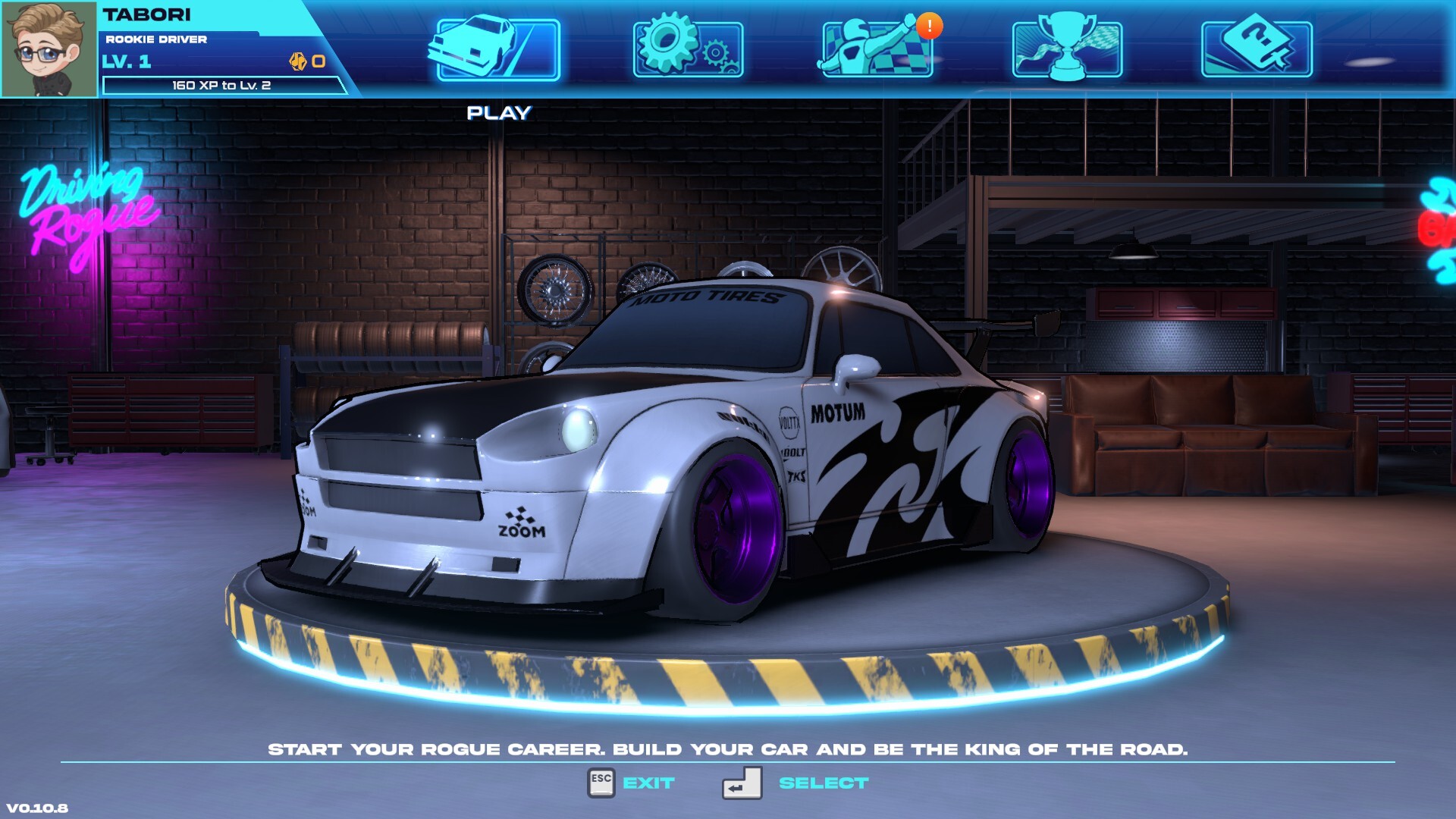
5. Cars and Garage
Each car has its own handling, stats (Max Speed, Acceleration, Handling, Durability), and perks that change the way you play. Known from the demo:
| Car | Trait / Style |
|---|---|
| Shadow | Gains 1x multiplier per Engine mod owned. Built for players who want to dominate with speed and style |
| Centipede | Base car; receives new vinyls and visual content; balanced all-rounder |
The garage philosophy is explicit: some cars are faster, some are tougher, others give special advantages on the road. Expect more cars in the full release, each pushing a different playstyle. Experiment with vehicles to find which one fits your driving style; the best car for a near-miss scorer is not the best car for a tanky survivability build.
6. NPC Racers and Boss Challenges
Later demo updates added NPC Racers who challenge you to score duels during runs. Racers appear as random encounters during Challenge Races: beat their score and cross the finish line before they do to claim victory. This turns scoring from a solo chase into a head-to-head race under pressure.
Boss challenges are special high-stakes encounters. One known challenge is "Truly Smashing," whose damage values were toned down in a balance pass, and the traffic multiplier during boss challenges was reduced so scoring stays fair. A later update fixed an exploit where boss challenge modifiers added extra card slots: your slots in a boss fight are fixed, so plan your build before you trigger the encounter.
7. Stage-Based Difficulty
Obstacles are tied to race stages rather than biomes, creating consistent progression:
| Stage | What Appears |
|---|---|
| Stage 1 | Basic traffic, standard obstacles only |
| Stage 2+ | Cargo Vans and oil hazards start appearing |
| Later stages | Daredevils, denser traffic, higher required scores |
Daredevils do not appear during the first stage at all, and the endless stage score requirements climb every update. The early stage is your warm-up: practice near-miss lines before the oil and van chaos begins.
8. Photo Mode and Live Radio
Photo Mode (pause menu) includes camera settings and effects, a maximum camera height limit to prevent clipping through buildings, and dynamic wheel blur that scales with speed. It is a full-featured capture tool, not a gimmick.
Live Radio streams music over the internet with three switchable stations: Simulator Radio, Non-Stop Rock, and Non-Stop Dance. The game also supports custom playlists by dropping audio files into the appdata Music folder (C:\Users\YOUR_USERNAME\AppData\LocalLow\Gravity Works\Driving Rogue Demo\Music). The soundtrack matters: the demo swapped out AI-generated voice lines for fully human-made tracks, and the instrumental versions carry the run.
Advanced Tips
| Mistake | Why It Hurts | What to Do Instead |
|---|---|---|
| Drifting everywhere | Drift looks cool but bleeds speed and can throw you into traffic | Drift only for tight corners and score windows. Straight-line speed is what keeps the combo alive |
| Ignoring the combo timer | Combos expire. A long gap between near-misses resets your multiplier | Chain near-misses continuously. Traffic packs are your best friends, thread through them |
| Chasing every pickup | Bonus Time pulls you off the racing line into a wall | Pickups are risk/reward. Grab them only when the line is clear |
| Never upgrading the same stat twice | A balanced build is a mediocre build in roguelikes | Commit to a direction: speed, handling, or score multiplier. The card system rewards focused stacks |
| Skipping the garage | Upgrades apply to your car permanently within a run's economy | Spend earnings before starting the next run. Unspent money is wasted potential |
| Playing without camera variety | The default camera hides traffic ahead | Try the alternate camera. Many players find it easier to plan near-miss lines from higher up |
| Forgetting Driver Traits | Driver Titles unlock passive bonuses that stay active regardless of car | Check your unlocked traits before each run and equip the ones that match your build |
| Drafting vans blindly | Cargo Vans drop cargo onto the road when slipstreamed | Never sit directly behind a van; use the offset drafting position |
| Trading damage for score late | Late-stage traffic damage compounds into a dead run | Know your durability. When you are one hit from death, take the safe line |
| Selling cards carelessly | A bug once locked input after selling overflowing cards; selling breaks stacking | Claim and sell deliberately; check your stack before every sale |
The Card System
Cards are the roguelike layer. The demo's Driver Files update introduced a simplified version of the full game's card progression: Missions unlock new cards as you play, and you claim unlocked cards and traits before using them.
- Cards stack. Multiple cards of the same type amplify each other.
- Trait cards modify how you earn or spend resources.
- Claim before you drive. Unlocked cards are not automatically active; you must claim them in the menu.
- Known card families: Coolant and Anti-Coolant cards receive bonus effects from other cards, meaning synergy between cards of a family matters more than raw card count.
The full game expands this into a proper deck you refine between runs. Expect cards that change near-miss scoring, pickup behavior, weather resistance, and more.
Builds and Tier Thinking
Since the game is not released yet, the tier list below is a framework built from confirmed mechanics, not a settled meta. Use it to identify what the devs have been balancing toward:
Car Archetypes
| Archetype | Stat Focus | Playstyle | Best Demo Example |
|---|---|---|---|
| Speed Demon | Max Speed + Engine | Never brake unless forced; score from raw velocity | Shadow |
| Drift Master | Handling + Suspension | Corner entry via drift, near-miss on exit | Any car with suspension mods |
| Survivor | Durability + Body | Tank chips, take riskier lines | Heavily modded Centipede |
| Hybrid | Balanced two stats | Adaptive; safe on stage 1-2, aggressive late | Centipede |
Mod Priority by Playstyle
| Playstyle | First Mods | Second Mods | Third Mods |
|---|---|---|---|
| Near-miss scorer | Engine (more speed = more score windows) | Electronic (light trails read combo state) | Suspension (cleaner exits) |
| Survive-longer | Body (durability) | Suspension (grip in rain) | Engine (escape speed) |
| Shadow specialist | Engine x4 (1x multiplier each!) | Speed stat | Whatever boosts score |
Shadow synergy confirmed: Shadow's trait grants a 1x multiplier per Engine mod owned. Four Engine mods is a 4x score multiplier before you even start driving. If you own Shadow, the Engine-heavy build is not a preference, it is the car's identity.
Card Stacking Principles
- Pick a family and commit. Coolant and Anti-Coolant cards amplify their family, so a thin spread across families is weaker than a focused stack.
- Missions unlock cards. Play missions to see the full list; you cannot build what you have not unlocked.
- Claim everything before a run. Unclaimed cards and traits are dead content.
- Sell only when restructuring. Over-sold cards leave you with gaps mid-run.
Progression and Economy
- Driver Files is your player profile: it tracks driving stats, average grade, most-driven car, and best scores.
- Missions with progression tracking unlock new cards as you play.
- Driver Titles unlock exclusive traits and passive bonuses that stay active regardless of which car you drive. This is the long-term progression: keep playing, keep customizing.
- Experience and levels let you progress and unlock new content run after run.
- Earnings between runs fund your car upgrades and build refinement.
- Grades are awarded per run (the profile tracks your average grade); higher grades ask for higher scores after balance patches.
The loop is classic roguelike: die, learn, spend, go further. The Redline rankings give you a concrete target to climb, and the leaderboards are the endgame.
What to Buy First with Earnings
- Engine mod on a speed-leaning car. Speed is the score engine; a faster car sees more traffic per minute and builds longer combos.
- A durability mod. The difference between dying at kilometer 2 and kilometer 6 is usually one Body mod.
- Cards matching your chosen family. Focus, do not diversify.
- A second car. Owning two cars (one speed, one handling) lets you adapt to a rainy session.
Step-by-Step Strategy
1. First Nineteen Minutes: Survive and Learn
- Play the tutorial fully. Learn braking distance and the near-miss window.
- Run the first stage three times without chasing score. Learn where traffic spawns.
- On runs 4-6, start threading traffic packs: aim between two cars, not around one.
- Spend your first earnings on one Engine mod and one Body mod.
- Unlock and claim your first missions' cards before run 7.
2. Combo Chain Building
- Find the densest traffic pack in view; that is your combo farm.
- Thread the pack at speed. Each close pass bumps the multiplier.
- If the pack thins, drift into a corner and exit on a near-miss line to keep the chain alive.
- Never let five seconds pass without a near-miss or slipstream; the timer is brutal.
- Grab Combo Breaker pickups when the pack spacing gets dangerous.
3. Corner Entry System
- Brake before the corner, not in it. The car understeers at speed.
- Commit to one line: inside drift, outside exit.
- On exit, point at the nearest traffic to convert the corner into a near-miss.
- In rain, brake earlier; in snow, brake much earlier.
- With Drift Assist off, use the handbrake for the rotation and release it right after the apex.
4. Boss and NPC Duel Strategy
- Build before you trigger: boss challenge slots are fixed, so bring your strongest stacked family.
- In score duels, do not chase the racer. Run your own line; near-misses beat tailgating.
- Cross the finish line before the racer: the duel ends at the line, not at the score cap.
- Watch the traffic multiplier change during boss challenges; scores inflate differently, so do not panic if the number looks low mid-fight.
5. Weather Adaptation Routine
- On the first rainy run, brake 30% earlier than normal and accept a low score.
- Learn the new drift exit: in rain, the car slides further, so counter-steer later.
- In snow, never enter a corner at full speed; the car will not rotate in time.
- After two weather runs, your muscle memory recalibrates, then resume normal scoring.
6. Shadow Engine Build (Best Known Combo)
- Unlock Shadow if available; its trait is the strongest confirmed synergy.
- Buy four Engine mods first. Each gives 1x multiplier, stacking to 4x.
- Add speed stat upgrades to maximize top speed windows.
- Run a near-miss-focused strategy; the multiplier applies to all scoring.
- Re-evaluate after each balance patch; the devs tune multipliers often.
System Requirements
| Component | Minimum | Recommended |
|---|---|---|
| OS | Windows 10 (64-bit) | Windows 10/11 (64-bit) |
| Processor | Intel i3-8100 / AMD Ryzen 3 2200G | Intel i5-8500 / AMD Ryzen 5 2600 |
| Memory | 8 GB RAM | 16 GB RAM |
| Graphics | Nvidia GTX 1050 / AMD RX 580 | Nvidia RTX 2060 / AMD RX 5060 XT |
| DirectX | Version 11 | Version 11 |
| Storage | 2 GB available | 4 GB available |
| Network | — | Broadband (Live Radio, online features) |
| Sound | 9.0c compliant | 9.0c compliant |
FAQ
Is Driving Rogue multiplayer?
Yes. The Steam page lists Multi-player and Online Co-op alongside Single-player, plus leaderboards. The full scope of co-op modes is not yet detailed, but online co-op is confirmed.
Does Driving Rogue have a demo?
Yes. The free Driving Rogue Demo (Steam app 4291930) is available now and has received multiple major updates: Driver Files progression, Photo Mode, Live Radio, weather, pickups, NPC racers, boss challenges, and the card system in simplified form.
Is there controller support?
Full controller support for Xbox, DualShock, and DualSense. The developers recommend playing with a controller, and the gamepad is the recommended way to drift.
When does Driving Rogue release?
September 17, 2026 on Steam for Windows.
Is Driving Rogue roguelike?
Yes. Runs are short, death is permanent within a run, and between runs you spend earnings on upgrades and refine a card build. Procedurally generated streets keep every run fresh.
Does the game have a card system?
Yes. The full game features a card stacking system where you refine your build between runs. The demo includes a simplified version unlocked through missions.
Is the game fully playable solo?
The core runs and leaderboard chase are fully single-player. Online co-op exists but its full scope is still being detailed before launch.
Can I play Driving Rogue without a Steam account?
No, it is a Steam game. The demo also requires Steam.
Quick Reference Card
| Thing | Detail |
|---|---|
| Release | Sep 17, 2026 |
| Price | TBA |
| Demo | Free on Steam |
| Score engine | Near-miss chaining + combos + slipstream |
| Build layer | Cards + car upgrades + Driver Traits |
| Key skill | Braking distance + drift timing |
| Weather | Rain (slippery), snow (slow) |
| Best known car | Shadow: 1x score multiplier per Engine mod |
| Strongest known build | Shadow + 4 Engine mods (4x multiplier) |
| Danger pickup | Cargo vans drop cargo when slipstreamed |
| Progression | Driver Files, Missions, Driver Titles, XP |
| Extras | Photo Mode, Live Radio, custom playlists, vinyls |
Guide verified against the official Steam store page and developer update posts as of August 19, 2026. Details may change before the September 17 release.
Screenshots