Official game
Play Smash Beys
This game is hosted by itch.io. Continue to the official page to play or download it.
Play on itch.ioOverview
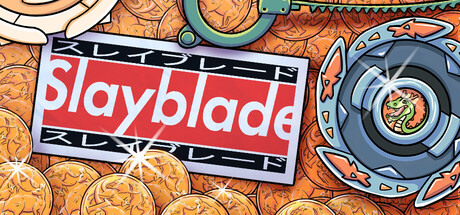
Smash Beys (also published as Smash Blades) is a Beyblade-style 2D fighting game from solo developer ItsProger, built with the Godot engine. It was created for The Very Serious Juniper Dev Game Jam and is free to play in browser on itch.io.
Unlike turn-based strategy games, Smash Beys is a real-time physics brawler. Two spinning tops clash in a 2D arena. The winner is the last bey standing — either the last one spinning, or the one that knocks its opponent out of the ring. The game emphasizes "juice" — screen shake, particle effects, motion trails, and weighty knockback physics that make every collision feel impactful.
This guide covers launch techniques, spin economy, AI opponent patterns, mode-specific strategies, beyblade selection, and advanced combat maneuvers.
Core Mechanics
The Launch System
Every battle begins with the launch. Click and drag to aim — the further you drag, the harder you launch. The angle determines your bey's trajectory:
| Launch Type | Drag Direction | Effect |
|---|---|---|
| Straight Shot | Pull straight back | Fast, predictable. Good for testing opponent reactions |
| Arc Shot | Pull diagonally back-up | Bey arcs high, comes down with crushing force. Hard to dodge |
| Low Shot | Pull back and down | Bey skims the arena floor. Hits low — hard to intercept but weak damage |
| Snipe | Pull slightly back with precision | Minimal charge, precise aim. Used for targeting weak points |
The launch determines the first 5 seconds of the match. A bad launch puts you on the back foot immediately. A well-placed launch can ring-out an opponent before they even finish spinning up.
Spin Speed
Your bey's spin speed is its stamina and its weapon.
- Full spin: Maximum damage on contact, maximum knockback resistance
- Mid spin: Average performance. Bey is vulnerable to strong hits
- Low spin: Near death. One solid hit will topple or ring-out you
Spin speed naturally decays over time. Boosting (tap/click) restores a burst of spin. Each boost has a cooldown — you cannot spam it.
Spin decay rates by activity:
- Idle spinning: Slow decay (~30 seconds to go from full to empty)
- Active dodging: Moderate decay
- Collision (winning): Small decay per hit
- Collision (losing): Large decay per hit
- Boosting: Restores ~40% spin, 8-second cooldown
The Arena
The 2D arena has four edges. Ring-out happens when your bey's center crosses the boundary. Walls are solid — you can bounce off them, and skilled players use wall bounces to change direction unexpectedly.
Arena zones:
| Zone | Location | Risk Level |
|---|---|---|
| Center | Middle 40% of arena | Low — maximum escape room |
| Mid-ring | 20-40% from edge | Medium — can recover |
| Edge | Within 20% of boundary | High — one hit from loss |
| Corner | Within 10% of two boundaries | Critical — dodge or die |
Beyblade Selection Guide
The developer states all beys are balanced in power, but they differ in weight distribution and spin characteristics. Based on gameplay analysis:
Beyblade Archetypes
| Type | Behavior | Playstyle | Best For |
|---|---|---|---|
| Stamina Type | Long spin time, weak knockback | Outlast opponent, win by attrition | Defensive players, beginners |
| Attack Type | High knockback, fast spin decay | Aggressive, early ring-out attempts | Aggressive players |
| Balance Type | Moderate stats across the board | Adaptable to any situation | Versatile players |
| Defense Type | High knockback resistance, slow | Absorb hits, counter-punch | Counter-attackers |
Launcher Variants
Launchers affect your launch speed and accuracy:
| Launcher | Effect |
|---|---|
| Standard Launcher | Balanced launch speed and accuracy |
| Power Launcher | +20% launch speed, -10% accuracy |
| Precision Launcher | +15% accuracy, -10% launch speed |
Recommendation: Start with Standard Launcher and a Stamina-type bey. Learn the fundamentals before specializing.
AI Opponent Patterns
Smash Beys features AI opponents with distinct behavior patterns. Understanding these is the key to winning consistently in Progression Mode.
AI Tiers
| Tier | Behavior | How To Beat |
|---|---|---|
| Novice | Launches straight, rarely boosts, predictable movement | Arc Shot over their head on turn 1. They won't dodge. |
| Intermediate | Varies launch angle, boosts when hit, sidesteps | Bait their boost, then strike while they recharge |
| Advanced | Reads your positioning, dodges aggressively, targets your weak side | Use feints — approach then back off to waste their boost |
Common AI Patterns
-
The Charger: Launches directly at you with full power every time. Predictable but dangerous.
- Counter: Launch at an angle, dodge their charge, hit them from behind
-
The Kiter: Stays at range, dodges, and only engages when you're near the edge.
- Counter: Corner them against a wall, then strike
-
The Brawler: Seeks constant contact, uses boost frequently.
- Counter: Let them waste boosts, then attack during cooldown
Getting Started
Phase 1: The Launch (Seconds 0-5)
Objective: Win the opening exchange
- Assess the arena — note where the walls are
- Choose your launch angle based on opponent position
- If the opponent launched first, react to their trajectory
- Aim for the side of their bey, not head-on — glancing blows deal less damage to you
Optimal launch chart:
| Opponent Launch | Your Best Response |
|---|---|
| Straight at you | Arc Shot over them, land behind |
| Arc Shot | Low Shot under their arc, hit them on landing |
| Low Shot | Straight Shot into their flank while they're low |
| Unknown (first match) | Straight Shot at 70% power — safe and informative |
Phase 2: Engagement (Seconds 5-20)
Objective: Control the center
- Move to center arena immediately after launching
- If opponent is already there, circle them to find an opening
- Trade hits only when you have the angle advantage
- Boost early to win the first collision exchange
Key principle: Hit them when they're hitting someone else. If they're bouncing off a wall, that's your window.
Phase 3: Pressure (Seconds 20-45)
Objective: Push opponent to edge
- Once you've established center control, start pushing outward
- Use the wall as a slingshot — bounce off it to gain speed toward opponent
- Corner them by staying between them and the center
- Don't chase too aggressively — overextending exposes your back
Phase 4: Kill (Seconds 45+)
Objective: Ring-out or topple
- When opponent is at the edge, use a boosted charge to knock them out
- If they dodge, you're now at the edge — recover center immediately
- If spin is low on both sides, position for the decisive clash
- Do not boost at the edge unless you're sure of the kill
Advanced Tips
The Wall Bounce
Launch or boost into a wall at a 45-degree angle. Your bey ricochets off at the opposite angle, gaining unpredictable momentum. Use this to:
- Confuse opponents expecting a straight approach
- Attack from unexpected angles
- Escape being cornered
Execution: Approach the wall at a steep angle. Right before impact, boost. The boost + wall bounce creates maximum velocity.
The Spin Trap
When an opponent is at low spin, do NOT knock them out immediately. Instead:
- Tap them lightly to keep them at the edge
- Let them waste their boost trying to recover
- Once their boost is on cooldown, ring them out
This guarantees the kill. If you rush, they might boost past you and escape.
The Feint Launch
Drag as if for a full-power launch, then release early. The bey launches at minimal speed but you maintain positional advantage. The opponent, expecting a full charge, may overcommit or dodge unnecessarily. Follow up with a real attack while they're recovering.
Bait and Switch
Move toward the edge as if you're vulnerable. When the opponent charges in for the kill, dodge at the last second. They fly past you to the edge. Hit them from behind for an easy ring-out.
The Spin Reserve
Never let your spin drop below 30% in the first 30 seconds. Keep one boost charge available for emergencies. If you use both boosts before the 30-second mark, you're gambling — one bad collision and you're done.
Progression Mode Walkthrough
Early Game (First 5 Battles)
Setup: Standard Launcher + Balance Type bey Goal: Learn AI patterns
- Focus on surviving, not winning fast
- Let opponents come to you — the AI is aggressive early
- Practice Arc Shot launches
- Don't buy new beys yet — master one first
Common mistake: Switching beys every loss. Stick with one until you understand its behavior.
Mid Game (Battles 6-15)
Setup: Power Launcher + Attack Type bey Goal: Aggressive ring-out victories
- By now you've seen all AI patterns
- Start finishing matches in under 30 seconds
- Use aggressive launch angles
- Unlock 2-3 beys to find your preferred type
Late Game (Battles 16+)
Setup: Precision Launcher + specialized bey for each matchup Goal: Flawless victories
- Recognize opponent type in the first 2 seconds
- Counter-pick your bey based on opponent behavior
- Aim for no-damage wins (they never hit you)
- Record your fastest ring-out time
Practice Drills
Drill 1: Launch Accuracy (5 minutes)
Set up in Creative Mode. Place a mental marker on the arena center. Launch 10 times aiming for center. Track how many land within 10% of center. Repeat until you hit 8/10.
Drill 2: Spin Management (5 minutes)
Launch and do nothing. Time how long your bey spins before stopping. Then practice boosting at 50% spin to maximize total spin time. Target: 90+ seconds total.
Drill 3: Wall Bounce (5 minutes)
Practice bouncing off each of the 4 walls. Aim to hit a specific spot after the bounce. Target: 3 consecutive controlled bounces.
Drill 4: AI Pattern Recognition (10 minutes)
Face 5 opponents in Progression Mode. For each, write down:
- Their launch pattern
- When they boost
- Their dodge timing
- What move finally beat them
FAQ
Q: What's the difference between Smash Beys and Smash Blades? A: Same game. The developer originally published as "Smash Beys" then renamed to "Smash Blades" on itch.io. The game data on Game How To uses the original name.
Q: Is there multiplayer? A: Not currently. Smash Beys is single-player PvE against AI opponents.
Q: How do I unlock new beys? A: Win battles in Progression Mode. Each victory earns a chance to unlock a new bey or launcher. The unlock order appears random but prioritizes unowned items.
Q: Is the game free? A: Yes. It's free to play in browser on itch.io. No payments, no ads.
Q: What happens if all beys are unlocked? A: You've completed Progression Mode. Creative Mode remains available for casual play. The developer may add content in future updates.
Q: Does the game save progress? A: Yes — your unlocks, settings, and high scores persist between sessions via browser local storage.
Verdict
Smash Beys is a solid game jam entry that delivers satisfying Beyblade-style combat. The physics feel weighty, the visual feedback is punchy, and the AI provides a reasonable challenge curve. It's not a deep competitive game (no multiplayer, limited content) but it's free, functional, and fun for 2-3 hours.
Rating: 7/10 — A well-executed game jam project with satisfying core gameplay. Progression Mode adds replay value. Worth a playthrough for Beyblade fans.
Developer: ItsProger. Engine: Godot. Free on itch.io. Last updated: July 2026.
Screenshots