Official game
Play Keycap Keycap!
This game is hosted by Steam. Continue to the official page to play or download it.
Wishlist on SteamWhat Is Keycap Keycap!?
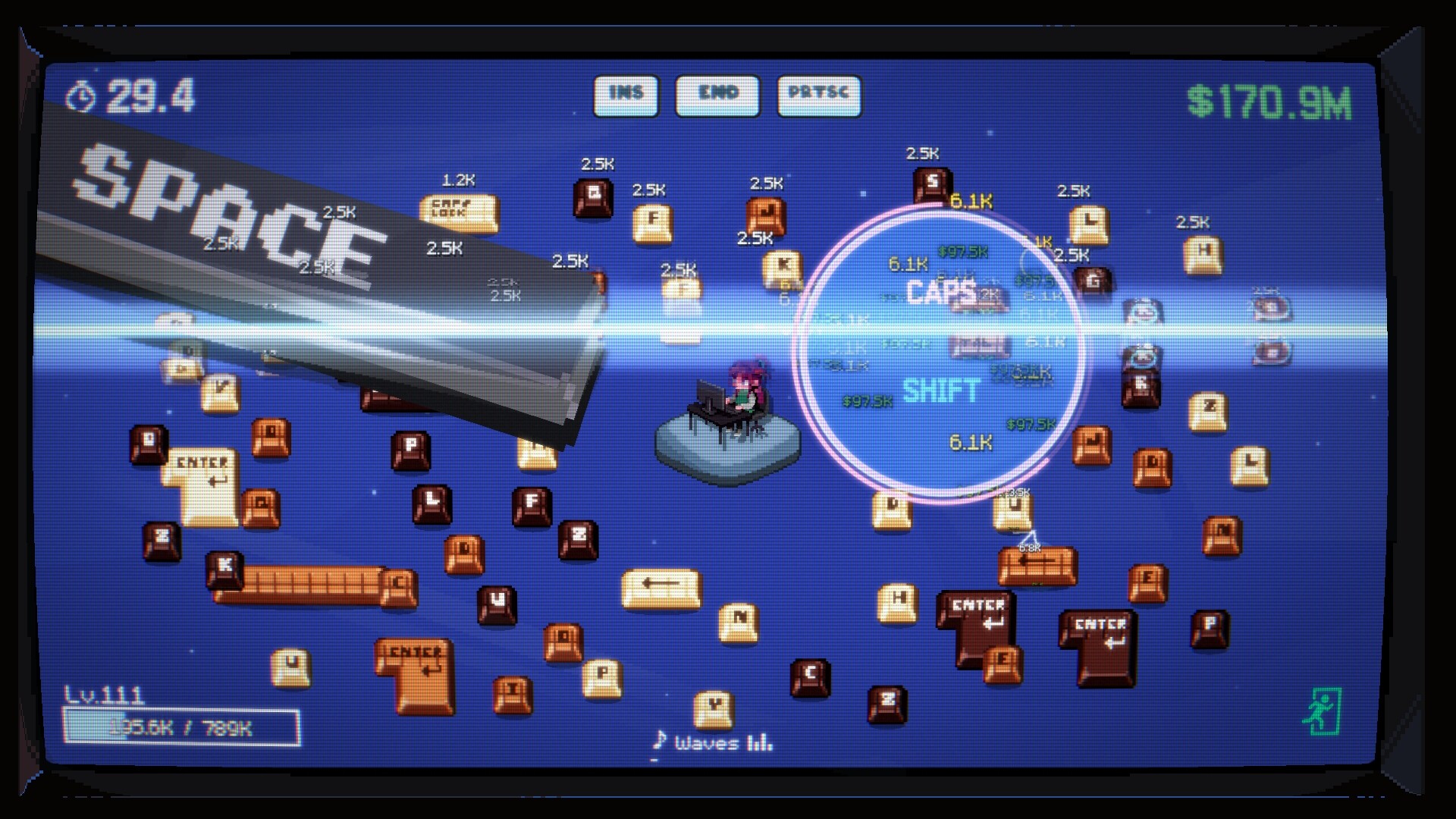
Keycap Keycap! is a short incremental ASMR game by Kyuyu Games where the entire subject matter is the satisfying click of keyboard keycaps. You press keys, earn currency, buy upgrades that make each press worth more, and unlock keycaps made of stranger and stranger materials. The Steam page went live September 1, 2026, with a planned release in Q4 2026.
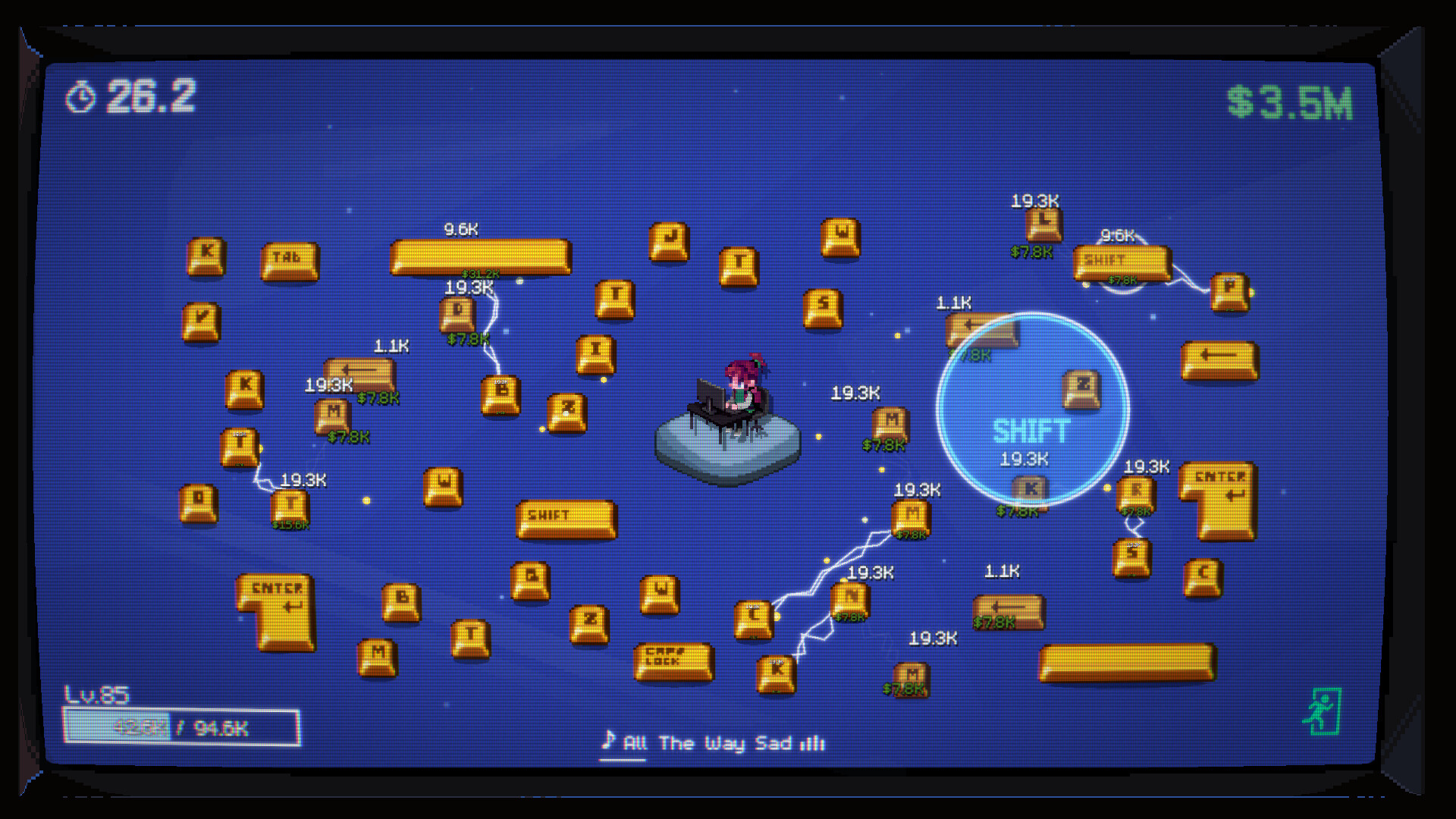
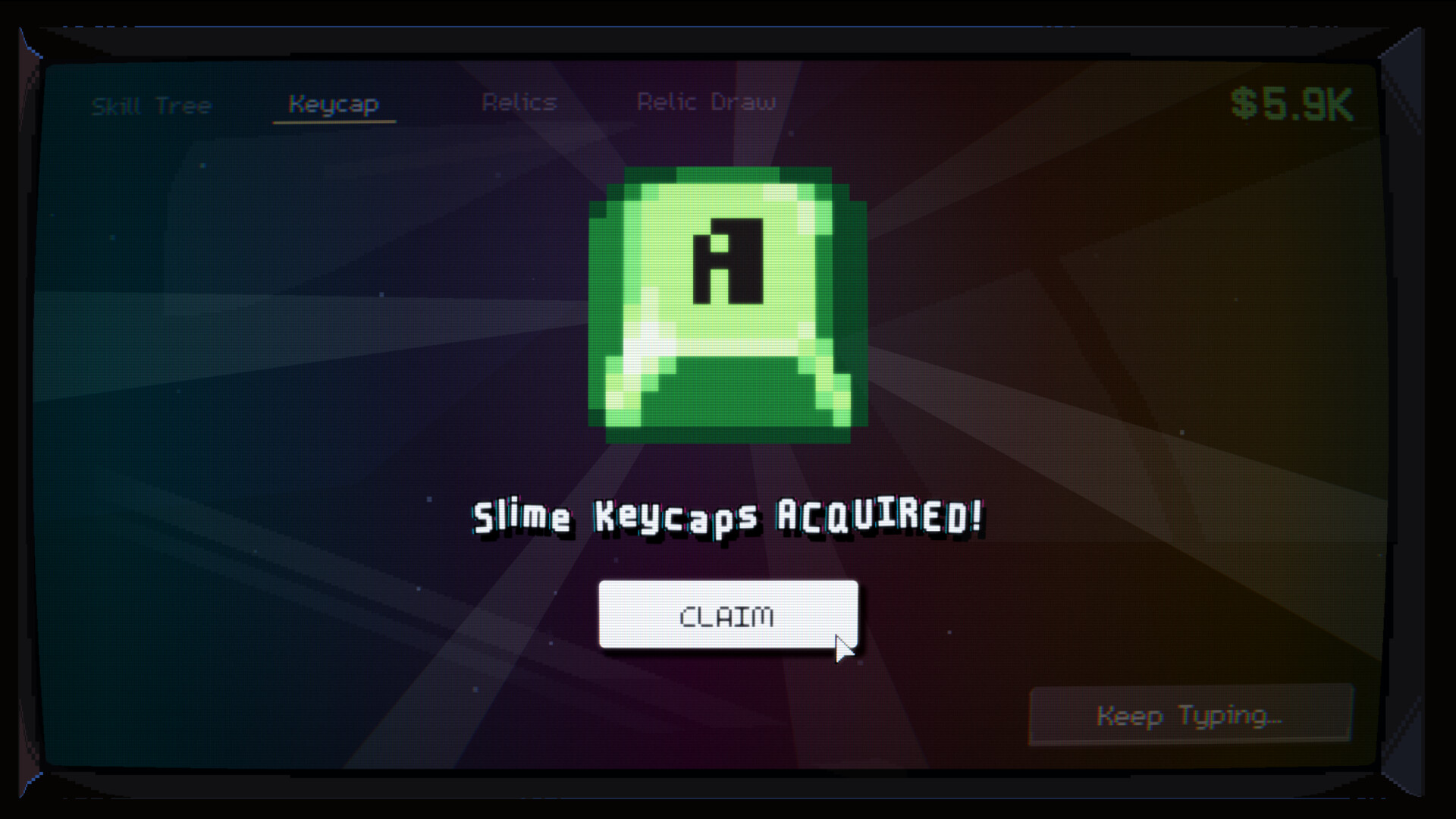
The pitch is two sentences long and honest about scope: collect keycaps, upgrade skills, acquire Relic Keycaps, in a game that is "short and satisfying." Where most idle games bury you in numbers, this one sells texture and sound. The material ladder runs from crisp mechanical keycaps and solid wood to squishy slime, fluffy clouds, and sticky honey. Ten materials total, each with its own sound and feel, so progression is as much audio-visual as numerical.
Steam's user tags tell you exactly what it is: Incremental, Point & Click, Idler, Relaxing, 2D. The accessibility feature list is unusually long for the genre: Mouse Only Option, Playable without Timed Input, Save Anytime, adjustable text size, camera comfort, and custom volume controls. Kyuyu built it as a game you can play with one hand at your own pace, which fits the ASMR framing.
Keycap Keycap! Details
| Detail | Info |
|---|---|
| Genre | Incremental / idle clicker with ASMR focus (Casual, Indie on Steam) |
| Developer / Publisher | Kyuyu Games |
| Platform | Windows (mac and Linux files also listed) |
| Price | To be announced |
| Players | Single-player |
| Release | Q4 2026 (Steam page live since September 1, 2026) |
| Length | Short by design |
| Materials | 10 unlockable, each with unique sound and feel |
| Endgame layer | Relic Keycaps with build-defining effects |
| Languages | 31 interface languages including English, Korean, French, Italian, German, Spanish, Japanese |
| Steam features | Mouse Only Option, Playable without Timed Input, Save Anytime, Adjustable Text Size, Camera Comfort, Custom Volume Controls, Steam Achievements, Steam Cloud, Family Sharing |
The 31-language list is remarkable for a solo-scale casual game. Whatever else Kyuyu is, they are not localizing this lazily.
Overview
The structure underneath the sound is a textbook three-currency incremental, and knowing the skeleton helps you plan every purchase:
- Click income. Pressing keycaps is your only active income. Each press pays out a base amount modified by your skill multipliers, so the value of a click is never static — it grows as you invest.
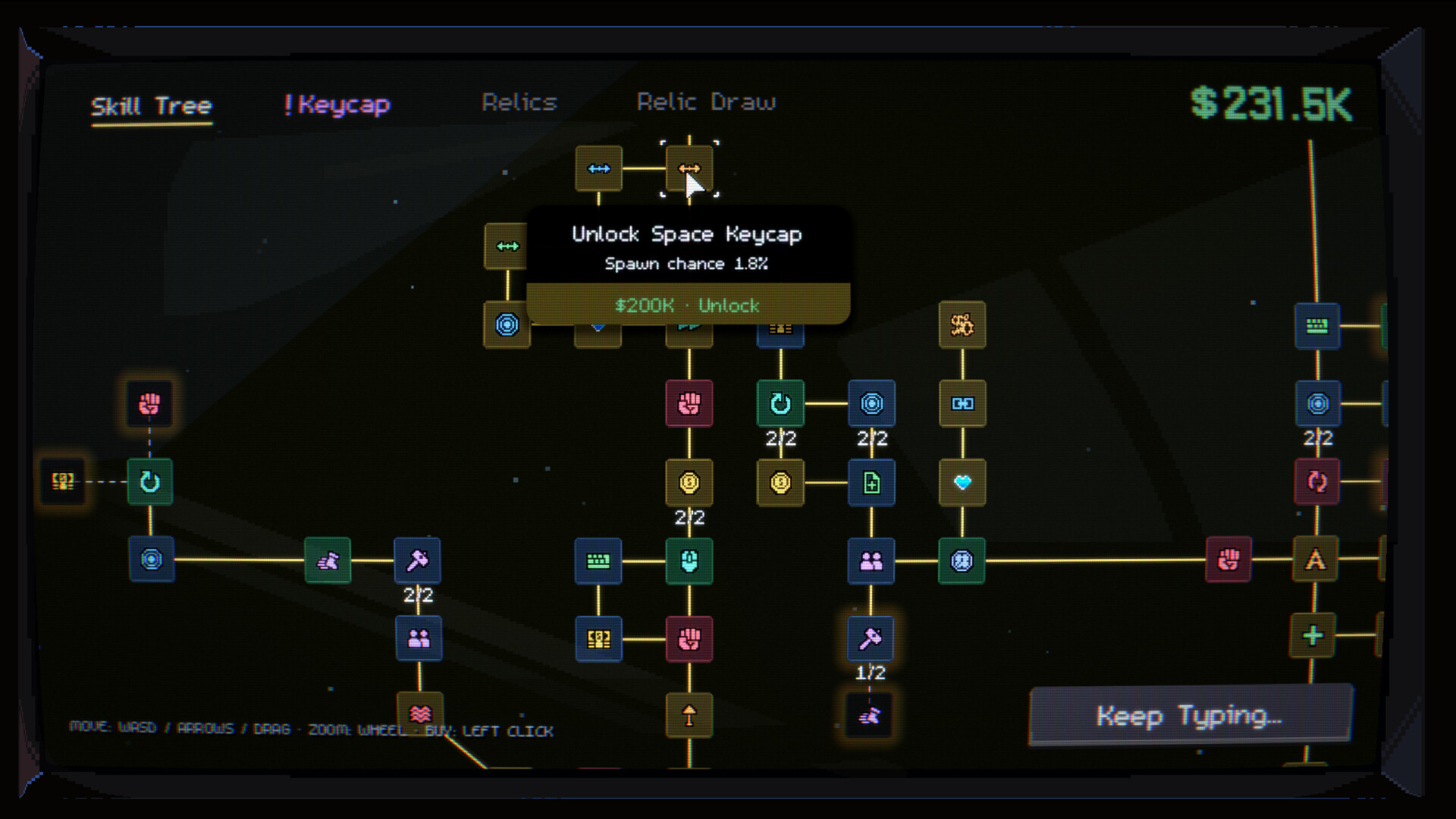
- Skill tree. Skill upgrades come in tiers. Lower tiers raise per-click value; higher tiers introduce percentage multipliers that multiply everything underneath them. This is where the snowball lives.
- Collection layer. The 10 materials are gated by income thresholds, not by clicks. When your earnings per press cross a material's bar, the board changes appearance and its soundscape changes with it.
- Relic layer. Relic Keycaps drop into the endgame as modifiers rather than currency. Each carries a unique effect, and the Steam page warns (or promises) that "one well-chosen Relic might completely transform the way you play."
Because the developer labels it "short and satisfying," the curve is compressed. Expect material transitions every few minutes early on, with Relics occupying the final stretch. Steam Achievements are confirmed, and for a collection game the achievement list is effectively a checklist of the material ladder and Relic hunt.
How to Play Keycap Keycap!
The loop is classic incremental, in three layers. The Steam page documents all three, and the announcement news post confirms the framing.
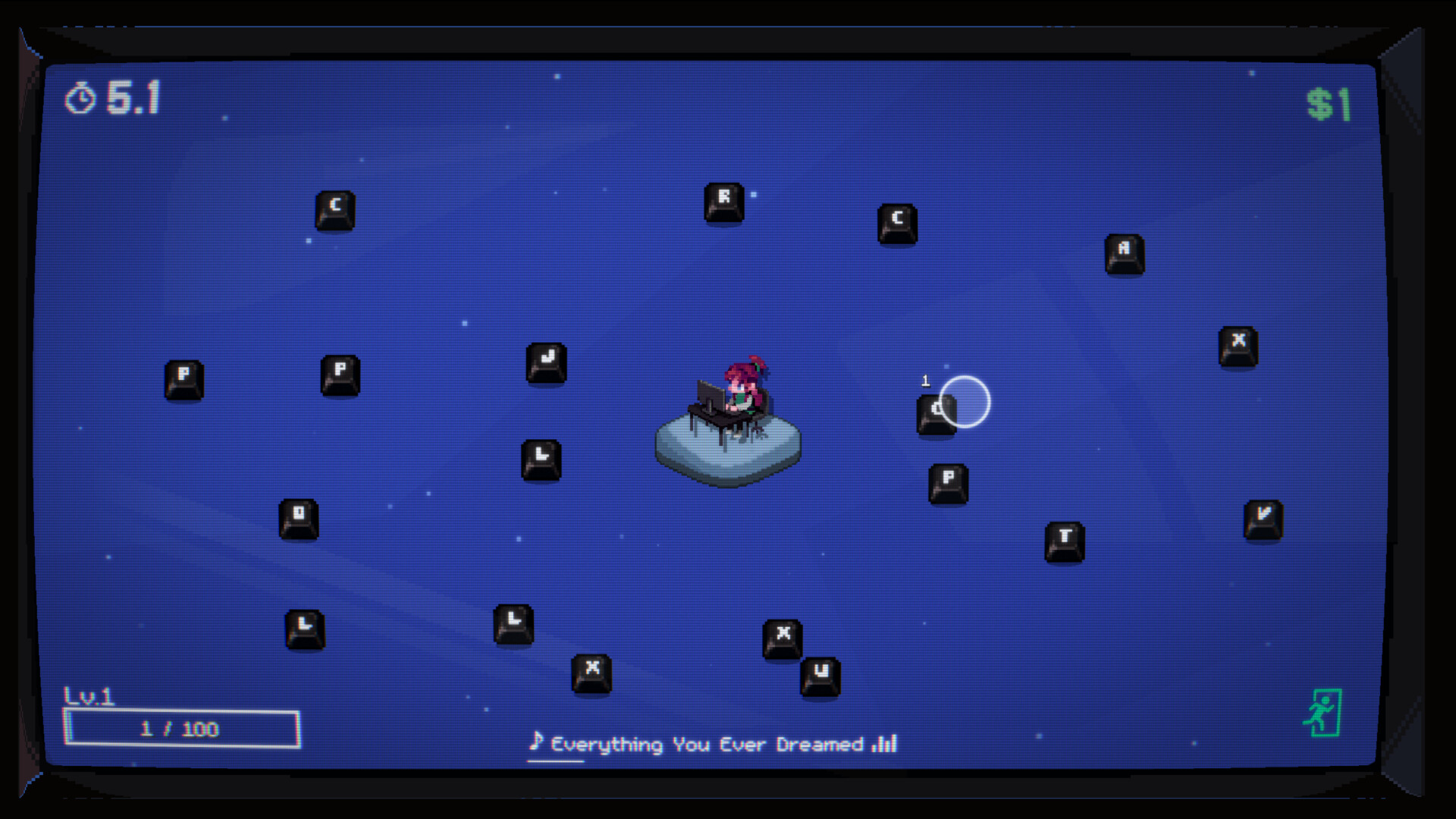
Click keys to earn. Every keycap press produces currency and, more importantly, sound. The click feel is the product: each material has a distinct audio profile, from the sharp report of a mechanical switch to the soft thud of cloud foam. Early game is you, one key, and the realization that pressing it is genuinely pleasant.
Buy skills and stack multipliers. Earnings buy skill upgrades, and skills power up in tiers. The page's key line: "Even the smallest click can snowball into massive growth as your upgrades stack up." This is the standard incremental architecture: flat click income, percentage multipliers, and the occasional step-change when a new skill tier lands. The snowball is the genre's core pleasure.
Collect all 10 materials and hunt Relic Keycaps. Materials unlock in sequence as your income grows, each changing both the board's look and its soundscape. Relic Keycaps are the game's rare chase layer: collectible keys with unique effects, and the page notes "one well-chosen Relic might completely transform the way you play." That is incremental-speak for build-defining drops. Some Relics will reshape your multiplier strategy entirely; part of the endgame is choosing which Relic to build around.
Controls
This is the shortest controls section on the site, and that is the point. Steam lists a Mouse Only Option explicitly:
| Action | Input |
|---|---|
| Press keycaps | Left Click |
| Buy / upgrade skills | Mouse click on menus |
| Switch materials / inspect collection | Mouse click and scroll |
| Save | Automatic, anytime |
No keyboard, no timed inputs, no dexterity check. If you can click, you can 100% this game.
Getting Started
The game launches in Q4 2026; until then the Steam page is wishlisting-only. Here is how the opening hours should play out based on the confirmed systems, and what to do before launch.
First 30 minutes (at launch). Click the keycap. Buy the first skill the moment you can afford it — in compressed incrementals the first upgrade typically doubles early income, and every second spent at base click value is wasted. Keep buying the cheapest skill available until purchases slow down, then bank clicks for the next tier. Your first material transition should arrive within this window; when the board changes, keep clicking through it to hear the new profile before you optimize anything.
First material milestones. Materials gate on income, not clicks, so the efficient route is identical to the efficient route for income: cheapest multipliers first, tier upgrades when they come within reach, never saving for more than one purchase at a time. Hoarding currency is the classic incremental mistake — unspent currency earns nothing.
Wishlist and follow the channels. The Steam page is live, and Kyuyu runs a Discord and a YouTube channel (@KeycapKeycap) linked from the store page. The September 1 announcement post is where launch-date news will land first.
Expect a budget-or-free price. Nothing is announced. The genre convention for short incremental games on Steam runs $3-10; treat any pre-launch price speculation as noise until Kyuyu posts it.
Check your audio setup. This is the rare game where the sound card matters more than the GPU. Minimum specs list an Intel i3-6100, 4 GB RAM, OpenGL 3.3 graphics, and 300 MB storage, so any machine runs it. But the whole product is the click sound. Laptop speakers undersell it; headphones or whatever you use for music are the right output.
Tips and Tricks
The game is unreleased, but incremental games follow laws of nature. These hold across the genre and map to what the Steam page confirms.
Buy early skills before big ones. Cheap percentage multipliers stack fastest per dollar early. The page says upgrades snowball as they stack, which means five cheap skills usually beat one expensive skill in the first hour.
Read Relic effects before committing. "One well-chosen Relic might completely transform the way you play" cuts both ways: a badly-chosen Relic locks you out of synergy. When Relics appear, compare their effects to your current skill stack, not their rarity color.
Switch materials deliberately. If each material has its own sound and feel, some will click better for you than others. There is no wrong answer, but the material you enjoy hearing is the one you will idle on longest. That is a feature, not a bug.
Save Anytime means experiment freely. The Steam feature list includes Save Anytime. Before testing a weird Relic build or skill respec, snapshot your save. Incremental regressions hurt precisely because progress is the whole game.
Play without timed input, guilt-free. The Playable without Timed Input tag means no rapid-clicking sections gate progress. If an upgrade path looks like it wants mashing, there is an alternative route. This is a game about the pace of one click at a time.
Treat it as short. Kyuyu calls it "short and satisfying," so the completion ceiling is deliberately reachable. If you usually bounce off idle games because they demand 200 hours, this one is built to end.
Let Steam Cloud carry your save. Cloud saves are confirmed on the feature list. If you play across a desktop and a laptop, the save follows you — no manual export, no lost Relic progress on a second machine.
Advanced Tips
Once the snowball is rolling and Relics are on the table, the decisions stop being obvious. These are the endgame habits that separate a clean completion from a stalled one.
Build around one Relic, not three. The page's warning that a Relic can "completely transform the way you play" implies effects that interact with specific skill lines. A single Relic whose effect overlaps your strongest multiplier is worth more than two or three Relics with scattered bonuses. Identify your dominant income source, then pick the Relic that multiplies it.
Respec against your weakest link. Because Save Anytime lets you snapshot, test a respec before committing: note your clicks-per-material before, swap two skill tiers, and compare. If a tier's percentage looks large but your per-click base is small, flat upgrades to the base often outperform percentage multipliers on a small number. The reverse holds once stacking begins.
Time your material switches with purchases. A new material's board resets nothing mechanically, but the audio cue is a natural checkpoint. Make your big tier purchases right after a transition — you will hear the upgraded rhythm on the new material instead of associating it with an old board, and you will notice immediately if a purchase underdelivered.
Chase achievements as a build guide. Steam Achievements in collection incrementals usually map to the material ladder and specific Relics. If you stall in the endgame, open the achievement list: it tells you which systems the developer expects you to touch, and the next achievement is usually the next income milestone you were ignoring.
Know when to stop clicking. In a deliberately short incremental, the final upgrades arrive faster if you spend attention on purchase timing instead of raw click speed. Playable without Timed Input confirms the design never requires speed — when clicking stops being pleasant, buy, upgrade, and let the numbers work.
Where Keycap Keycap! Sits in the Genre
Against the idle giants (Cookie Clicker, Universal Paperclips, Melvor Idle), Keycap Keycap! trades depth for texture. It is closer to a fidget toy with a progression curve than a spreadsheet with a skin. The comparison that fits best is A Little to the Left meets an idle game: satisfaction-first design where the juice is the point. For keyboard enthusiasts, the material ladder reads like a r/mechanicalkeyboards greatest hits, and the Relic chase gives the collection brain something to do between sound baths.
Final Tips
- The click is the product. If a session stops feeling good, you are optimizing past the point of the game — it is built to be completed, not ground.
- Snapshot before every Relic choice. One save before, one after, and you can compare builds in five minutes instead of guessing.
- Cheap multipliers early, tier upgrades mid, Relic synergy late. That ordering holds for virtually every incremental with this structure.
- Headphones, not speakers. The 10-material soundscape is the reason this exists.
- Wishlist before Q4 2026 — the launch notification is the only price announcement channel Kyuyu has committed to.
FAQ
When does Keycap Keycap! release? Q4 2026. The Steam page went live September 1, 2026, and the window was confirmed at announcement.
How much will it cost? Unannounced. Wishlist for the pricing notification.
Is Keycap Keycap! free? No confirmation either way. The page has no price yet.
What platforms does it support? Windows at launch, with mac and Linux files listed on the store backend. Steam only, no consoles announced.
Can I play with just a mouse? Yes. Steam lists a Mouse Only Option, plus Playable without Timed Input and Save Anytime.
How long is the game? The developer describes it as a "short" incremental. Expect a completable arc rather than an infinite grind.
What are Relic Keycaps? Rare collectible keycaps with unique effects. The Steam page says one well-chosen Relic can completely transform how you play, making them the game's build-defining endgame layer.
How many keycap materials are there? Ten. Each material — from mechanical switches and wood to slime, cloud, and honey — changes both the board's look and its click sound.
Does the game have achievements? Yes, Steam Achievements are on the confirmed feature list, alongside Steam Cloud and Family Sharing.
Is there any timed or speed-based gameplay? No. The Playable without Timed Input flag confirms no section requires rapid input, and the Mouse Only Option removes dexterity checks entirely.
Does it support cloud saves? Yes. Steam Cloud is listed on the store page, so progress follows you between machines.
What are the system requirements? Minimum: Windows 10 64-bit, Intel Core i3-6100, 4 GB RAM, OpenGL 3.3 graphics, 300 MB storage. Any modern laptop clears it.
Last reviewed by Game How To Editorial. We play each game, verify controls against official sources, and update guides when game mechanics change.
Screenshots