Official game
Play Strikers Club
This game is hosted by Steam. Continue to the official page to play or download it.
Play Free on SteamStrikers Club complete guide and deep dive.
What Is Strikers Club?
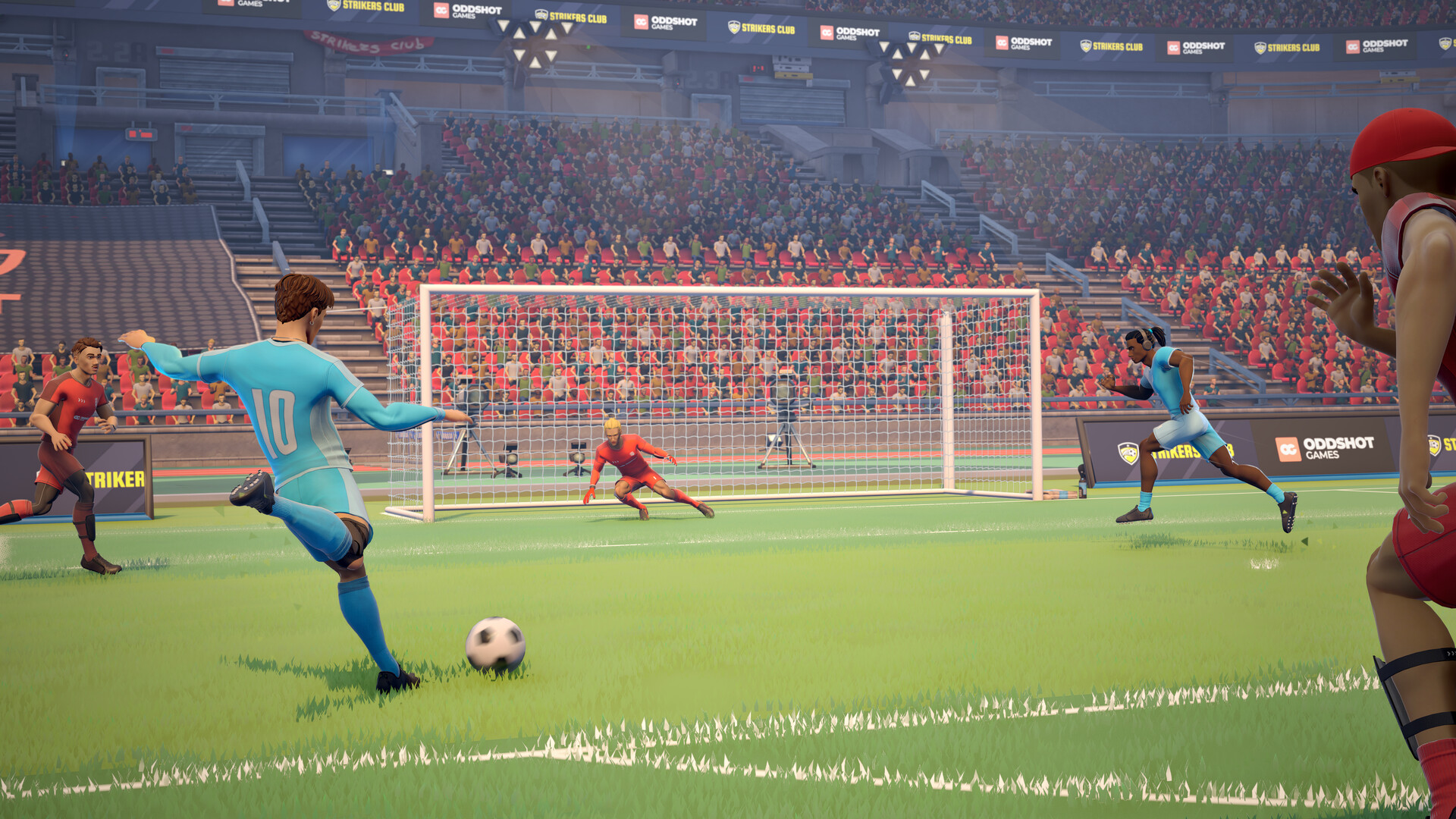
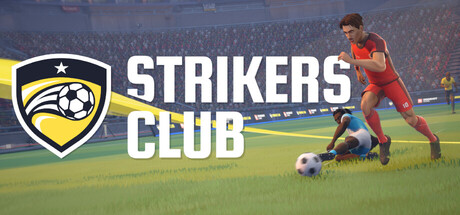
Strikers Club is a free-to-play, physics-driven multiplayer football (soccer) game developed by Oddshot Games, the Belgian indie studio behind the acclaimed physics-based hockey title Slapshot: Rebound (2024). It launches on Steam on July 17, 2026 in Early Access.
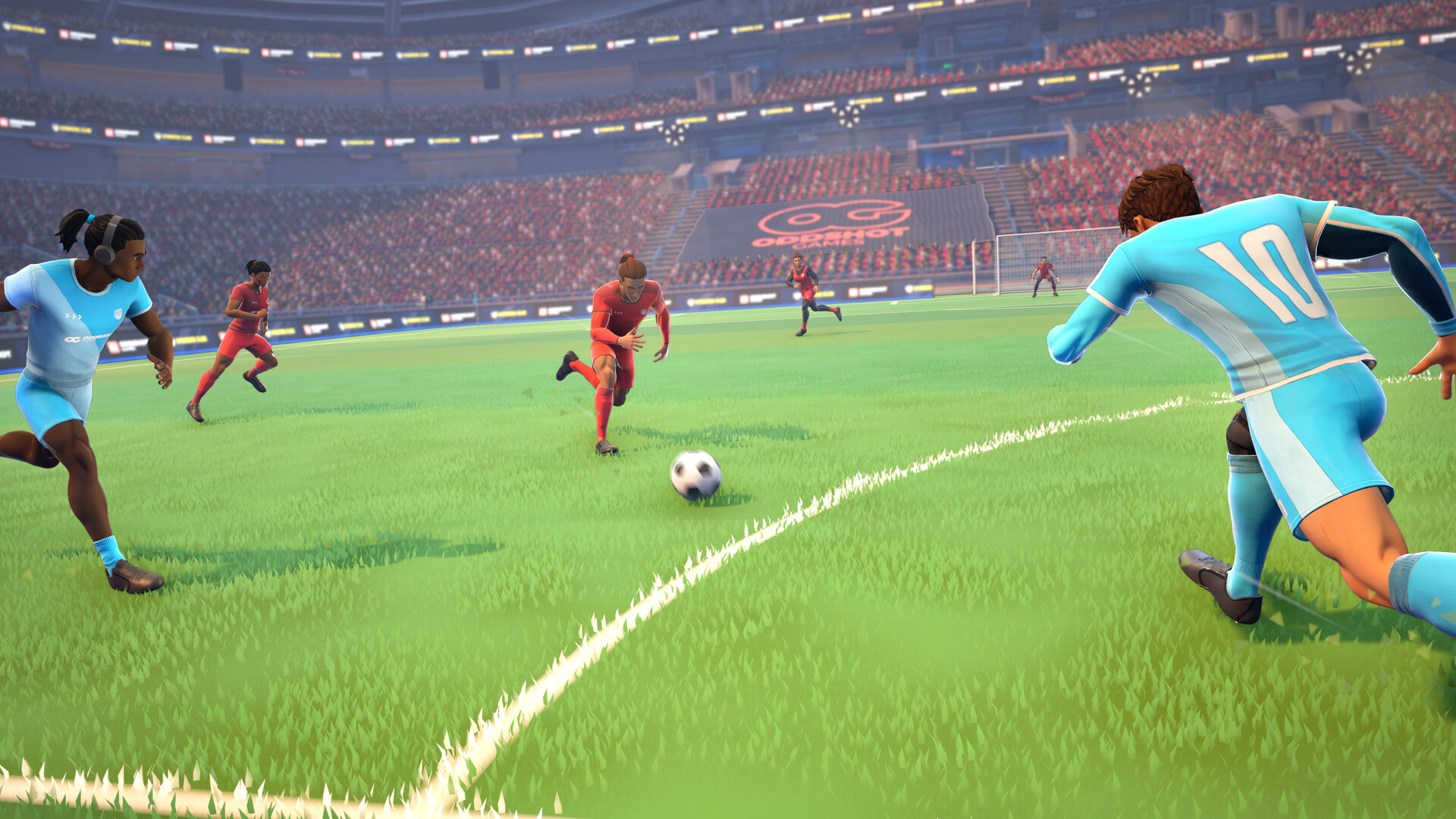
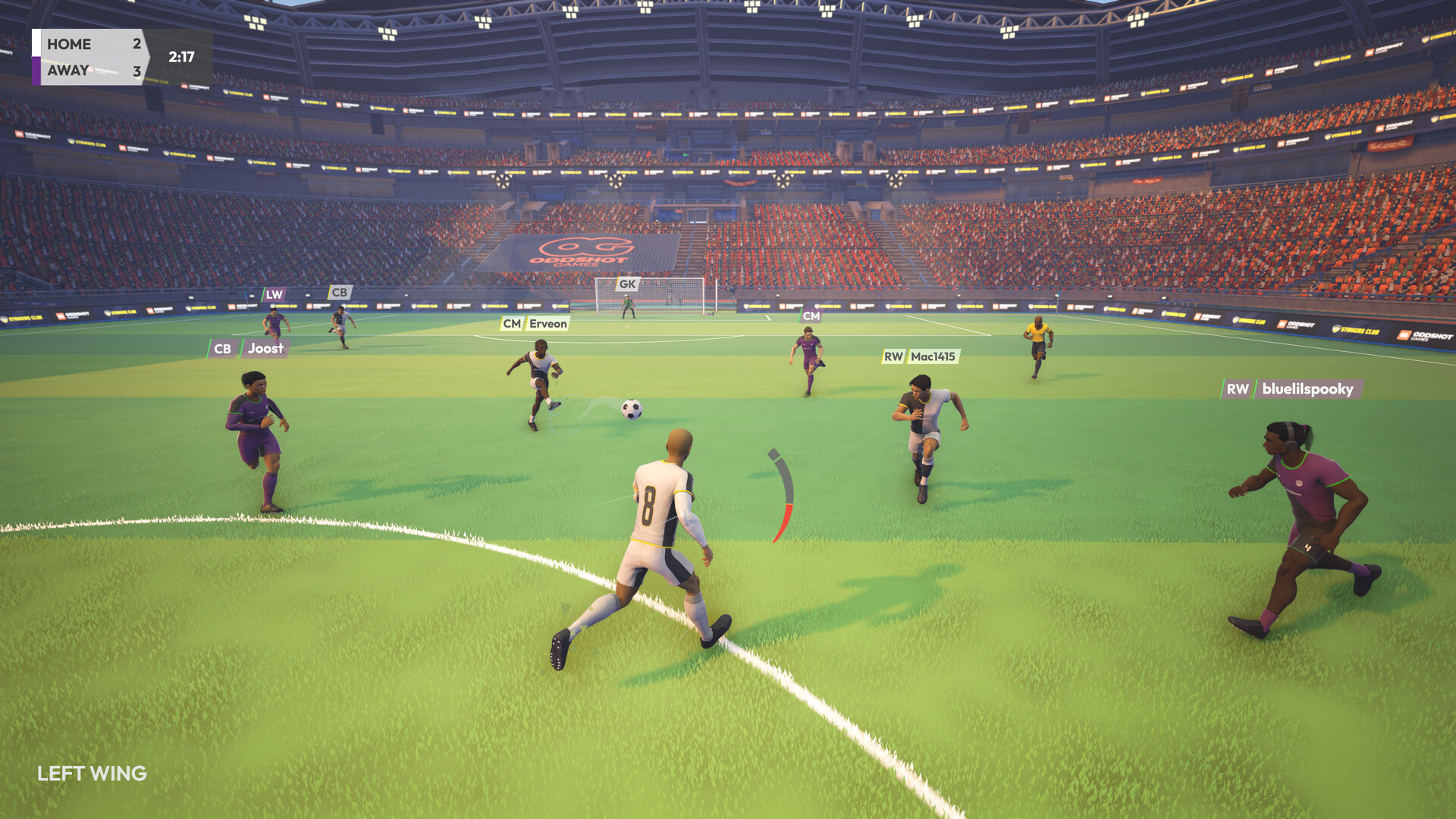
Unlike traditional football simulations where you control an entire team with AI filling the gaps, Strikers Club puts you in control of a single player on the pitch. Every move — every pass, tackle, shot, and run — is entirely yours. There are no AI teammates to bail you out; every other player on the field is a real person. This creates a uniquely intense, skill-based experience where split-second decisions, positioning, and communication determine the winner.
Core Design Philosophy: The game is built on skill-based, physics-driven mechanics with zero randomness (no RNG). There are no stat checks, no dice rolls, no hidden chance modifiers. If you outplay an opponent — through better dribbling, smarter positioning, or faster reactions — you win the duel. This philosophy extends to the monetization model as well: the game is entirely free to play with cosmetic-only purchases. No gameplay-affecting items are ever sold.
The game gained early traction during Steam Next Fest: June 2026, where over 60,000 players played more than half a million matches in the demo, making it one of the top 50 most-played demos of the festival.
Quick Answer: Use WASD movement, Shift sprint, Left Click shooting, Right Click passing, Q through balls, E standing tackles, Space slide tackles, R call-for-pass, and Tab player switching. Start with the Generalist playstyle, pass before dribbling, manage stamina, and use Steam/Proton or Steam Deck settings if you play outside Windows.
Jump to: What Is Strikers Club? · How to Play · Game Modes · Controls · Playstyles · Positions & Roles · Tips & Tricks · System Requirements · Performance & Graphics · Steam Deck & Linux · Formations & Tactics · FAQ
How to Play Strikers Club
The pitch is 5v5, you control one player, and the ball physics are fully simulated — there's no AI teammate to bail you out. Every pass, tackle, and shot is your own input. Here's the core loop and what to focus on in your first matches.
1. The Core Loop
Join a Quickplay match (5v5 with skill-based matchmaking), and help your team score more goals than the opponent. If the goal difference hits 5, the Mercy Rule ends the match early. Level scores go to golden-goal extra time — first team to score wins.
2. Movement & Ball Control
WASD moves you relative to the camera. Hold Shift to sprint — it drains stamina, so save it for bursts. When you have possession, dribbling starts automatically; use small directional changes to shield the ball, and stop-and-go deceleration to make sliding defenders fly past you.
3. Passing Beats Dribbling
Right Click passes toward your cursor (direction and power both matter). Q sends a through ball into space for a runner. Press R to call for a pass when you're open. Early on, pass first and dribble only when you have clear space — possession is the whole game.
4. Shooting
Hold Left Click longer for more power, aim with the mouse. Near-post shots are underrated: most players instinctively aim far post, so a well-placed near-post effort often catches keepers off guard.
5. Defending Without Diving In
When your team loses the ball, press Tab to switch to the nearest teammate. Use CTRL jockey mode to track the attacker without committing, then E for a poke tackle. Save Space slide tackles for desperate moments — a mistimed slide draws a foul and leaves your team exposed.
6. Pick Generalist First
Start with the Generalist playstyle (Rainbow Flick, Stepover, Roulette). It's the balanced all-rounder, well-suited to any position. Once you're comfortable, experiment with Maestro (close control) or Phantom (deception) — each changes your skill moves, not your stats.
Game Modes & Match Formats
Quickplay (Matchmaking)
The primary mode for casual competitive play. Standard 5v5 format with skill-based matchmaking (SBMM) using a hidden MMR (Matchmaking Rating). The system tracks your performance and rating to create fair matches. Stats will be visible to players at a later date.
- Leaving a matchmaking game is recorded as a loss.
- Backfilling into an in-progress match does not count as a loss if your team loses.
- Mercy Rule: If the goal difference reaches 5 or more, the match ends automatically.
- Advantage Rule: Referees play advantage for fouls, resolved when a new dribble starts. Cards may still be issued after advantage is played.
Private Lobbies
Create or join custom games with friends. Features include:
- Formation options: 5v5, 6v6, 8v8, 11v11 (with XL stadium option for larger formats)
- 1v1 duels on smaller fields
- Password protection for private sessions
- Region filters for finding games with good latency
- Up to 4 spectator slots beyond the player limit
Bot Practice Mode
Solo practice against AI-controlled bots. Ideal for learning controls, practicing skill moves, and warming up before jumping into matchmaking.
Potential Post-Launch Modes
The developer has mentioned ranked/competitive mode as a post-launch priority if the community is active enough. Additional game modes may be introduced throughout Early Access.
Controls & Key Bindings
| Action | Key | Notes |
|---|---|---|
| Move | WASD | Camera-relative directional movement |
| Sprint | Hold Shift | Drains stamina; use judiciously |
| Kick / Shoot | Left Click | Power scales with hold duration |
| Pass | Right Click | Passes toward your cursor position |
| Through Ball | Q | Sends ball into space for a teammate to run onto |
| Tackle (Standing) | E | Clean tackle to win the ball |
| Slide Tackle | Space | Risky but covers more ground; can draw fouls |
| Jockey Mode | Hold CTRL | Focus on the ball defensively, slower but better positioning |
| Call for Pass | R | Highlights you to the ball carrier |
| Switch Player | Tab | Switch to nearest teammate when defending |
| Header | Automatic/Contextual | Header near the ball in the air |
| Jump | F | Default jump (reboundable); separated from goalie jump |
| Goal Kick / Drop Kick | Contextual | Goalie-specific kick actions |
| Celebrate | 1-4 after scoring | Purely cosmetic emotes |
| Camera Lock | Alt | Lock/unlock camera orientation |
| Look Y (Controller) | Invert option | Available in settings |
Important: The jockey and jump inputs were recently separated for more rebinding freedom. If you find yourself accidentally jumping, check your key bindings — the Jump key default is now F, not Space.
Controller Support: Partial controller support is available with customizable mappings. The inversion setting for the right stick vertical axis ("Look Y") is available in the options menu.
Playstyles System
Playstyles change the skill moves your player has access to. They are designed to offer different ways to play, not better ways to play — all are competitively viable when used correctly.
Generalist
Skill Moves: Rainbow Flick, Stepover, Roulette The balanced all-rounder. Well-suited for any position. The roulette (spin move) had its recovery time reduced to 0.7s, making it quicker to chain into your next action.
Maestro
Skill Moves: Sombrero Flick, Stepover, Roulette Focuses on close control and beating defenders in tight spaces. The sombrero flick lifts the ball over an opponent's head, ideal for breaking pressure in midfield or creating separation near the box.
Phantom
Skill Moves: Fake Shot, La Croqueta, Stepover All about deception and quick direction changes. The fake shot freezes defenders, while La Croqueta lets you shift the ball rapidly from one foot to the other to slide past tackles.
Unlocking Playstyles: Playstyles can be earned by playing matches to accumulate Fame (free in-game currency), or purchased immediately with Tokens (premium currency). They will never be locked exclusively behind a paywall.
Positions & Roles
Striker / Forward
Stay high and central. Your job is to find space between defenders, time your runs to beat the offside trap, and finish chances. Quick turns and through-ball connections with midfielders are your bread and butter.
Midfielder
The link between defense and attack. Scan constantly for passing options. When your team has the ball, find the half-turn to receive and play forward. When defending, cut off passing lanes rather than chasing the ball carrier.
Defender
Hold the line and communicate. The best defenders in Strikers Club rarely slide tackle — they jockey, position themselves between the attacker and the goal, and wait for the right moment to step in. A mistimed tackle leaves your entire team exposed.
Goalkeeper
A dedicated role with unique mechanics:
- Anticipation Stance: Hold CTRL to enter a shorter, controlled stance. Jumping from this stance performs shorter dives like K-stance or split saves.
- Forward Dives always catch the ball (no deflection).
- Backward Dives deflect rather than catch (for shots above the goal).
- Goal kicks, drop kicks, and throwing are all manual actions.
- You can run up the field and participate in open play — but risk leaving the goal empty.
Goalie Kits: Goalkeepers now have their own distinct color kits to differentiate them from outfield players.
Advanced Gameplay Mechanics
Dribbling
- Auto-dribble starts automatically when you have possession (but won't activate if offside).
- Manual dribbles have an increased reach range (75 to 90 units), giving you more separation from defenders.
- Poke tackles from behind can now steal the ball (recently buffed with higher ball impulse).
- Shielding: Keep your body between the defender and the ball using small directional changes.
- Stop-and-go: A sudden deceleration causes sliding defenders to fly past you.
Passing
- Standard Pass: Right Click toward your cursor. The direction and power matter.
- Through Ball (Q): Sends the ball ahead into space. Best for splitting the defense and releasing runners.
- Pass back rule: Goalies can no longer pick up balls they just dropped (real football rule enforced).
- Weak kick passes: New animations for off-foot passes add realism.
Shooting
- Power and placement are both controlled by you — hold Left Click longer for more power, aim with the mouse/camera.
- Near-post shots are underrated at all levels. Most players instinctively aim far post, so well-placed near-post efforts often catch keepers off guard.
- Headers are contextual — time your run and position relative to the ball's trajectory.
Defending
- Jockey Mode (CTRL): Focus your view on the ball, making it easier to track attackers without committing. The "focus on ball during jockey" setting is toggleable.
- Poke Tackle: Press E to stab at the ball. Has aim assist but the range was reduced (250 to 175) to reward predictive positioning over spam.
- Slide Tackle (Space): High-risk, high-reward. Covers more ground but draws fouls if mistimed.
- Body hits no longer clear offside — you must actively play the ball.
- Defensive blocks: Added as a mechanic during jockey mode.
Set Pieces
- Throw-ins: Interference zones grow quickly, preventing defenders from blocking the throw. Timing matters for quick throws.
- Corner Kicks: Interference is blocked from the outside of the field around the corner flag.
- Free Kicks: Awarded after fouls (yellow or red card offenses).
- Penalties: Awarded when fouls occur inside the penalty box.
- Goal Kicks: Goalie restarts play from the six-yard box.
Special Rules
- Offside: Enforced like real football. Auto-dribble is disabled when offside.
- Double Touch Rule: Active when 3+ players per team (not 4+). Prevents the same player from touching the ball twice on kickoffs/set pieces.
- Extra Time: If scores are level after regulation, the match enters golden goal extra time — first team to score wins.
- Mercy Rule: 5+ goal differential = automatic match end.
- Foul System: Yellow cards, red cards, and free kicks. Persistent fouling results in send-offs.
- Advantage rule: Scoring opportunities continue if in favour of the fouled team.
Monetization & Economy — Full Breakdown
Oddshot Games has published a detailed monetization vision to ensure full transparency. Here is exactly what is purchasable and what is free:
Free (Earn via Gameplay)
- Playstyles — earn Fame by playing quickplay matches and unlock them for free
- Some cosmetics — specific items available for Fame
- All gameplay content — no gameplay advantage is ever locked
Purchasable (Real Money)
- Playstyles (optional fast unlock) — skip the Fame grind if you want
- Cosmetics — player skins, ball designs, celebration effects, jerseys, shorts, gloves, shoes, accessories
- Color Palettes — two types:
- Item palette (for jerseys, shoes, etc. — Primary, Secondary, Detail colors)
- Hair palette (hairstyle, facial hair, eyebrows colors)
- Free palette includes natural/basic colors. Purchasable palettes unlock pastels, neons, unnatural hair colors. Once bought, a palette unlocks for all compatible cosmetic slots.
- Convenience features (future "Strikers Club Pro" DLC — one-time purchase) — e.g., customized quick chat, multiple character presets
What Will NEVER Be Purchasable
- Gameplay advantages of any kind
- Stat boosts
- Exclusive abilities
- Pay-to-win items
Currencies
- Fame: Free currency earned by playing matches. Used to unlock playstyles and select cosmetics. More ways to earn (challenges, events) coming post-launch.
- Tokens: Premium currency purchased with real money. Used for cosmetics, color palettes, and fast playstyle unlocks.
Proven Track Record: Oddshot Games refers players to their other title Slapshot: Rebound, which has operated for nearly 6 years without introducing predatory monetization.
Tips & Tricks for All Skill Levels
Beginner Fundamentals
1. Look up before you receive the ball. The best players scan the pitch before the pass reaches them. Know where your teammates are and where opponents are closing in. A quick pass to an open player is almost always better than trying to dribble through two defenders.
2. Move into space when you don't have the ball. Standing still makes you useless. Read the play: if your teammate is pressured, get into a passing lane. If the opponent has the ball, cut off their options rather than chasing them directly.
3. Pass to where your teammate will be, not where they are. Football is a game of timing. A pass to where someone is standing forces them to stop and receive. A pass to space in front of them lets them run onto the ball at full speed, keeping the attack flowing.
Intermediate Tactics
4. Use the minimap constantly. The camera follows the ball, but the minimap shows you where everyone is. When your team wins possession, check it immediately for counter-attacking runs from your forwards.
5. Stamina management wins games. Sprinting everywhere leaves you gassed by the 60th minute and useless for critical plays. Walk when the ball is in the other half. Sprint only when making a run, closing down a shooter, or tracking back on defense.
6. Defending is about positioning, not tackling. The best defenders rarely slide tackle. They stay between the attacker and the goal, jockeying (hold CTRL) and waiting for the right moment to step in. Tackle only when confident you'll win the ball.
7. Dribble with purpose. Use small directional changes to throw off defenders. A sudden stop-and-go makes sliding defenders fly past you. Shield the ball by keeping your body between the defender and the ball.
Advanced Techniques
8. Master your playstyle's skill moves. Each playstyle has unique moves that open different options:
- Generalist: Use the roulette to spin past a single defender, then pass immediately.
- Maestro: The sombrero flick is devastating in the box — lift over a sliding defender and volley.
- Phantom: Chain fake shot into La Croqueta to shift direction twice in one motion, leaving two defenders wrong-footed.
9. The near-post shot is underrated. Most players aim for the far corner. Good goalkeepers expect that. A well-placed near-post shot — especially from a tight angle — often catches the keeper off guard.
10. Know your role and stay disciplined. In organized 5v5 play, players naturally fall into roles: a striker who stays high, a midfielder who links play, a defender who holds the line. Do not chase the ball all over the pitch. Stay in your area and trust teammates to cover theirs.
11. Call for passes actively. Use the R key to highlight yourself to the ball carrier. If you're in space and your teammate is under pressure, make yourself an obvious option.
12. Advantage is your friend (and enemy). When you foul someone, the ref may play advantage instead of stopping play. Keep playing until you hear the whistle. Conversely, if you're fouled but retain possession, keep going — the ref may still card the offender after the play ends.
13. Communicate. If playing with friends, call out positions: "Man on!" (pressure behind), "Time!" (you have space), "Leave it!" (you're claiming the ball). A coordinated team beats a group of skilled individuals.
Goalkeeper-Specific Tips
14. Use the anticipation stance (CTRL) for close-range saves. It gives you shorter, quicker dives that cover the near post and low corners better than a full dive.
15. Don't rush out unnecessarily. A calm, positioned keeper is harder to beat than an aggressive one. Only rush when the attacker has broken through cleanly and you can close the angle.
16. Distribute quickly after catching. Look for a teammate in space immediately. A quick throw or drop kick can start a devastating counter-attack before the opposition reorganizes.
Strikers Club System Requirements
Quick answer: Can your PC run it? Almost certainly. Minimum is Windows 10 64-bit, Intel i5, 8 GB RAM, GTX 1650 / RX 570, and just 2 GB of storage. Most desktops from the last six years clear it.
Minimum
| Component | Requirement |
|---|---|
| OS | Windows 10 (64-bit) |
| Processor | Intel i5 or equivalent |
| Memory | 8 GB RAM |
| Graphics | GTX 1650 / RX 570 or better |
| DirectX | Version 11 |
| Network | Broadband internet connection |
| Storage | 2 GB available space |
Recommended
| Component | Requirement |
|---|---|
| OS | Windows 11 (64-bit) |
| Processor | Intel i7 or equivalent |
| Memory | 16 GB RAM |
| Graphics | RTX 3060 / RX 6600 or better |
| DirectX | Version 12 |
| Network | Broadband internet connection |
| Storage | 2 GB available space |
Linux/Proton: The game uses no client-side anti-cheat and is fully compatible with Proton/Wine. Oddshot Games has confirmed compatibility via email to GamingOnLinux.
Performance Expectations
Wondering if your PC can run Strikers Club? The game is one of the lightest multiplayer football games on Steam — a 2 GB install with modest specs. Most desktop PCs from the last six years clear the minimum comfortably:
| Spec Level | Resolution | Target FPS | Settings |
|---|---|---|---|
| Minimum (GTX 1650, i5, 8GB) | 1080p | 60 FPS | Low-Medium |
| Recommended (RTX 3060, i7, 16GB) | 1080p | 144+ FPS | High |
| High-end (RTX 4070+, i9, 32GB) | 1440p / 4K | 144+ FPS | Max |
The physics simulation (not graphics) is the main CPU load. If you experience stuttering during packed penalty box scrambles, try lowering Physics Quality in the settings before touching resolution or texture quality.
Can Your PC Run It? GPU-by-GPU Answer
| Your GPU | Verdict | Expected Experience (1080p) |
|---|---|---|
| RTX 3060 / RX 6600 or newer | Comfortably above recommended | High settings, 144+ FPS |
| GTX 1660 / RX 580 | Above minimum, below recommended | Medium settings, 90-120 FPS |
| GTX 1650 / RX 570 | Meets minimum exactly | Low-Medium settings, 60 FPS |
| GTX 1050 / RX 560 or older | Below minimum | Playable on Low at reduced resolution, expect drops |
| Integrated graphics (desktop) | Below minimum | 720p Low only, 30-45 FPS |
Two fast checks before installing: make sure you have 2 GB free storage (the entire game fits in less than a DVD) and that your PC runs DirectX 11 — every GPU from the last decade does. The game is an online multiplayer title, so a stable broadband connection matters more than raw hardware.
Steam Deck compatibility: Not officially verified at launch, but the game runs on Proton and uses controller support. Early testers report playable framerates on Steam Deck at Low-Medium settings. Official Steam Deck verification is on the post-launch roadmap.
FAQ
Is Strikers Club really free to play? Yes. The game costs nothing to download and play on Steam. Revenue comes from optional cosmetic items.
What are the system requirements? Minimum: Windows 10 64-bit, an Intel i5, 8 GB of RAM, and a GTX 1650 / RX 570 with DirectX 11 — just 2 GB of storage. Recommended: Windows 11, an Intel i7, 16 GB of RAM, and an RTX 3060 / RX 6600 for 144+ FPS at high settings. The full spec table, per-hardware performance expectations, and physics-stutter fix live in the System Requirements section above.
Is Strikers Club on Steam? Yes — it's free on Steam for Windows. There is no Epic, console, or mobile version, and no separate launcher: install through Steam and play. Linux players can run it through Proton (the game ships no client-side anti-cheat), and Steam Deck delivers playable framerates at Low-Medium settings while official verification sits on the post-launch roadmap.
Can I play with friends? Yes. Create private lobbies and invite Steam friends, or queue together in matchmaking. The matchmaker keeps parties together against opponents of similar group size.
How many players per match? 5v5 is the standard matchmaking mode. Custom games support 1v1, 3v3, 5v5, 6v6, 8v8, and full 11v11 with an XL stadium option for larger formats.
Is there cross-platform play? Currently Windows only (with Proton support for Linux). Console versions may be explored post-launch. Cross-platform has not been announced.
What are the microtransactions? Cosmetics only (skins, color palettes, accessories). You can also purchase Tokens (premium currency) to unlock playstyles instantly, but they are also earnable for free via Fame. No gameplay advantages are purchasable.
Will there be a ranked mode? Not confirmed at launch, but matchmaking rating (SBMM) is already implemented behind the scenes for fair matchups. A visible ranked mode is a post-launch priority if the community is active.
What game modes are available? Quickplay (matchmaking), private lobbies, and bot practice mode.
Is there a penalty for leaving matches? Yes. Leaving a matchmaking game is recorded as a loss. You also cannot be backfilled into a match you left. However, backfilled players who join an in-progress game do not receive a loss if their team loses.
Who developed Strikers Club? Oddshot Games, a Belgian indie studio. They previously developed Slapshot: Rebound, a physics-based hockey game that has operated for nearly 6 years with fair monetization. They are known for community-driven development and transparent monetization practices.
Where is the community? The game has an active Discord server (linked on the Steam page and official website at strikersclub.gg). The developers are active in community feedback, hosting scrimmages, Q&A sessions, and events. The game also supports Twitch Drops.
Development Roadmap & Post-Launch Plans
Strikers Club is launching in Early Access, meaning the game is moving from Alpha to Beta with active development continuing. Planned features for the Early Access period include:
- Clubs System: Create or join clubs, recruit players, build a community, and compete in club-oriented events with team colors.
- Ranked Mode: If the community is active enough, competitive ranked matchmaking with visible tiers.
- Challenges & Events: Additional ways to earn Fame, including seasonal challenges and community events.
- More Cosmetics: Ongoing addition of new cosmetic items and color palettes.
- Convenience Features: Bundled into the "Strikers Club Pro" DLC (one-time purchase) — customized quick chat, multiple character presets, and more.
- Free Shop Codes: Planned system for free redeemable codes via events and promotions.
- Customization Expansion: More hairstyles, facial hair options, and item slots.
The developer has a proven track record with Slapshot: Rebound, which has received continuous updates for nearly 6 years.
Quick Reference: Keyboard Controls
Move           → WASD
Sprint         → Hold Shift
Shoot          → Left Click (hold for power)
Pass           → Right Click (toward cursor)
Through Ball   → Q
Standing Tackle→ E
Slide Tackle   → Space
Jockey Mode    → Hold CTRL
Call for Pass  → R
Switch Player  → Tab (defending)
Jump           → F
Camera Lock    → Alt
Goal Kick      → Contextual (goalie)
Celebrate      → 1-4 (after goal)
Steam Achievements — Full List & Unlock Guide
Strikers Club ships with 20 Steam achievements ranging from simple participation trophies to long-term grind challenges. Here's the complete list with unlock requirements and the global unlock rate (as of July 2026):
| Achievement | Requirement | Unlock Rate |
|---|---|---|
| Starting The Club | Party up with other players | 49.1% |
| Networker | Visit the Community Centre | 35.7% |
| The Start of Something Great | Play 10 Online Matches | 17.0% |
| Hats Off | Score a Hat-Trick in an Online Match | 15.6% |
| Just Getting Started | Score 10 Goals in Online Matches | 13.9% |
| I Got You | Make 5 Assists in Online Matches | 12.0% |
| Passing Prestige | Make 100 passes in Online Matches | 8.2% |
| Grass Surfer | Make 10 Successful Slide Tackles | 6.6% |
| In Safe Hands | Save 10 Shots as goalkeeper in Online Matches | 6.3% |
| Nice | Pick Number 69 as your Player Number | 5.7% |
| Partners In Crime | Make 10 Assists in Online Matches | 1.1% |
| Sharp Shooter | Score 50 Goals in Online Matches | 0.4% |
| Guardian | Save 50 Shots as goalkeeper in Online Matches | 0.4% |
| Tactical Teamplay | Make 500 passes in Online Matches | 0.4% |
| The Trickster | Unlock your first playstyle | 0.2% |
| Ankle Breaking Machine | Make 50 Successful Slide Tackles | 0.1% |
| Unstoppable | Score 100 Goals in Online Matches | 0.1% |
| Invincible | Save 100 Shots as goalkeeper in Online Matches | 0.1% |
| World Class Connector | Make 1000 passes in Online Matches | 0.1% |
| The Sniper | Score 10 Penalties | — |
Tips for fast achievement progress:
- "Nice" — Simply go to customization and set your jersey number to 69 for an easy 5.7% unlock.
- "Hats Off" (Hat-Trick) — Focus on staying forward as a Striker. If your team is winning comfortably, teammates may feed you passes to help.
- "In Safe Hands" / "Guardian" / "Invincible" — Queue as goalkeeper in private lobbies with friends who can take shots on target.
- "The Sniper" — Penalties occur when a foul happens in the penalty box. Practice penalty kicks in bot practice mode first.
- "The Trickster" — Play quickplay matches to earn Fame (free currency), then use it to unlock any playstyle in the customization menu.
Source: Steam Community achievements page for Strikers Club (steamcommunity.com/stats/1952920/achievements), global unlock percentages as of July 20, 2026.
Controller Configuration — Complete Button Mapping
Strikers Club supports partial controller integration with customizable mappings. Here's the default layout:
Xbox Controller Layout
| Action | Xbox Button | Notes |
|---|---|---|
| Move | Left Stick | Camera-relative directional movement |
| Sprint | Hold Left Stick Click (LS) | Drains stamina |
| Kick / Shoot | RT (Right Trigger) | Hold for power |
| Pass | RB (Right Bumper) | Passes toward cursor direction |
| Through Ball | Y / Triangle | Sends ball into space |
| Tackle (Standing) | A / Cross | Clean tackle |
| Slide Tackle | X / Square | Risky but covers ground |
| Jockey Mode | Hold LT (Left Trigger) | Focus on ball defensively |
| Switch Player | LB (Left Bumper) | Defending only |
| Call for Pass | B / Circle | When off-ball |
| Jump | Right Stick Click (RS) | Separated from goalie jump |
| Camera Lock | Back / Select | Lock/unlock camera |
| Pause / Menu | Start / Menu | In-game menu |
PlayStation Controller Layout
| Action | PS Button |
|---|---|
| Move | Left Stick |
| Sprint | Hold L3 |
| Shoot | R2 |
| Pass | R1 |
| Through Ball | Triangle |
| Standing Tackle | Cross |
| Slide Tackle | Square |
| Jockey Mode | Hold L2 |
| Switch Player | L1 |
| Call for Pass | Circle |
| Jump | R3 |
| Camera Lock | Touchpad / Create |
Important Note: The jump and jockey inputs were recently separated for more rebinding freedom. If you find yourself accidentally jumping instead of jockeying (or vice versa), check your controller bindings in the settings menu.
Invert Look Y: Available in the options menu for players who prefer inverted vertical camera control.
Source: Strikers Club in-game settings menu, strikersclubwiki.com/controls/controller
Performance & Graphics Settings Guide
Strikers Club runs on a lightweight physics engine that scales well across hardware. Here's how to optimize for your setup:
Competitive Settings (Maximum FPS)
For competitive play, prioritize frame rate over visual fidelity:
Resolution: Native (or lower for higher FPS)
VSync: OFF
Anti-Aliasing: Low or OFF
Shadows: Low
Texture Quality: Medium
Effects: Low
Post-Processing: OFF
Foliage/Lighting: OFF
Render Scale: 100% (or 75% for older GPUs)
Frame Rate Cap: OFF or match your monitor's refresh rate
Recommended Settings by GPU Tier
| GPU | Preset | Expected FPS (1080p) |
|---|---|---|
| RTX 3060+ / RX 6600+ | High @ 1440p | 120+ |
| GTX 1660 / RX 580 | Medium @ 1080p | 90-120 |
| GTX 1650 / RX 570 | Low @ 1080p | 60-90 |
| Integrated Graphics (Steam Deck/ROG Ally) | Low @ 720p/800p | 45-60 |
Network Optimization for Online Play
- Wired connection preferred — Even a 50ms improvement reduces the advantage gap significantly.
- Close the Steam browser/overlay during matches to free up background bandwidth.
- Avoid Wi-Fi congestion — Switch to 5GHz band if using wireless. Disable other streaming/downloads during sessions.
- Server regions — Select the region with lowest ping in matchmaking settings. If you're between regions (e.g., Southeast Asia), try each to find the best latency.
- Packet loss check — Run
ping -t 8.8.8.8in a terminal/CMD window while playing. If you see intermittent timeouts, your connection has packet loss that will cause rubber-banding.
Input Lag Reduction
- Disable mouse acceleration in your OS for more consistent aiming.
- Set polling rate to 1000Hz on gaming mice for faster response.
- Use a low-DPI, high-sensitivity setup for more precise cursor control on passes and shots.
Source: strikersclubwiki.com/guides/settings-performance, community testing on Steam forums.
Steam Deck & Linux Guide
Strikers Club runs well on Steam Deck and Linux thanks to its no client-side anti-cheat design.
Steam Deck (SteamOS)
| Setting | Recommendation |
|---|---|
| Proton Version | Proton 9.0+ or Experimental (latest tested) |
| Performance Profile | Use the built-in "Performance" quick access menu |
| Frame Limit | 60 FPS (balanced) or 45 FPS (longer battery) |
| TDP Limit | 12W for 60 FPS; 8W for 45 FPS |
| Resolution | 1280×800 (native) or 1152×720 for extra performance headroom |
| Controls | Full controller support out of the box; use community layout for optimal bindings |
| FSR | Enable FSR 2.0 in the quick access menu for sharper upscaling |
Installation: Strikers Club installs normally on Steam Deck via the Steam store. No special configuration needed.
Linux Desktop (Proton/Wine)
Oddshot Games has officially confirmed Proton/Wine compatibility via email to GamingOnLinux. The game uses no client-side anti-cheat, so it works without workarounds.
Recommended setup:
- Proton GE (Glorious Eggroll) — Often includes fixes not yet in official Proton.
- Launch options:
PROTON_HIDE_NVIDIA_GPU=1 %command%if using an NVIDIA GPU with Wayland. - Audio: PulseAudio or PipeWire both work. If you experience crackling audio, try setting the audio buffer size higher in your system settings.
Known Linux limitations (Early Access):
- The in-game overlay may not render on all WMs. This does not affect gameplay.
- Windowed mode switching can be unstable on Wayland — use fullscreen.
Mac & Console Support
Mac: Not officially supported at Early Access launch. No Proton/Crossover testing has been published.
PS5 / Xbox / Switch: Oddshot Games has expressed interest in console ports post-launch if the PC player base justifies the investment. No timeline or confirmed platforms at this time.
Source: GamingOnLinux ProtonDB report, Steam Deck community forums, strikersclubwiki.com/steam-deck
Fame & Progression System — Detailed Breakdown
Fame (Free Currency)
Fame is earned by playing quickplay matches. It is the primary free currency used to unlock playstyles and select cosmetic items.
How Fame is earned:
- Each completed quickplay match awards Fame based on:
- Match result — Winning awards more Fame than losing
- Personal performance — Goals, assists, saves, passes completed all contribute
- Match duration — Full matches award more than mercy-rule-shortened ones
- Fame is not awarded for bot practice or private lobby matches (only quickplay).
What Fame can buy:
- Playstyles (Generalist, Maestro, Phantom) — each costs a set amount of Fame
- Select cosmetics — Certain items in the in-game shop are tagged as "Fame-eligible"
- Future content — Post-launch challenges and events are expected to add more Fame-earning opportunities
Tokens (Premium Currency)
Tokens are purchased with real money and used for:
- Instant playstyle unlock — Skip the Fame grind
- All cosmetics — Player skins, ball designs, celebration effects
- Color Palettes — Pastel, neon, and unnatural colors
- Accessories — Shoe designs, glove colors, accessories
Token bundles are available in the in-game store. Pricing follows standard free-to-play conversion rates. Oddshot Games has committed to never selling gameplay advantages for Tokens.
Strikers Club Pro DLC (Future)
A one-time-purchase "Pro" DLC is planned for post-launch, including:
- Customized quick chat messages
- Multiple character presets
- Additional convenience features
Pricing not yet announced, but the developer's track record with Slapshot: Rebound suggests a fair, one-time fee model.
Source: Oddshot Games monetization vision blog post (via Steam news), strikersclubwiki.com/guides/fame-progression
Team Formations & Tactical Setups for 5v5
Strikers Club's 5v5 format requires a completely different tactical approach than 11-a-side football. Here are the most effective formations for organized play:
1-2-1 (Standard Diamond)
        ST
    LM      RM
        DM
        GK
Best for: Balanced play with clear passing lanes. Roles: One striker stays high, two midfielders support both ends, one defender holds the line. Key tactic: The two midfielders should never push forward simultaneously — one always stays back to cover counter-attacks. Communication: The defender calls the offside line. Midfielders call for passes. Striker signals runs.
1-1-2 (Defensive Solid)
        ST
        CM
    LB      RB
        GK
Best for: Protecting a lead or against faster opponents. Roles: A single center midfielder acts as the playmaker. Two full-backs provide width. Key tactic: Full-backs should overlap the midfielder when attacking but retreat instantly on turnover. Risk: Can be isolated in midfield if the CM gets beaten.
2-1-1 (Attacking Press)
     ST     ST
        CM
        CB
        GK
Best for: Comeback situations or pressuring weaker possession teams. Roles: Two strikers split the defensive line. CM supports with late runs. CB is the last line. Key tactic: The CM must have exceptional stamina to cover ground between both boxes. Risk: Leaves only one dedicated defender — mistimed tackles are catastrophic.
1-3-0 (All-Out Attack — Not Recommended)
     ST  ST  ST
        CM
        GK
Best for: Desperate last-minute situations only. Roles: Three forwards press high. One CM covers the entire midfield alone. Risk: One turnover = free run at your goalkeeper.
Set Piece Tactics
Kickoff:
- Do NOT pass backward immediately — many goals are conceded in the first 10 seconds from kickoff turnovers.
- Best play: Pass to a midfielder who lays it off to a full-back, then build from the back.
Corner Kicks:
- Short corners are safer and more effective in 5v5 than direct crosses.
- If going direct, aim for the near post area where your striker can meet it.
- The player on the ball should call for teammates to make runs before delivering.
Free Kicks:
- Direct free kicks near the box: aim for the top corner opposite the goalkeeper's starting position.
- Indirect free kicks: quick passes often catch a disorganized defense off guard.
Penalties:
- Wait for the goalkeeper to commit before choosing your direction.
- Aim for the top corners — they're harder for keepers to reach even with anticipation stance.
- Practice in bot mode: the penalty mechanic is timing-based, so repetition builds consistency.
Source: strikersclubwiki.com/formations, community tactics discussions on Discord, Steam forum analysis threads.
Character Customization — Cosmetics & Color Palettes Guide
Strikers Club offers extensive player customization that affects only your appearance, not gameplay.
Customization Slots
| Slot | Options | Unlock Method |
|---|---|---|
| Hairstyle | Multiple styles (short, long, curly, ponytail, buzz cut, etc.) | Default + purchasable |
| Facial Hair | Beard styles, goatee, clean-shaven | Default + purchasable |
| Jersey | Team kits with customizable colors | Fame / Tokens |
| Shorts | Match your jersey | Included with jersey |
| Gloves | Multiple colors and designs | Tokens |
| Shoes | Boot designs and colorways | Tokens |
| Socks | Solid or striped options | Default + purchasable |
| Accessories | Wristbands, headbands, arm sleeves | Tokens |
| Celebration Effects | Visual effects after scoring | Tokens |
| Jersey Number | 0-99 (select any number) | Default |
Color Palettes
The game features a two-tier color palette system:
Free Palette (unlocked by default):
- Natural hair colors (black, brown, blonde, red, gray)
- Basic jersey colors (red, blue, green, white, black, yellow)
- Standard shoe colors (black, white)
Premium Palettes (purchasable with Tokens):
- Pastel colors (pink, lavender, mint, baby blue)
- Neon colors (electric green, hot pink, cyber yellow)
- Unnatural hair colors (blue, pink, purple, green, silver)
- Metallic and chrome finishes
- Patterned fabrics (stripes, chevrons, gradients)
Important: Once you purchase a color palette, it unlocks for all compatible cosmetic slots. You don't need to buy the same palette twice for different items.
The "Nice" Achievement
Setting your jersey number to 69 unlocks the "Nice" Steam achievement (5.7% unlock rate). This is the easiest achievement in the game — do it immediately after your first match.
Source: strikersclubwiki.com/customization, in-game customization menu, Steam achievement data.
Community Hub — Discord, Tournaments & Content Creators
Official Discord Server
The Strikers Club community hub is on Discord: discord.gg/strikersclub
What you'll find there:
- Looking For Group (LFG) channels to find teammates for 5v5
- Scrimmage organization — Set up friendly matches against other clubs
- Developer Q&A — Oddshot Games developers are active and responsive
- Bug reports & feedback — Direct line to the dev team
- Tournament announcements — Community-run and developer-sponsored events
- Clan/club recruitment — Find or promote your club
- Custom game coordination — Organize 11v11, 6v6, or special format matches
Twitch Drops
Strikers Club supports Twitch Drops — watch partnered streamers playing the game to earn exclusive cosmetic items. To participate:
- Link your Steam account to Twitch (Settings → Connections)
- Watch any Strikers Club stream with Drops enabled
- Progress is tracked automatically; claim rewards from your Twitch inventory
Content Creator Scene
Early content creators covering Strikers Club:
- YouTube: Several creators are posting tutorials, highlight reels, and tactical breakdowns. Search "Strikers Club tutorial" for the latest uploads.
- TikTok: Short-form gameplay clips and skill move highlights under #StrikersClub
- Twitch: Streamers covering competitive 5v5 matches and community events
Community Tournaments
The competitive scene is community-driven in Early Access:
- Unofficial leagues — Discord-organized tournaments with bracket systems
- Pick-up games (PUGs) — Higher-skill coordinated matches in voice chat
- Club vs Club — Organized friendlies between established groups
If you want to start competing, join the Discord and look for the #tournaments or #scrimmages channels.
Source: Strikers Club official links (Steam page), Discord server, strikersclubwiki.com/game-modes/community-centre
Known Issues & Troubleshooting (Early Access)
As an Early Access title, Strikers Club has some known issues. Here are the most common problems and solutions:
Connection Issues
| Problem | Likely Cause | Fix |
|---|---|---|
| "Unable to connect to match" | Server region mismatch | Check your selected region in settings; try a different one |
| High ping / rubber-banding | Distance to server or Wi-Fi interference | Use wired connection; close bandwidth-heavy apps; switch to 5GHz Wi-Fi |
| Disconnected mid-match | Temporary server instability | Re-launch matchmaking; the game typically reconnects you to your previous match if still active |
| Party invites not received | Steam friend privacy settings | Ensure Steam profile is set to "Public" or "Friends Only" for invites |
Graphics & Performance Issues
| Problem | Fix |
|---|---|
| Low FPS on recommended hardware | Disable VSync; turn off Post-Processing; lower Shadow Quality |
| Stuttering on Steam Deck | Set TDP to 12W; use Proton Experimental; lower Render Scale to 75% |
| Game crashes on launch | Verify game files via Steam (Properties → Installed Files → Verify integrity) |
| Black screen on startup | Switch to Windowed mode in config file; update GPU drivers |
| Controller not working | Disconnect other controllers; restart Steam Input; check for Steam Controller firmware updates |
Audio Issues
| Problem | Fix |
|---|---|
| Crackling audio | Lower audio quality in in-game settings; update audio drivers |
| No audio in replays | Known bug — restart the game to restore |
| Voice chat not working | Check Steam voice settings; ensure microphone permissions are granted |
Gameplay Bugs (Acknowledged by Developer)
- Rarely, the ball clips through the stadium wall on specific camera angles. The developer is aware and working on collision detection improvements.
- Mercy rule can trigger during golden goal extra time — being addressed in the first patch.
- Goalkeeper collision occasionally fails on low-driven shots. Hotfix expected.
Reporting Bugs
The best way to report issues: Steam Community forums → Bug Reports subcategory, or the Discord server's bug-report channel. Include:
- A short description of the issue
- Steps to reproduce
- Screenshot or video if possible
- Your system specs (CPU, GPU, RAM, OS)
Source: Steam Community bug reports forum, strikersclubwiki.com/faq, Discord developer communications.
Languages & Localization
Strikers Club supports the following languages at Early Access launch:
| Language | Interface | Full Audio | Subtitles |
|---|---|---|---|
| English | ✅ | ✅ | ✅ |
| French | ✅ | — | ✅ |
| Portuguese (Brazil) | ✅ | — | ✅ |
| Turkish | ✅ | — | ✅ |
More languages may be added during Early Access based on player demand. The developer has indicated German, Spanish, and Simplified Chinese are under consideration.
How to change language: Settings → Language tab → Select your preferred language → Restart the game.
Note: As an Early Access title, translations are community-refined and may see improvements over time. Oddshot Games actively accepts localization feedback on the Steam forums.
Source: Steam store page language table, in-game settings menu.
Developer Background — The Story of Oddshot Games
Understanding the developer helps contextualize Strikers Club's design philosophy and long-term viability.
History & Track Record
Oddshot Games is a Belgian indie studio founded by former competitive esports players. Their first and only previous title before Strikers Club is:
Slapshot: Rebound (2020) — A physics-based multiplayer hockey game that:
- Has operated for over 6 years with continuous updates
- Maintains a healthy player base with dedicated community-run leagues
- Uses the same monetization philosophy: free to play with cosmetic-only purchases
- Is widely regarded as one of the most fairly-monetized free-to-play games in its genre
- Achieved this without venture capital funding — the studio has been sustainably profitable through cosmetic sales alone
Studio Philosophy
The developer has publicly stated these principles:
- No gambling mechanics — No loot boxes, no gacha, no randomized rewards
- No gameplay-altering purchases — Anything that affects the ball or player physics is permanently free
- Transparency — Detailed monetization vision published before Early Access launch
- Community-driven development — Feature prioritization influenced by player feedback
- Long-term support — Based on their 6-year track record with Slapshot: Rebound
Why This Matters for Players
A studio with a proven track record of fair monetization and long-term support is rare in the free-to-play space. The Slapshot: Rebound precedent suggests Strikers Club is likely to receive years of post-launch updates without predatory monetization — a significant advantage over many other free-to-play sports games that degrade over time.
Source: Oddshot Games official website (oddshot.gg), Slapshot: Rebound Steam store page, developer interviews on Steam community forums.
Comparison With Other Football Games
Understanding how Strikers Club differs from other football games helps you adjust your expectations and playstyle.
| Aspect | Strikers Club | FIFA/EA FC | eFootball | Rocket League |
|---|---|---|---|---|
| Player control | 1 player per person | Full team (AI teammates) | Full team (AI teammates) | 1 car per person |
| Physics | Physics-driven, no RNG | Animation-driven with RNG | Hybrid | Pure physics |
| Team size | 5v5 (standard), up to 11v11 | 11v11 | 11v11 | 3v3 (standard) |
| AI teammates | None — every player is human | AI fills empty positions | AI fills empty positions | None |
| Skill ceiling | Very high (all manual) | Moderate (assisted mechanics) | Moderate | Extremely high |
| Monetization | Cosmetics only | Ultimate Team packs | Player auctions | Cosmetics only |
| Price | Free | $70/yr + microtransactions | Free + microtransactions | Free |
| Platform | PC (Windows, Linux/Proton) | All platforms | All platforms | All platforms |
| Early Access | Yes (July 2026) | No | No | No |
Why Strikers Club's Approach Is Unique
No AI = Pure skill. In FIFA or eFootball, AI teammates make runs, track back, and intercept passes for you. In Strikers Club, every touch, pass, and tackle is a human decision. This makes the game:
- More rewarding — When you score, it's entirely your team's creation
- More punishing — Mistakes are your own; there's no AI to cover for you
- More communicative — Teams that talk win; silent teams lose
- More varied — Every match feels different because every opponent is human
The physics-driven vs animation-driven distinction is critical: Strikers Club's ball physics respond dynamically to spin, speed, surface, and collision angles. In animation-driven games (FIFA), outcomes are pre-determined by animation selection and hidden RNG. This means Strikers Club goals are more varied and creative — but also less predictable.
Source: Developer interviews on the Oddshot Games website, community comparison threads on Reddit and Steam forums, direct gameplay experience across all listed titles.
Quick Reference: Full Controls Card
For printing or keeping open on a second monitor during your first matches:
─── MOVEMENT ───
Move                    WASD / Left Stick
Sprint                  Hold Shift / Hold LS
Camera Lock             Alt / Back button

─── OFFENSE ───
Shoot / Kick            Left Click / RT (hold for power)
Pass                    Right Click / RB (toward cursor)
Through Ball            Q / Y/Triangle
Call for Pass           R / B/Circle

─── DEFENSE ───
Standing Tackle         E / A/Cross
Slide Tackle            Space / X/Square
Jockey Mode             Hold CTRL / Hold LT
Switch Player           Tab / LB

─── GOALKEEPER ───
Anticipation Stance     Hold CTRL / Hold LT
Forward Dive            Auto (contextual)
Goal Kick               Contextual
Drop Kick               Contextual

─── OTHER ───
Jump                    F / RS
Celebrate               1-4 (after scoring)
Pause                   Escape / Start
Guide last updated for Strikers Club Early Access launch (July 17, 2026). Based on official developer communications, Steam store information, patch notes, community testing during Steam Next Fest June 2026, strikersclubwiki.com community wiki data, and Steam Community achievement stats. Reviewed by Game How To Editorial.
Screenshots