itch.io
Play Planet Harvester online
Load the embedded game when you are ready. This keeps the guide fast and avoids downloading the game before you choose to play.
Overview
Planet Harvester: Incremental Odyssey is a relaxing low-poly incremental game developed and published by Galysh Company. You pilot a rugged crawler vehicle across vibrant alien worlds, chewing through resource deposits with a massive saw blade and an expanding arsenal of tools. The core loop is elegantly simple — drive, harvest, upgrade, repeat — but the upgrade tree, tool synergies, and planet-specific strategies create surprising depth for a demo-sized experience.
The free demo launched on June 12, 2026 on Steam (App ID 4693020) and itch.io (browser-playable version). The full game is scheduled for release on August 17, 2026 on Steam (App ID 4448490) as a paid title.
This guide covers every mechanic available in the demo, from your first harvest to endgame optimization, so you can turn small numbers into massive ones with maximum efficiency.
Game Details
| Attribute | Value |
|---|---|
| Title | Planet Harvester: Incremental Odyssey |
| Developer / Publisher | Galysh Company |
| Demo Release | June 12, 2026 |
| Full Game Release | August 17, 2026 (App ID 4448490) |
| Demo App ID | 4693020 |
| Platforms | Windows (demo and full) — no Mac/Linux support |
| Web Version | itch.io (browser-playable, minor visual quirks) |
| Price | Demo: Free / Full Game: Paid (price TBA) |
| Controller Support | Full, with remapping (gamepad recommended) |
| Genres | Casual, Indie, Simulation |
| Languages | English (full audio support) |
| Steam Features | Single-player, Steam Cloud, Custom Volume Controls, Camera Comfort |
| Accessibility | Playable without timed input; DualShock support |
| Minimum Specs | Windows 10, 1.3 GHz 64-bit CPU, 1024 MB GPU |
Target Audience
Planet Harvester is designed for players who enjoy:
- Incremental / idle-lite games — numbers go up, upgrades compound, runs feel rewarding
- Exploration and driving — open low-poly environments with a chill soundtrack
- Resource management — balancing cargo trips, tool unlocks, and upgrade paths
- Casual sessions — no fail state, no timed pressure, save-and-quit anytime
- Controller-friendly play — the developers explicitly recommend a gamepad
If you enjoyed games like A Short Hike, Forager, or Cattails: Wildwood Story — or any incremental where you physically move a character around a map collecting resources — this will feel instantly familiar.
Getting Started
Follow these steps to go from your first spawn to a well-oiled harvesting machine.
1. Launch and Choose Your Planet
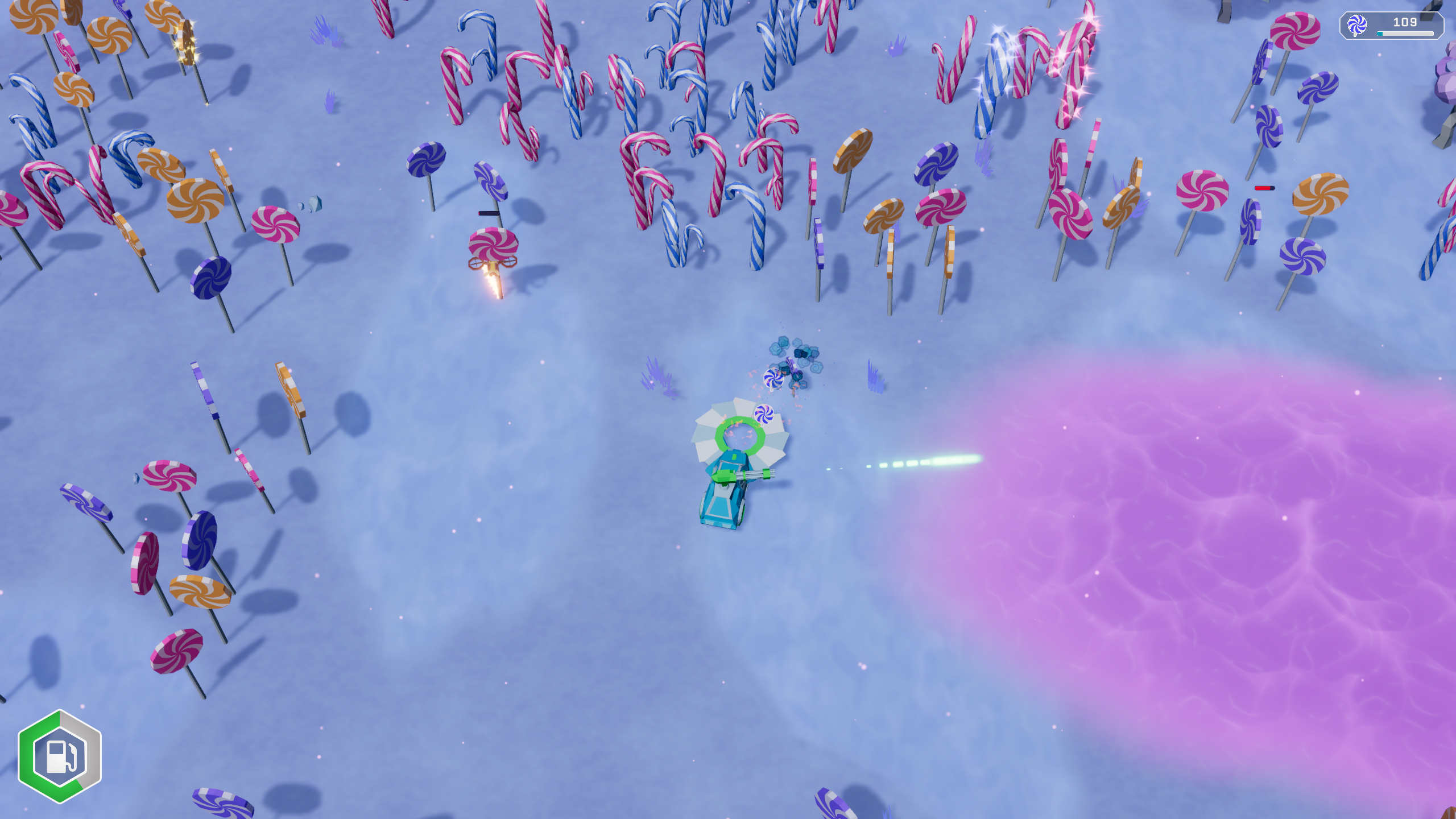
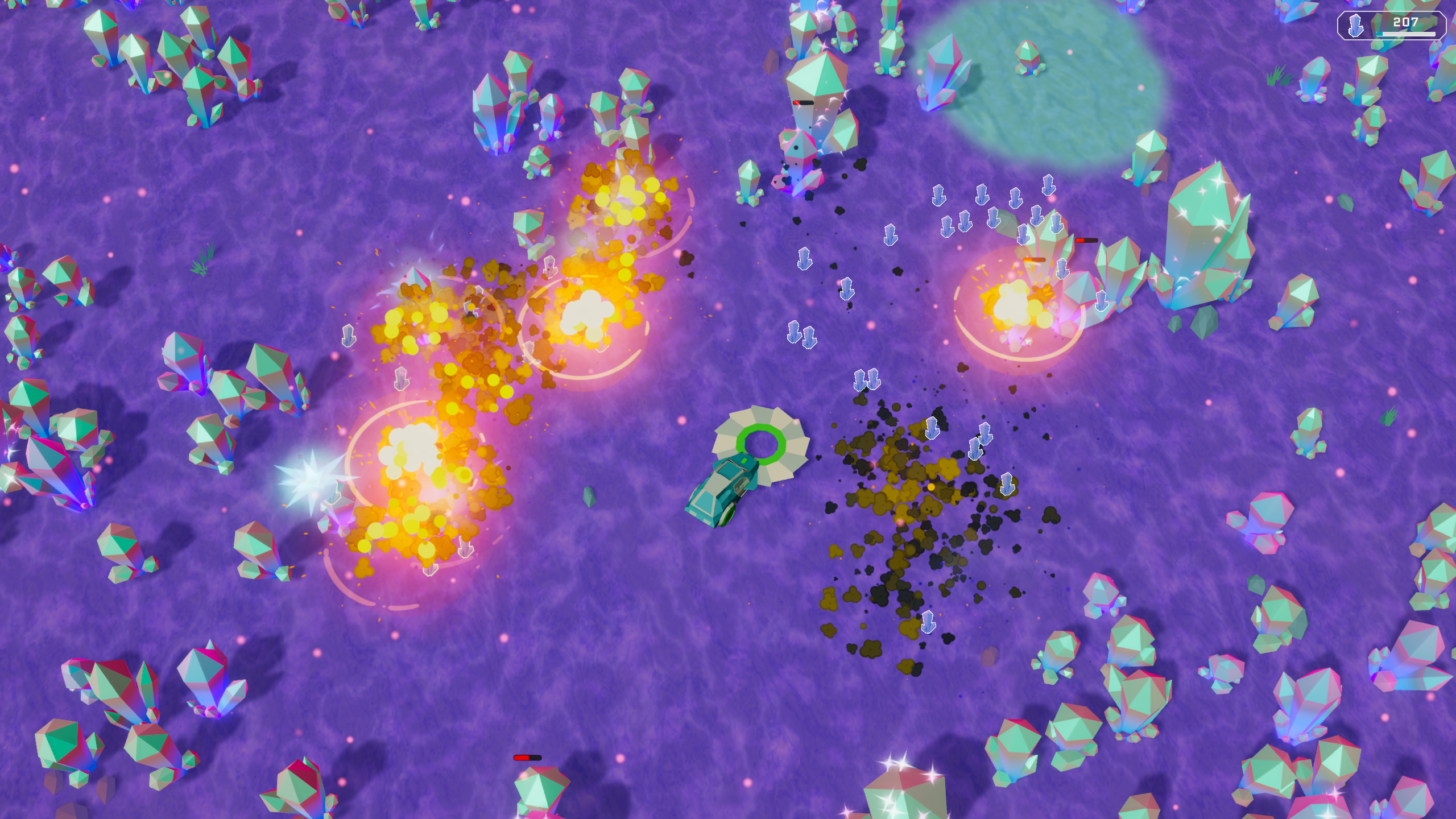
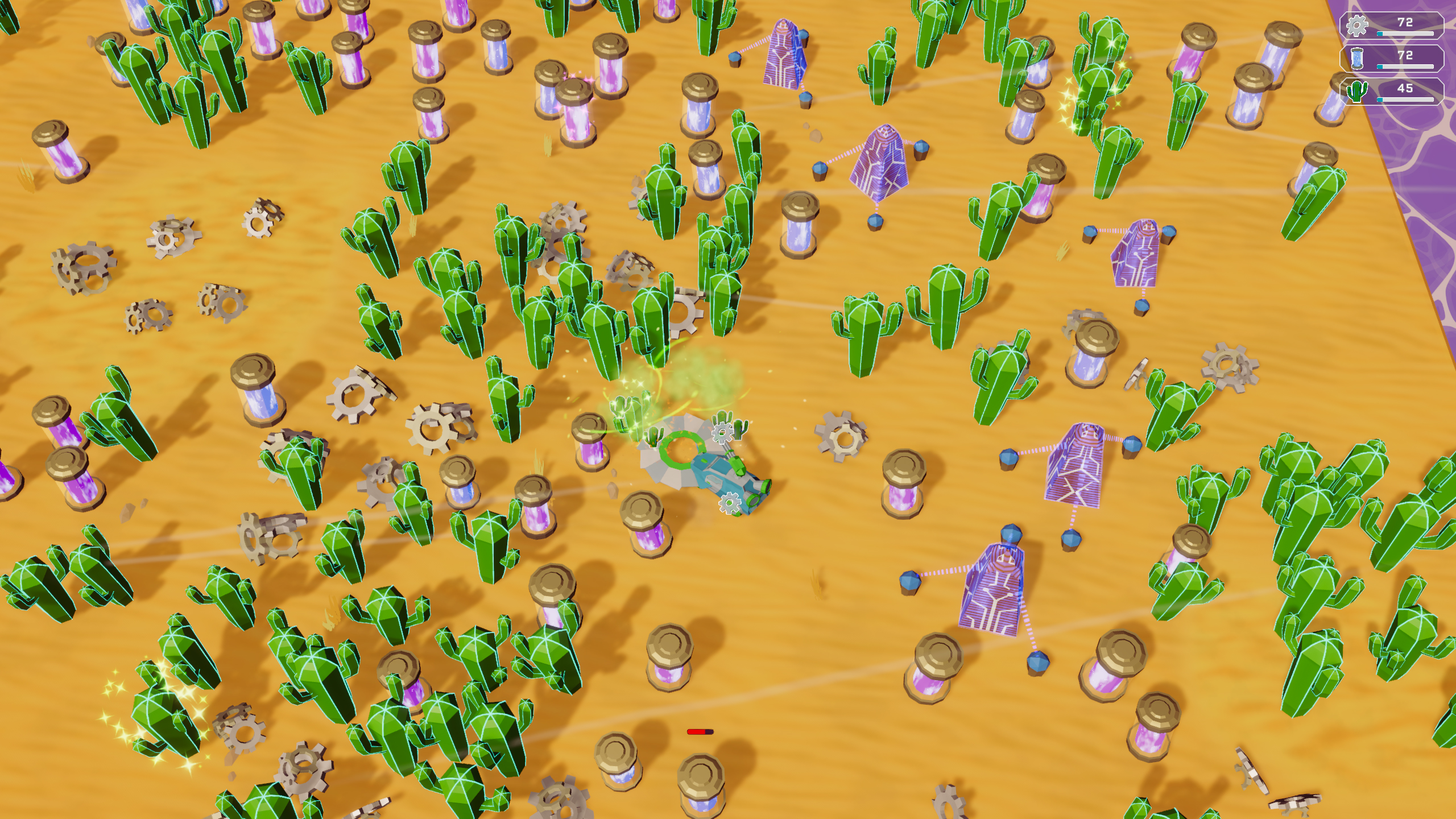
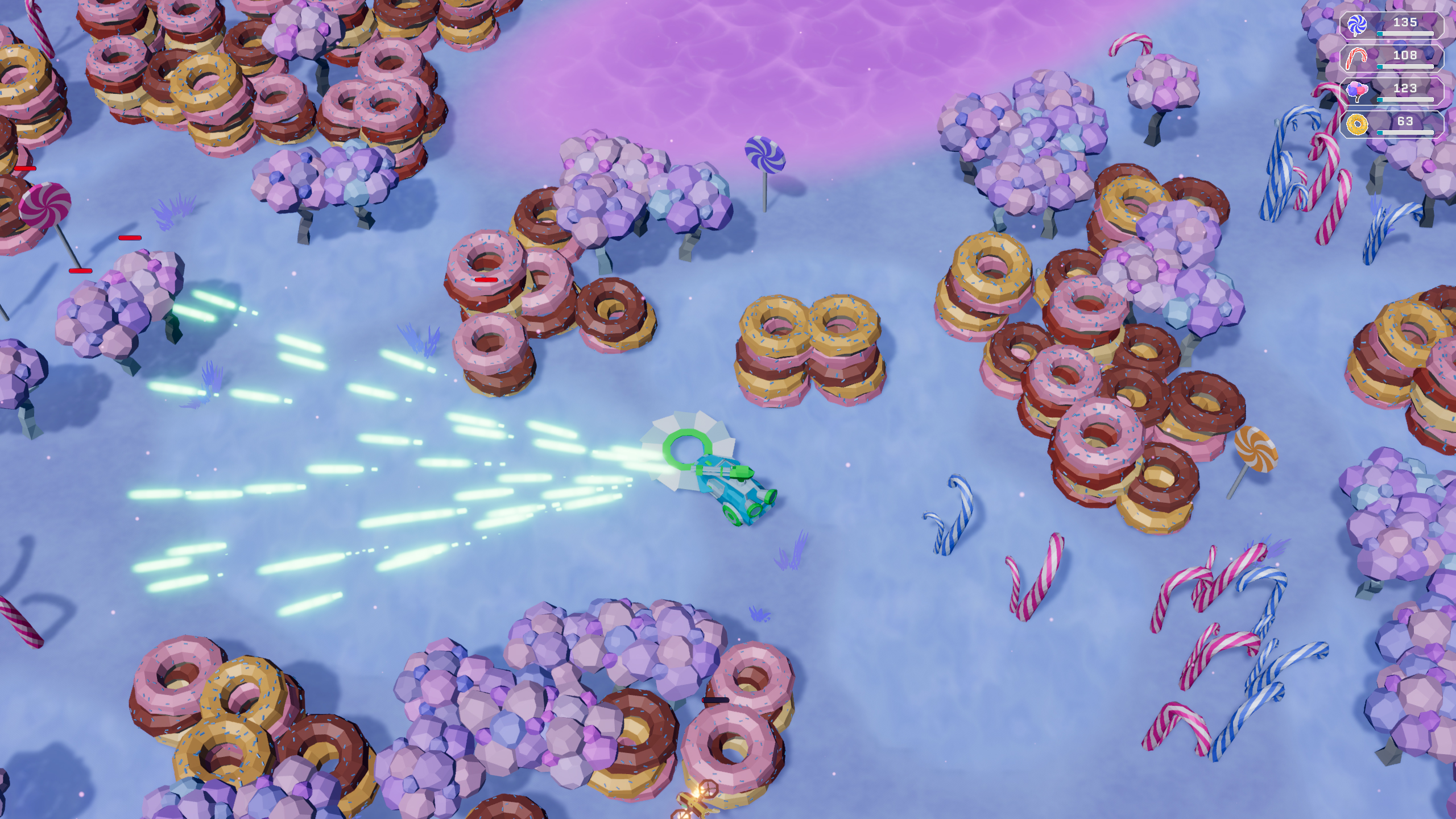
The demo offers at least two planetary biomes: the Candy Planet (soft, sweet-themed resources, bright visuals) and the Cyberpunk Desert (tough materials, neon-noir atmosphere). Each planet has its own soundtrack, resource composition, and difficulty curve. Start with Candy Planet — its resources are softer and easier to cut with the basic saw blade.
2. Learn the Controls
| Input | Action |
|---|---|
| WASD / Arrow Keys | Drive the crawler |
| Mouse | Navigate menus and upgrade interface |
| Space | Nitro boost (once unlocked in the upgrade tree) |
| Controller (recommended) | Full gamepad support with button remapping |
The demo supports DualShock controllers natively and allows full rebinding. If you have a gamepad, use it — the driving feels significantly smoother.
3. Harvest Your First Deposit
Drive toward any glowing resource deposit on the planet surface. Your crawler's saw blade automatically cuts through resources when you make contact. The resource counter in the HUD will tick up. You do not need to press anything to harvest — just drive into deposits.
4. Learn the Cargo System
Your crawler has a cargo capacity (very small at the start). The cargo bar fills as you collect. When full, you stop harvesting — you must return to your landing zone / base to deposit your haul. Depositing frees up cargo space and adds the resources to your global pool.
This trip — from base to deposits and back to base — is one run. Every run builds your total.
5. Spend Resources on Upgrades
Between runs (or whenever you dock), open the upgrade tree. You will see nodes organized by category:
- Vehicle stats: Speed, Power, Capacity, Nitro
- Tools: Lasers, Rockets, Cannons, Lightning (and more)
- Drones: Unlock and upgrade automated harvest assistants
- Passive bonuses: Resource multipliers, efficiency boosts, and so on
Each node costs resources and may require prerequisites. Spend early on Capacity upgrades to reduce trips.
6. Unlock Drones ASAP
Drones are autonomous helpers that fly out from your crawler and collect nearby resources automatically. They work while you drive, dramatically increasing your harvest per minute. Unlock drones as soon as the node appears in the tree.
7. Explore the Full Map
Resource deposits are spread across the planet. Some are visible from the start; others are hidden behind terrain features or at the edges of the map. Take time each run to push boundaries — hidden nodes often contain rarer or higher-value resources that accelerate your upgrade progress.
8. Experiment with Tools on Each Planet
Once you unlock a new tool (laser, rocket, cannon, lightning), equip it and test it. Each tool has different effectiveness on different planet types. This is key to optimization — covered in detail in the Advanced Strategies section below.
Advanced Tips
Avoid these common pitfalls to accelerate your progress:
| Mistake | Why It Hurts | Better Approach |
|---|---|---|
| Ignoring cargo capacity | You make 3-4x more trips per run, wasting time on travel instead of harvesting | Upgrade Capacity first — every point drastically extends your on-field time |
| Spreading resources across too many upgrades | You unlock everything slowly instead of getting key synergies early | Focus on one or two tool lines plus drones before diversifying |
| Delaying drones | You leave massive passive income on the table | The drone unlock is the single biggest efficiency jump in the demo |
| Only harvesting what is nearby | You miss high-value rare deposits on the map edges | Do a full perimeter sweep every few runs |
| Ignoring nitro until late | You waste cumulative hours on travel time between deposits | Prioritize nitro capacity and recharge — even one rank makes a noticeable difference |
| Using the same tool on every planet | Tools have planet-specific effectiveness; wrong tool equals slower harvest | Match tools to planet type (see Advanced Strategies) |
| Spending all resources immediately | You may lack critical resources for a high-priority node that just unlocked | Keep a small resource buffer (10-15%) for unexpected opportunities |
| Playing without a controller | Keyboard driving works but lacks the analog precision for tight maneuvers | Use a gamepad if available — the difference is tangible |
Core Mechanics
1. The Harvest Loop (Drive, Collect, Deposit, Upgrade)
The game's fundamental loop never changes, though it accelerates dramatically:
- Drive from your base across the planet surface.
- Collect resources by driving your saw blade (and equipped tools) into deposits.
- Return to base when cargo is full to deposit.
- Upgrade your crawler, tools, or drones with accumulated resources.
- Repeat — each run is faster and more productive than the last.
Your cargo capacity, vehicle speed, and tool power all compound to make later runs exponentially more efficient. Early runs might net 50-100 units; late-demo runs can pull thousands per trip.
2. The Upgrade Tree
The upgrade tree is a branching, non-linear structure organized into several trunks:
| Branch | Nodes | Effect |
|---|---|---|
| Vehicle | Speed, Power, Capacity, Nitro | Makes your crawler faster, stronger, roomier, and able to boost |
| Tools | Saw Blade (base), Laser, Rocket, Cannon, Lightning | Each adds a new harvesting mechanic; some have synergies |
| Drones | Unlock, Speed, Capacity, Range | Autonomous resource collectors that work alongside you |
| Passives | Resource multipliers, efficiency bonuses, quality-of-life upgrades | Permanent bonuses that apply every run |
Nodes have prerequisites — you must purchase certain nodes before others unlock. This creates strategic branching decisions. A typical efficient early path:
Capacity (1) > Speed (1) > Drone Unlock > Drone Speed (1) > Capacity (2) > Laser Unlock > ...
3. Tool Synergies
One of the game's most satisfying systems. Certain tool combinations produce bonus effects when both are equipped simultaneously:
| Tool Combo | Synergy Effect |
|---|---|
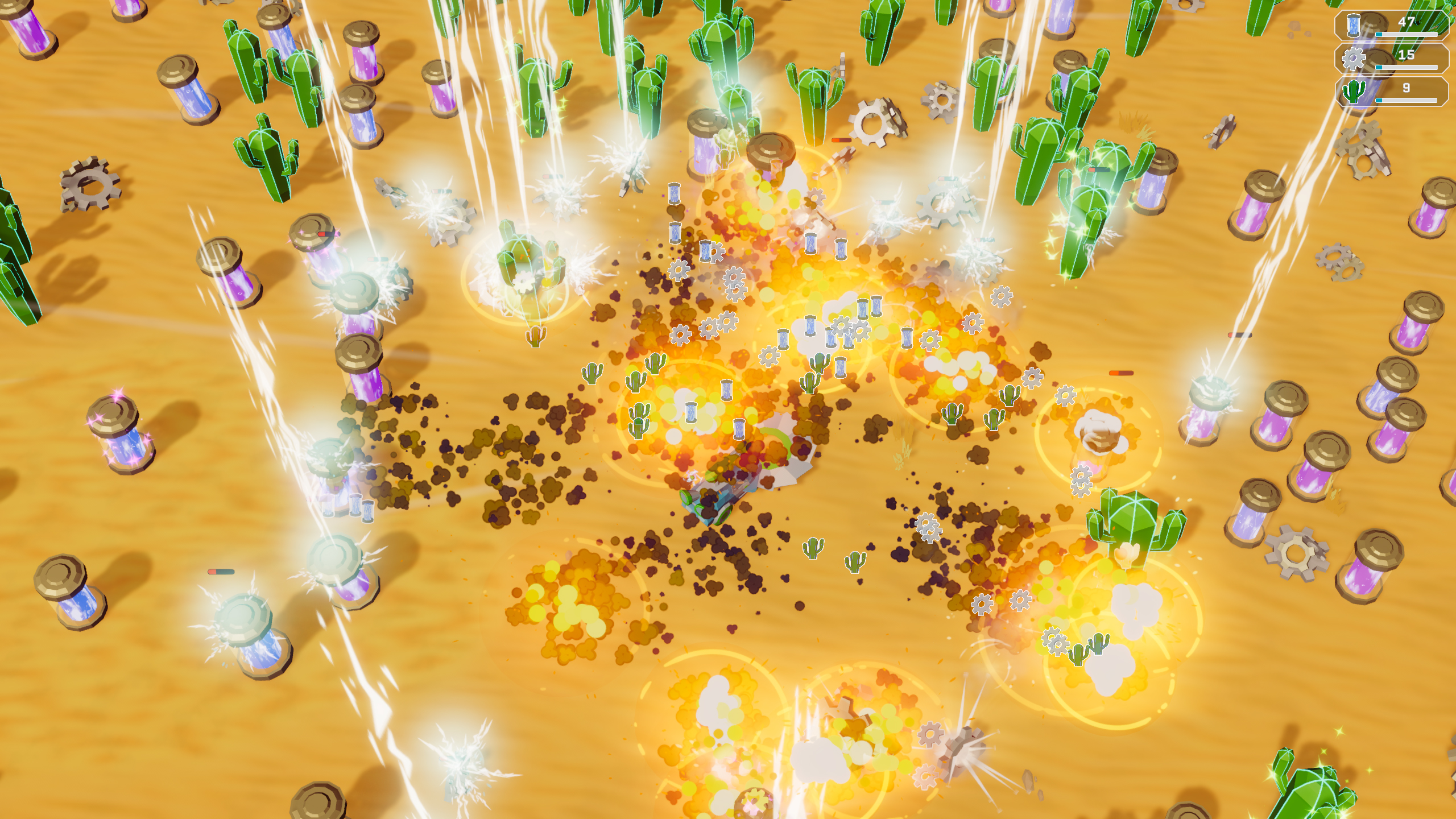
| Laser + Rocket | Chain explosions — harvesting one deposit detonates nearby deposits, creating cascading resource hauls |
| Cannon + Lightning | Stun field — resources are momentarily immobilized, making them easier to collect in a single pass |
| Saw Blade + Laser | Pre-heat — the laser softens tough resources before the saw blade cuts, increasing harvest speed on hard planets |
| Rocket + Lightning | (Speculated) may cause area-of-effect shocks that damage all resource types in a radius |
Experiment with all four tool combos. The synergy bonuses are powerful enough to reshape your farming strategy.
4. Planet-Specific Strategies
Each planet type has distinct resource hardness, composition, and layout:
| Planet | Resource Hardness | Best Tool | Notes |
|---|---|---|---|
| Candy Planet | Soft | Saw Blade, Cannon | Sweets-themed resources; forgiving terrain; ideal starting biome |
| Cyberpunk Desert | Tough | Laser, Rockets | High-density tough nodes; rewards precision tool use; harsh neon aesthetic |
Resources on Candy Planet are easy to cut but yield lower base values. Cyberpunk Desert resources are tougher but richer. A strong mid-game strategy: farm Candy for fast volume, unlock lasers, then switch to Cyberpunk for high-value hauls.
5. The Drone Economy
Drones are the single most important automation tool in the demo. Here is how they work:
- Once unlocked, drones deploy automatically when you are harvesting.
- They fly to nearby resource deposits, collect a portion, and return to your crawler.
- Drone Speed upgrades reduce collection time.
- Drone Capacity upgrades let each drone carry more per trip.
- Drone Range upgrades let them reach farther deposits.
Optimal drone upgrade priority: Speed > Range > Capacity. Fast drones with good reach cover more area per minute than slow drones with large holds. Capacity matters more once speed and range are already decent.
Advanced Strategies
1. "Nitro Run" — Maximize Travel Efficiency
Nitro boost (unlocked in the Vehicle branch) gives a temporary speed burst. The most effective use is saving nitro for the return trip. When your cargo is full, your crawler moves slower due to weight. Activating nitro on the way back to base slashes travel time by 40-60%, significantly increasing your harvest rate per minute.
Pro tip: Upgrade Nitro Capacity to get 2-3 charges per run. Use the first charge to reach distant deposits faster, save the last charge for the return.
2. "Synergy Rush" — Unlock Tool Combos Early
Instead of spreading points across all four tools, pick one synergy pair and rush both tools. The recommended first synergy is Laser + Rocket. Here is why:
- Laser is useful on both planets (pre-heats tough resources).
- Rocket gives area damage.
- Combined, Laser + Rocket creates chain explosions — meaning one well-placed harvest run can clear a cluster of deposits in seconds.
- The chain effect dramatically outpaces single-target harvesting.
Path: Capacity(1) > Speed(1) > Drone Unlock > Drone Speed(1) > Laser Unlock > Rocket Unlock > Laser+Rocket Synergy
3. "Perimeter Sweep" — Find Hidden Nodes
Resource deposits are procedurally or semi-procedurally placed on each planet. The highest-value nodes (often containing rare resources needed for late-tree upgrades) tend to spawn near the map boundaries — the edges of the playable area.
Execute a sweep every 3-5 runs: drive a full lap around the outer edge of the map. Mark (mentally or physically) the positions of rare deposits. Use nitro to close distance between them. On subsequent runs, bee-line to these known locations first.
4. "Planet Hopping" — Cross-Contaminate Progression
While the demo offers limited planets, the full game will feature multiple worlds with distinct resource pools. The advanced strategy for the demo is:
- Start on Candy Planet (easy, fast volume).
- Unlock drone + laser (the core efficiency tools).
- Switch to Cyberpunk Desert once laser is online.
- Farm Cyberpunk for high-value resources.
- Return to Candy periodically to clear it quickly with your now-overpowered tools, harvesting soft resources in bulk.
This cross-contamination — using upgraded tools from one biome to farm another — maximizes resource diversity and accelerates the upgrade tree faster than sticking to one planet.
5. "Resource Buffer" — Never Get Stuck
The upgrade tree sometimes reveals a high-value node that costs a mix of resource types. If you have spent everything, you may need several extra runs to gather the right combination. Always maintain a 10-15% resource buffer — do not spend down to zero on every branch. This buffer lets you snap up powerful nodes the moment they unlock, keeping your momentum high.
FAQ
1. Is Planet Harvester free to play?
The demo is completely free on both Steam and itch.io. The full game will be a paid title releasing on August 17, 2026.
2. Can I play in my browser?
Yes. The itch.io version runs directly in your web browser with no download required. The developers note that the web version may have minor visual bugs and recommend the Steam version for the best experience.
3. Is there controller support?
Full controller support with remapping was added in the June 20 update. The developers recommend playing with a gamepad. Both Xbox and DualShock controllers are supported.
4. What planets are available in the demo?
Two planets are confirmed: the Candy Planet (soft resources, playful visuals) and the Cyberpunk Desert (tough materials, harsh neon-noir atmosphere). More planets are planned for the full release, each with unique soundtracks and resource distributions.
5. How does the upgrade tree work?
Upgrades are permanent across runs. You spend resources to unlock nodes on a branching tree. Nodes cover vehicle stats (speed, power, capacity, nitro), tools (lasers, rockets, cannons, lightning), drones, and passive bonuses. Some nodes have prerequisites, encouraging strategic path choices.
6. Is there an ending or win condition?
The demo has no final boss or endpoint — it is a sandbox experience where you push your crawler as far as the upgrade tree allows. The full game may introduce goal-oriented progression.
7. Does progress carry over to the full game?
The developers have not confirmed save transfer from demo to full release. Treat demo progress as a learning experience.
8. What are the system requirements?
Minimum: Windows 10, 1.3 GHz or faster 64-bit processor, 1024 MB display memory. The game is lightweight and runs on modest hardware. Windows only — no Mac or Linux support.
9. How do I unlock the nitro boost?
Nitro is a node in the Vehicle branch of the upgrade tree. It typically requires Capacity and Speed to be at rank 1-2 before it unlocks. Invest early — even one nitro rank dramatically improves travel efficiency.
10. What is the best first upgrade?
Cargo Capacity. Every point of capacity directly reduces the number of trips you need to make, which is the single biggest time sink in the early game. After capacity, go for Drones — the automation they provide is transformative.
11. Can I respec or refund upgrades?
There is no respec mechanic in the demo. Plan your upgrade path carefully. If you make a mistake, you will need to farm additional resources to correct course.
12. Does the game have Steam Cloud?
Yes. Steam Cloud support is enabled, so your demo progress syncs across Windows machines where you are logged into Steam.
13. Is there a prestige mechanic?
Not in the demo. The full game may introduce prestige or new-game-plus mechanics — watch the developer's Steam news feed for updates.
14. What is the difference between the Steam and itch.io versions?
The Steam version has full controller support, Steam Cloud saves, and is the developers' recommended experience. The itch.io web version runs in-browser (no install) but may have minor visual bugs and lacks controller support in some configurations.
15. How long does the demo content last?
Depending on playstyle, expect 3-8 hours to exhaust the visible upgrade tree and max out your crawler on both available planets. Completionists will spend additional time exploring map edges and experimenting with tool synergies.
Final Tip / Verdict
Planet Harvester: Incremental Odyssey succeeds at what it sets out to do: deliver a cozy, satisfying, low-stakes incremental experience where every run leaves you noticeably stronger. The demo is generous, the upgrade tree has real teeth despite the small scope, and the planet-hopping strategy layer adds replay value.
The single best piece of advice for new players: rush drones, then build toward Laser + Rocket synergy. That two-part strategy will carry you through every biome the demo offers and leave you eagerly awaiting the full release on August 17, 2026.
If you enjoy relaxing drives across alien landscapes, watching numbers grow, and unfurling a strategic upgrade tree at your own pace, Planet Harvester deserves a spot in your Steam library.
Guide written for the Game How-To project. Data sourced from the Steam store page (App ID 4693020), the official game description, demo gameplay analysis, and developer communications from Galysh Company. Full game App ID: 4448490. Last updated: July 2026.
Screenshots