Daily Pick
One deeply researched guide worth reading today.
A practical route through the systems that matter most, written to help new players make confident decisions quickly.
Overview
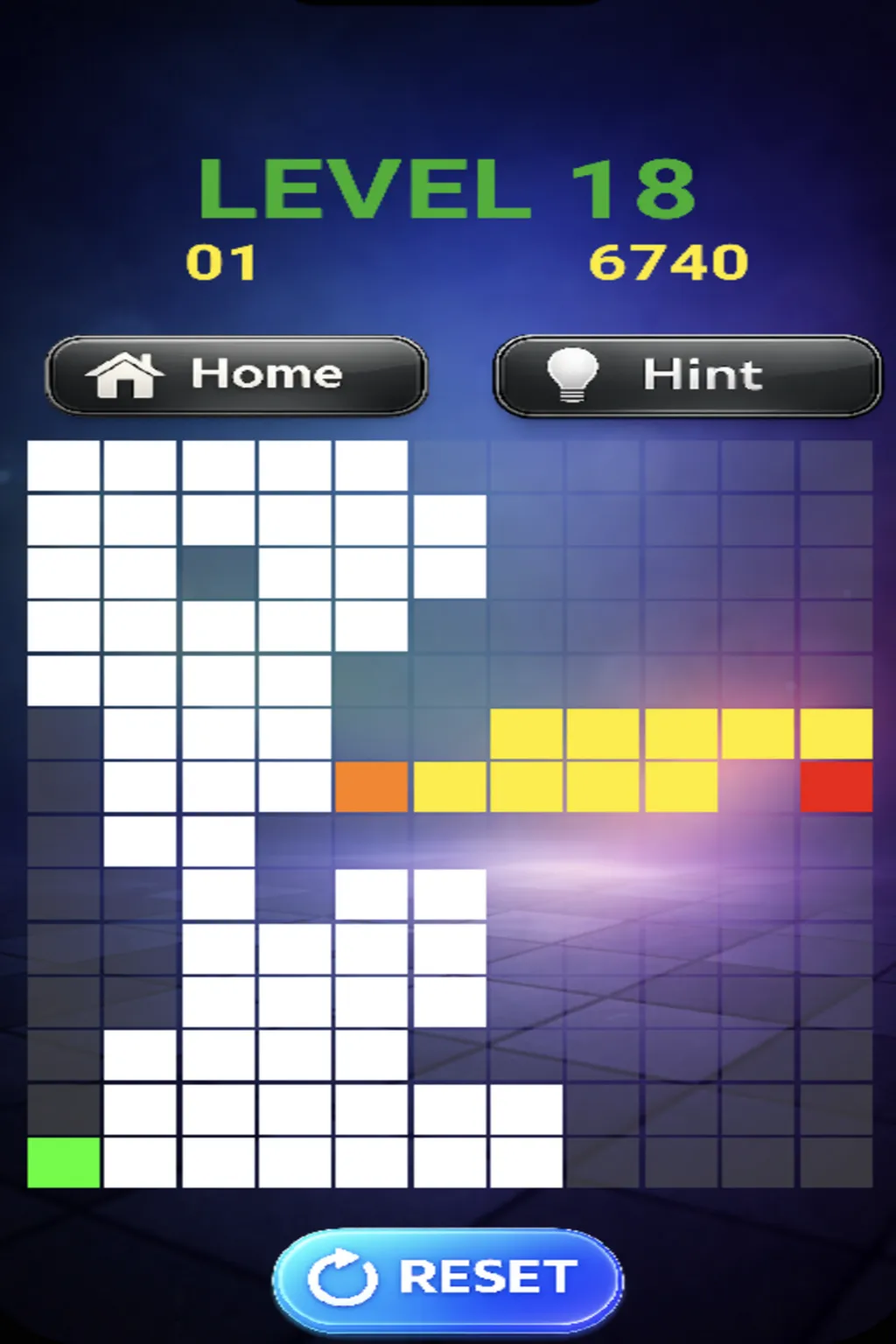
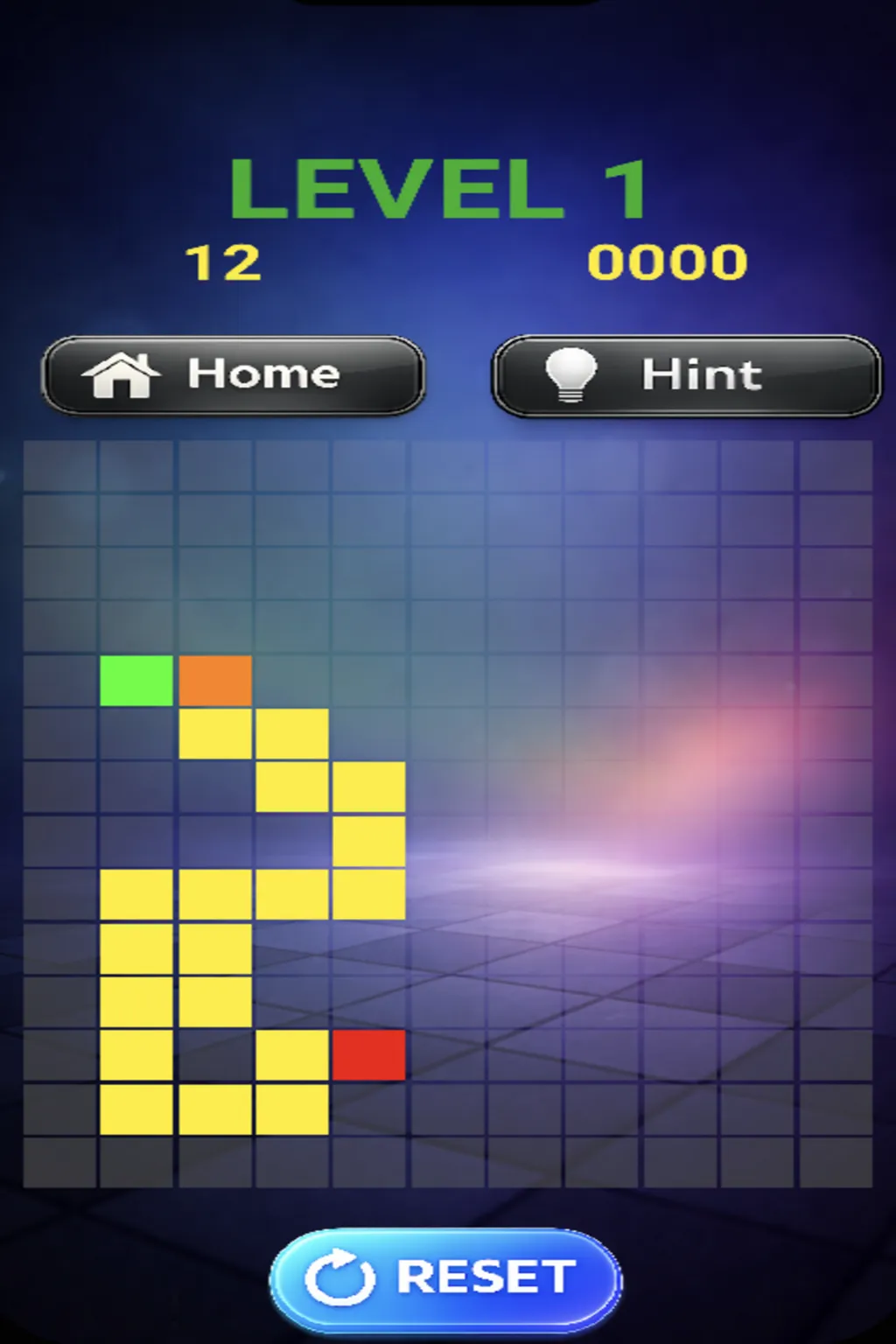
PathLock (titled PathLock Escape on iOS) is a timer-driven path-drawing puzzle game by Amit Kandial under AnjaanGamesStudio. Draw a continuous line from a green start tile to a red end tile before the clock expires. That is the whole game. Everything else is the depth the timer hides.
Three facts define the competitive landscape. The grid is procedural, so pattern recognition beats memorization. The scoring formula converts remaining time into points at a 2:1 rate, making speed the only real currency. The hint system punishes at 50/120/250 points per tier, meaning two hints on any level is a net negative that drags a cumulative leaderboard run into the ground. A deep dive into PathLock is really a deep dive into decision speed under countdown pressure.
The game ships free on two platforms with two names. The browser version lives on itch.io as Pathlock, built in Unity and streamed as a portrait-oriented WebGL build. The iOS version is PathLock Escape on the App Store, a universal iPhone/iPad app with Game Center leaderboards. Same game, two names, no cross-save.
| Field | Detail |
|---|---|
| Genre | Minimalist logic puzzle, path-drawing, timer-based |
| Developer | Amit Kandial / AnjaanGamesStudio |
| Platforms | itch.io (browser, HTML5), iOS App Store as PathLock Escape |
| Price | Free. No ads, no IAP, no account |
| Engine | Unity, WebGL portrait build (720x1080) |
| Leaderboards | Game Center on iOS (cumulative score) |
| Content | Infinite procedural levels, 4x4 to 8x8 grids |
| Session length | 5-20 minutes, one level per 15-45 seconds |
Who thrives here: players who like the feeling of getting measurably faster at a skill. The first five levels are a coffee break. The levels past 20 are a sport. Both moods are legitimate; this guide covers the route from one to the other.
One more context point: PathLock has no wiki, no YouTube walkthroughs, no Reddit threads. The community is effectively the leaderboard. That changes how you improve. In bigger games you copy a meta from a guide; here you build your own meta from the archetype library below, and the Game Center charts reward anyone who drills deliberately, because almost nobody has.
Controls & Key Bindings
The control surface is tiny, and knowing the exact input for each action matters more here than in most puzzle games, because undo speed is a scoring skill.
| Action | Mouse (browser) | Keyboard | Touch (iOS) |
|---|---|---|---|
| Draw path | Left-click and drag across tiles | N/A | Finger drag |
| Undo last segment | Right-click while drawing | Backspace | Double-tap |
| Restart level | N/A | R | Restart control on screen |
| Hint | N/A | H | Hint button on screen |
| Next level | Automatic on clear | Automatic | Automatic |
Three input notes that cost points until you internalize them:
- The timer starts on level load, not on your first input. Standing still is already spending your budget.
- Undo cancels one segment at a time. On touch, the double-tap is the weakest input in the game; practice it until it fires without a pause, because mid-board corrections are where touch players lose to mouse players.
- Restart is instant and free. R (or the on-screen control) resets the board with a full timer and no score penalty beyond the lost seconds. Salvaging a broken path is almost always worse than resetting.
Core Mechanics Explained
The Grid and the Path Constraints
Each level is a rectangular grid, some tiles blocked. The path connects start to end through open, orthogonally adjacent tiles under three constraints: continuity, no self-intersection, no diagonals.
The self-intersection rule is the real puzzle engine. Without it, most grids have dozens of valid routes. With it, candidate paths collapse to one or two because every route that folds back is disqualified. Read the rule as a filter, not an obstacle: any candidate that would need to cross itself is wrong, and you can eliminate it without tracing it fully.
The Timer Is the Difficulty Dial
The grid provides the problem. The timer decides whether that problem is a puzzle or a sport.
| Level Range | Typical Timer | Grid Size | Pressure |
|---|---|---|---|
| 1-3 | ~45s | 4x4 to 5x5 | Learning space |
| 4-6 | ~35s | 5x5 to 6x6 | Comfortable |
| 7-10 | ~25s | 6x6 | First real wall |
| 11-15 | ~20s | 6x6 to 7x7 | Planning required |
| 16-20 | ~15s | 7x7 to 8x8 | Execution window |
| 21+ | 10-15s | 8x8 dense | Sport |
The wall at level 7 is where most players quit, and it is a training artifact, not a design flaw. Levels 1-6 reward casual tracing; level 7 demands the reverse-mapping habit. Players who adopted backward planning in the first hour walk through the wall. Players who traced forward hit it.
Procedural Generation and the Archetype Library
The generator guarantees at least one valid solution per board, bands difficulty by level (level 5 always generates from the easy parameter set), and reuses seven geometric archetypes at different rotations and scales:
| Archetype | Frequency | Difficulty | Recognition Cue |
|---|---|---|---|
| The Corridor | 35% | Easy | Single open row flanked by obstacles |
| The L-Bend | 25% | Easy-Medium | One central obstacle forcing a right angle |
| The Fork | 15% | Medium | Two routes look equally valid at a branch |
| The Spiral | 10% | Medium-Hard | Concentric rings around a blocked center |
| The Island | 8% | Hard | Open cluster with a single entrance |
| The Labyrinth | 5% | Very Hard | Interconnected chambers, narrow passages |
| The Deadfall | 2% | Extreme | Attractive path that dead-ends 6+ tiles in |
Two-thirds of all boards are Corridors and L-Bends. Naming the archetype within two seconds of load is the single highest-leverage skill in the game, because each archetype has a known solution shape (covered below). The rare archetypes are where runs die: Spiral, Island, Labyrinth, and especially Deadfall demand respect and a planned approach rather than a confident first draw.
Scoring Math
Final Score = TimeBonus - HintPenalty
TimeBonus   = 100 + (TimerRemaining × 2)
HintPenalty = 0 (0 hints) | 50 (1) | 120 (2) | 250 (3+)
| Scenario | Time Left | Time Bonus | Hints | Final |
|---|---|---|---|---|
| Perfect speed clear | 25s | 150 | 0 | 150 |
| Steady clear | 15s | 130 | 0 | 130 |
| One-hint clear | 8s | 116 | 1 | 66 |
| Two hints | 5s | 110 | 2 | -10 |
| Panic, three hints | 2s | 104 | 3 | -146 |
Every second saved is two points. Every hint past the first is an escalating disaster. The Game Center board tracks cumulative score, so a single -146 level erases three perfect ones. This math, not reflexes, is what separates leaderboard players from casual ones: the leaderboard is a consistency contest.
Progression Strategy
The Level Climb
Progression is strictly level-based, but because boards are procedural, the grind is skill acquisition, not content completion. Break the climb into four phases:
- Levels 1-6 (Foundation). Target: every clear under 20 seconds, zero hints. Build the undo reflex and the backward-planning habit here, where failure is free.
- Levels 7-15 (The Wall and the Pattern Library). Target: archetype identification inside 2 seconds. Accept slower clears on 7x7 boards; survival first, speed later.
- Levels 16-25 (Execution). Target: sub-15-second decision windows on dense 8x8 grids. Chunking and verbalization (below) carry this phase.
- Levels 26+ (Sport). Timers of 10-15 seconds on full boards. At this level you are not solving puzzles; you are executing a trained categorization system quickly.
Resource Priority: Time and Hints
Two resources exist, and both convert to score. Spend according to level band:
| Band | Time Posture | Hint Posture |
|---|---|---|
| 1-10 | Spend freely to build habits | Never |
| 11-20 | Plan under 5s, execute fast | One only if the alternative is failure |
| 21+ | Every second is 2 points | One hint still beats a failed level; two never does |
When to Restart
Reset is free, instant, and underused. Restart when any of these is true: you used a hint and want a clean score, your first two draws were wrong, you are below 25% timer with no mental map, or you feel tilted. A fresh board with full time outscores a salvage job in every scenario the math can produce.
Puzzle-Solving Frameworks
The Three-Phase Method
Every board gets three phases, and mixing them is the primary cause of timer death:
- Scan (2-3 seconds). Identify archetype, locate choke points (single-tile gaps that must be traversed), note obstacles near the end tile.
- Plan (2-4 seconds). Trace backward from the end. Confirm the route does not self-intersect. Verbalize: "up three, right four, down two."
- Execute (continuous). Draw in one motion per straight segment. Flick the wrist; do not steer. Undo within 0.5 seconds of any wrong turn.
Scanning while drawing, or planning mid-execution, doubles total time. The discipline is doing one thing per phase.
Reverse Mapping (The Master Key)
The generator constrains the end tile more tightly than the start. The end usually has one or two viable approach corridors; the start may have five. When stuck, stop looking at where you are and look at where the path must end: work backward until the two views connect. On Fork and Island boards, reverse mapping is not optional; forward exploration burns the timer on branches that were never viable.
The Choke Point Theorem
A choke point is a tile (or corridor) every valid solution must pass through: a one-tile gap in a wall, the single entrance to an Island, the outer ring of a Spiral. Finding choke points first splits one big problem into two small ones: solve start-to-choke, then choke-to-end. Two 12-tile problems beat one 24-tile problem under a timer, because each half is verifiable at a glance and errors localize.
Archetype Playbooks
- Corridor: Trace it directly; the only risk is speed. These are free points, take them fast.
- L-Bend: Identify which side the bend opens to during the scan. One clean turn, no decisions afterward.
- Fork: Do not explore. Reverse-map from the end to see which branch the solution enters from. The branch that reaches the end in fewer forced turns is correct about 80% of the time; verify it does not self-intersect.
- Spiral: Enter and follow the outer ring; Spirals resolve from the outside in. Commit to the ring; second-guessing mid-ring causes self-intersections.
- Island: Find the single entrance first. The interior is small once entered; the danger is approaching from the wrong side.
- Labyrinth: Abandon full planning. Solve chamber by chamber using choke points, 3 tiles of plan per execution burst.
- Deadfall: The generator's trap. The attractive straight path dead-ends after 6+ tiles. If a route looks suspiciously clean, check its final approach to the end before committing. When it fails, undo to the fork immediately; do not retrace tile by tile.
Step-by-Step Strategy: Five Sequences
Sequence 1: The Perfect Early Clear (Levels 1-5)
- Load, scan 2 seconds, name the archetype aloud.
- Reverse-map from the red tile to the green.
- Draw in one continuous stroke, straight segments only.
- Bank 140+ points with zero hints. These levels are your cumulative-score foundation; perfection here is what a leaderboard run is built on.
- Move on instantly. Do not admire the score; the timer on the next level is already running.
Sequence 2: Breaking the 6x6 Wall (Levels 7-10)
- Scan for choke points before anything else. On 6x6 boards there is almost always one defining choke.
- Split the board at the choke: plan start-to-choke, then choke-to-end.
- Execute the first half, pause microscopically at the choke to re-orient, execute the second half.
- Accept a 40-second clear with zero hints. It outscores a 25-second clear with one hint (130 vs 116) and costs nothing.
- If the timer drops under 8 seconds with the plan unexecuted, draw by the shortest visible route and accept the par drop. Panic planning loses to committed execution.
Sequence 3: Surviving the 8x8 Dense Grid (Levels 16+)
- Chunk the grid into 2x2 mental blocks during the scan; you cannot hold 64 tiles but you can hold 16 blocks.
- Find two anchor points: the choke nearest the end, and one near the start.
- Plan only the first third of the route in detail; keep the rest as directional intent.
- Execute with flicking wrist motions, straight segments, undo on instinct.
- Under 5 seconds remaining: draw straight at the end tile. A failed fast attempt resets in one keystroke; a hesitated attempt resets in ten seconds of regret.
Sequence 4: The Zero-Hint Leaderboard Run
- Start a fresh session from level 1. Cumulative scoring means early perfection funds late-game survival.
- Rules: any hint before level 15 restarts the session. Any two-hint level is an immediate session restart.
- Target 140+ per level through 5, 100+ through 10, accept 50-70 through 20.
- Take a break every 20 levels; decision speed decays with fatigue and the game measures it at 2 points per second.
- By level 25+, the session score is carried by consistency, not heroics. Positive contributions every level beat 150s punctuated by negatives.
Sequence 5: Recovering From a Deadfall
- You are 6 tiles into the clean-looking path and it walls. Do not stare; the archetype just revealed itself.
- Undo back to the last junction in one motion (hold undo), not tile by tile.
- Re-scan for the alternative branch; on Deadfall boards it is usually less attractive but connects to the end via a choke.
- Reverse-map from the end to confirm before drawing. You will not fall for the same trap twice; the trap's location is now information.
- Bank the clear whatever the timer says. Survived Deadfalls are the rarest points on the board.
Advanced Tips
- Perimeter bias is structural. Roughly 80% of optimal solutions hug the grid edge, because the generator seeds obstacles centrally. Between two candidate routes, the perimeter route wins far more often than it loses.
- Verbalize under pressure. Quietly speaking the plan ("up three, right four") engages a second memory channel; under a countdown, verbalized plans survive panic better than visualized ones.
- The 3-Second Rule is sacred. Stuck for 3 seconds means the current route is wrong. Undo 2 tiles and re-branch. Ten seconds of staring costs 20 points of TimeBonus; a wrong reroute costs seconds too, but it sometimes works.
- Fatigue is a scoring multiplier. Decision speed degrades measurably after 30-40 minutes of timer pressure. The leaderboard is long-horizon; schedule sessions, do not marathon.
- Mouse beats touch, iPad beats phone. Precision matters most at 8x8. If iOS is your platform, play on iPad; grid visibility on the larger canvas is worth more than portability.
- Guided Access saves runs. iOS: Settings, Accessibility, Guided Access. An accidental home swipe mid-level loses the level and the streak. One setup, permanent fix.
- The browser version has no offline mode. itch.io needs a live connection; iOS plays offline after download. Practice on the platform you will score on, because muscle memory differs slightly between drag input types.
- Learn your personal stall pattern. Everyone has a board type that freezes them (most players: Labyrinth). When your stall type appears, immediately switch to the chamber-by-chamber protocol instead of your usual full-plan habit. Knowing your weakness is worth more than a new strength.
- Two-second archetype naming is trainable. Flash 20 boards (screenshots or replays), name the archetype each time. A week of this drill moves identification from 4 seconds to under 2. That one second is 2 points per level.
- The developer is one person with an ad-free philosophy. Updates are slow but deliberate; nothing in the scoring system has ever been nerfed. The meta you build today stays valid.
How PathLock Compares to Other Path Puzzles
If you have played draw-a-line puzzle games before, your instincts will half-work here, and knowing which half saves time.
| Game style | Core rule | Timer | How PathLock differs |
|---|---|---|---|
| Flow Free-style connectors | Pair dots, fill the whole board | None | PathLock needs one route, not full coverage; the clock replaces coverage pressure |
| One-stroke (unicursal) puzzles | Visit every cell exactly once | Rarely | PathLock's path is start-to-end, not full-board; unused tiles are legal |
| Pipe-rotation puzzles | Rotate pieces to connect | Usually none | PathLock has no piece state; you draw free-form and the self-intersection rule is the only leash |
| Sliding/blocker puzzles | Move pieces to clear a lane | None | PathLock obstacles are static; the "blocker" is the clock |
Two takeaways from the comparison. First, habits from untimed path games push you toward exhaustive tracing, which is exactly the wrong reflex under a 15-second budget; the three-phase scan exists to overwrite it. Second, the score economy (2 points per second, brutal hint penalties) is closer to an arcade game than a meditation app. The itch.io tags say "brain-game" and "relaxing," but the scoring system says speedrun. Play it as the latter if you care about numbers.
Training Drills for Measurable Improvement
Because the game gives you instant score feedback, you can train it like a sport. Four drills, each targeting one measurable skill:
Drill 1: Archetype flash-cards (identification speed). Screenshot 20 boards over a few sessions. Later, flip through them and name the archetype within 2 seconds each. Track your hit rate. When you hit 90%+ on all seven archetypes, your scan phase shrinks by 1-2 seconds, which is 2-4 points per level.
Drill 2: Reverse-map only (planning discipline). For one full session, forbid yourself from drawing until you have traced a complete route backward from the end tile, out loud. Feels slow for ten levels, then the backward trace becomes your default. This is the habit that breaks the level-7 wall permanently.
Drill 3: Zero-undo sets (execution precision). Play five levels where touching undo counts as a failed rep. The goal is not clean boards; it is training your wrist to draw straight segments in single motions. Players who steer tile-by-tile lose 3-5 seconds per board against players who flick.
Drill 4: The streak timer (consistency). Count consecutive levels with a positive score contribution. Two hints anywhere breaks the streak. Chase your personal best streak instead of chasing single-level 150s; the Game Center leaderboard aggregates, so streak length is the real variable it measures.
Run the drills across separate short sessions rather than stacking them into one marathon. Fatigue undoes drill gains faster than the drills build them.
FAQ / Common Mistakes
Why did my score go negative on a level I completed? Two or more hints. The penalty tiers (50/120/250) outrun the maximum TimeBonus (about 190 on a 45-second level). One hint is survivable; two is a guaranteed net loss. Restart instead.
Is the generator truly random? Pseudo-random with seeded difficulty bands. Level 5 always pulls from the easy parameter set. Boards are unique per session, but archetype frequencies are stable, which is why pattern training works.
What is the maximum level-1 score? About 180. Clearing in 5 seconds on the 45-second starting timer gives 100 + (40 × 2). Beyond that, only timer variance limits you.
Can any board be brute-forced? Human no; the 8x8 state space is too large under a timer. Choke-point decomposition is the only viable complex-board strategy. This is by design: the game measures structured thinking, not search speed.
Are there in-app purchases or ads? No. Free, adless, accountless on both platforms. The itch.io page accepts optional tips. Nothing monetizes your attention, which is why the timer feels honest.
What actually changes at level 50+? Nothing mechanical, everything practical. Grids cap at 8x8, but obstacle density maxes and timers sit at 10-15 seconds. Finding the path becomes the easy part; executing a 30-segment route in 12 seconds is the sport.
Is there an endless mode? Formally no, functionally yes. Levels are procedural and infinite; the level counter is a difficulty dial, not a content meter.
Why am I suddenly failing levels I cleared yesterday? Fatigue or archetype mismatch. You are either 40 minutes deep into timer pressure (decision speed down) or hitting your personal stall archetype (most commonly Labyrinth). Fix one: take a break, or switch to chamber-by-chamber protocol on the next board.
Does progress sync between browser and iOS? No. The two versions track independent progress. Game Center leaderboards exist only on iOS. Pick one platform for scoring runs and stay on it.
Which version should I play, browser or iOS? Browser for zero-install sessions and mouse precision; iOS for offline play, iPad canvas size, and the only leaderboard that exists. The iOS build is 92.8 MB, needs iOS 15 or newer, runs on iPhone and iPad, and carries a 4+ age rating with a "Data Not Collected" privacy label, so no tracker tax on your device either.
Does the game collect my data or need an account? No on both counts. The itch.io page works logged-out; the iOS app ships with a Data Not Collected privacy label. The only account-adjacent feature is Game Center, and it is optional; your scores save locally without it.
The single most common mistake? Using a second hint after the first did not save the level. The first hint costs 50 points. The second costs 70 more and still usually arrives too late to clear fast. The moment one hint is spent and the path is still invisible, restarting is mathematically cheaper.
Quick Reference Card
Print this in your head before a session:
SCAN (2s)  → name archetype, find choke points
PLAN (3s)  → trace BACKWARD from red tile, verbalize
EXECUTE    → flick straight segments, undo < 0.5s
STUCK 3s   → undo 2 tiles, re-branch
2 HINTS    → never; restart instead
PERIMETER  → edge routes win ~80% of the time
DEADFALL   → clean-looking path = check the end approach first
FATIGUE    → 30-40 min hard stop, score decays after
Target lines for a healthy run: 140+ average through level 5, 100+ through level 10, positive contribution every level after. Zero hints through level 15 is the gate to a leaderboard-worthy session.